

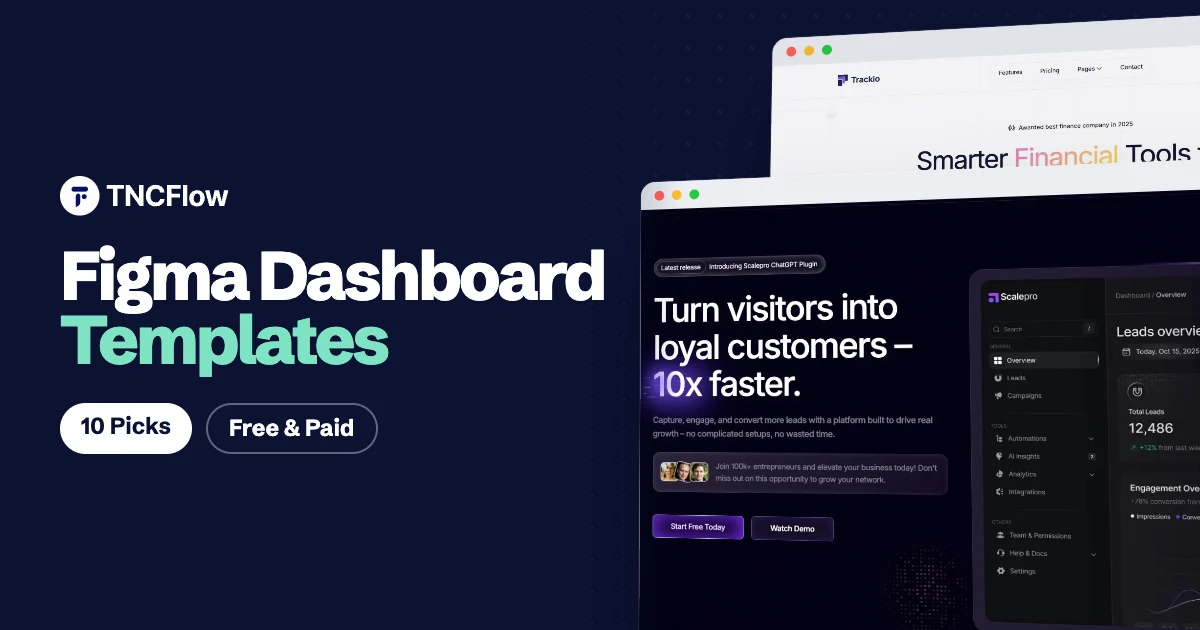
A good Figma dashboard template saves you from drawing the same sidebar, table and chart card for the tenth time. You start with a working layout, a set of components and a type scale, then spend your hours on the screens that are specific to your product.
This list covers seven dashboard and admin UI kits for Figma, free and paid, from Figma Community and established UI kit makers. One honest note first: TNCFlow sells website templates, not dashboard kits, so the dashboard picks here are all from other makers.
Where TNCFlow does fit is the other half of the job. Every dashboard product needs a marketing site, so the last three picks are SaaS website templates from our Figma templates collection that pair well with an app design.
Quick picks
| Template | Best for | Price |
|---|---|---|
| TailAdmin | Tailwind CSS admin panels | Free version |
| Untitled UI | A full design system with dashboard parts | Free version, paid Pro |
| Themesberg Figma Admin Dashboard | Open source admin layouts | Free version, paid Pro |
| Horizon UI | React admin dashboards | Free version |
| BankDash | Banking and finance dashboards | Free |
| Purity UI Dashboard | Chakra UI projects | Free version |
| Snow Dashboard UI Kit | Minimal SaaS dashboards | Check current pricing |
| Toolify (website) | Software and AI tool marketing sites | $30 |
| Scalepro (website) | AI SaaS marketing sites | $25 |
| ProjManage TNC (website) | Project management SaaS sites | $15 |
The best Figma dashboard templates and admin UI kits
1. TailAdmin
TailAdmin is a free Figma admin template made to match the TailAdmin Tailwind CSS dashboard. The Community file includes several dashboard layouts and a large set of UI elements such as tables, charts, forms and cards. It is the easy choice if your developers build with Tailwind, because the design and the coded template follow the same structure. A paid version with more layouts exists on the TailAdmin site, so check current pricing there.
TailAdmin is available from Figma Community.
2. Untitled UI
Untitled UI is a general Figma UI kit and design system, not a dashboard only file, but it is one of the most used starting points for dashboard work. The free version gives you global styles and a deep component library with tables, navigation, modals and form controls. Pick it when you want a system to build your own screens from. The Pro version adds more components and page examples, check current pricing on the Untitled UI site.
Untitled UI is available from Figma Community.
3. Themesberg Figma Admin Dashboard
This is a free and open source Figma admin template from Themesberg, the team behind Flowbite. The source is also published on GitHub. It gives you dashboard pages and components that line up with Tailwind CSS, which makes handoff simpler. A paid Pro version with more pages is offered by Themesberg, check current pricing.
Themesberg Figma Admin Dashboard is available from Figma Community.
4. Horizon UI
Horizon UI is the Figma file for an open source admin dashboard template designed to work with React. It comes in light and dark versions and has a soft, rounded card style that suits analytics and SaaS products. Use it if you plan to build on the matching coded template and want design and code to stay close.
Horizon UI is available from Figma Community.
5. BankDash
BankDash is a free Figma dashboard UI kit aimed at banking and finance products. It covers screens such as accounts, transactions, cards and loans, and it is built with variables and auto layout so resizing and theming are less painful. A good fit for fintech concepts, client pitches and student projects.
BankDash is available from Figma Community.
6. Purity UI Dashboard
Purity UI Dashboard is a free Figma admin template that matches a Chakra UI and React dashboard of the same name. The style is light and clean, with the usual dashboard, tables, billing and profile pages. Choose it when your front end uses Chakra UI and you want the Figma file to mirror real components.
Purity UI Dashboard is available from Figma Community.
7. Snow Dashboard UI Kit
Snow Dashboard UI Kit is a minimal, mostly black and white Figma dashboard UI kit. The restrained style makes it easy to add your own brand colour on top without fighting the original palette. It is listed on Figma Community, and the full version is a paid file, so check current pricing before you plan around it.
Snow Dashboard UI Kit is available from Figma Community.
TNCFlow Figma templates for your dashboard product’s website
A dashboard kit covers the app. It does not cover the home page, pricing page and blog that sell the app. TNCFlow does not make dashboard UI kits, so the three picks below are website templates, described as exactly that. Each one is a Figma file of a full marketing site for a software product, and each also exists as a built template if you would rather skip the build.
8. Toolify
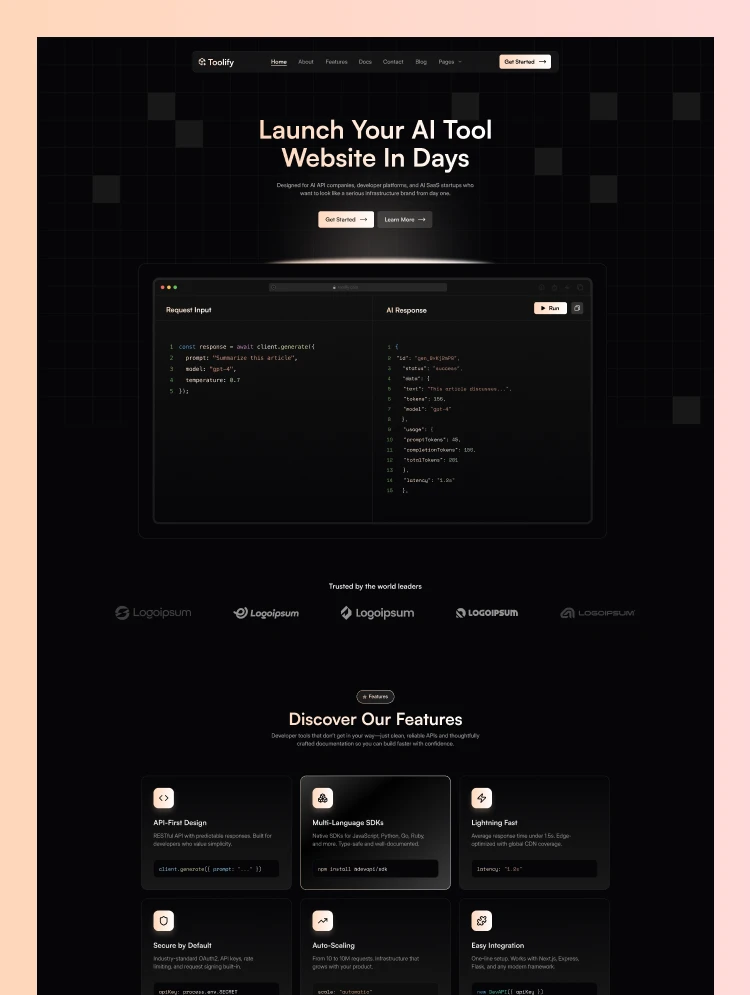
Toolify is a software website template for SaaS platforms, AI tools and developer utilities. It is a website design, not an admin kit, but it is the closest visual match on this list: the whole site uses a dark, dashboard style theme, so your marketing pages and your product screenshots look like they belong together.
The design contains 16 pages, including a home page, features, pricing, documentation, a blog, contact and a full set of utility pages. That documentation page is useful for developer tools, where the docs are part of the pitch.
The Figma version costs $30. Toolify is also available for Webflow, Framer and HTML, so you can design in Figma and launch on the platform your team prefers.
Toolify is available now.
9. Scalepro
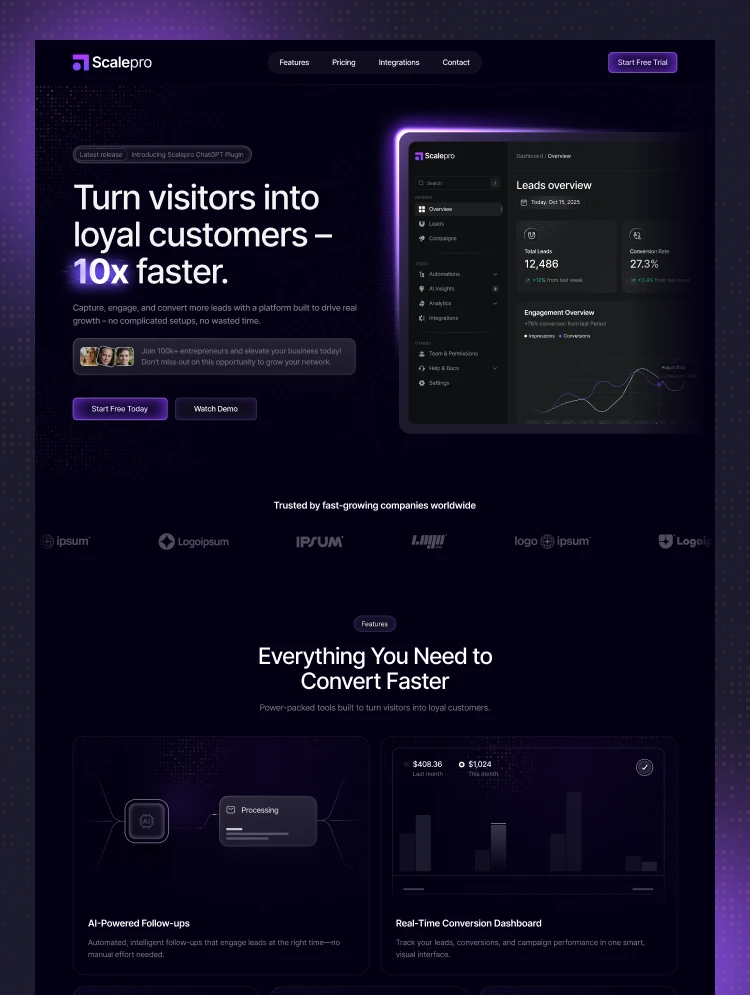
Scalepro is an AI SaaS website template for automation platforms, lead generation tools and growth agencies. If your dashboard is the product, this is the site that explains it, with features, integrations, pricing and blog pages already laid out.
The integrations page is the part many SaaS teams forget to design until late. Having it in the file from the start helps when your product connects to other tools.
The Figma version costs $25. Scalepro also ships for Webflow, Framer and HTML.
Scalepro is available now.
10. ProjManage TNC
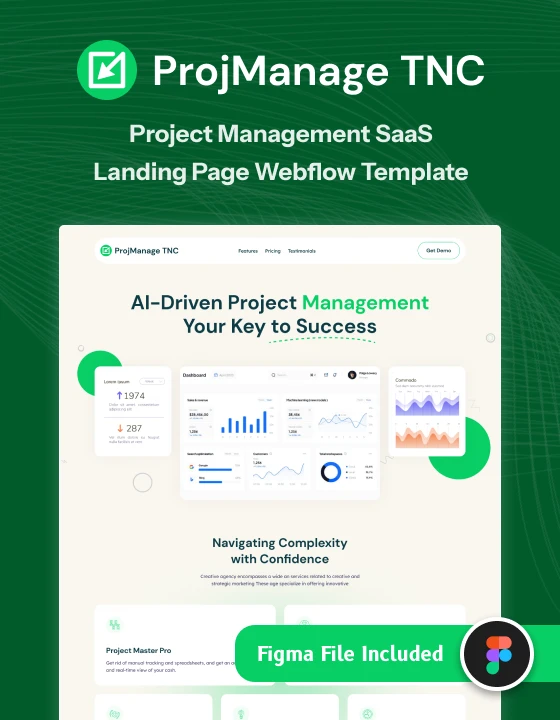
ProjManage TNC is a project management website template for project management SaaS, team collaboration tools and productivity software companies. It suits teams building task boards, planners or internal tools who need a simple public site around the app.
At $15 for the Figma version it is the lowest cost pick here, which makes it a sensible choice for an early stage product or a side project. It is also available for Webflow and HTML.
ProjManage TNC is available now.
Two more are worth a look for specific niches. Trackio is an accounting website template for payroll platforms, bookkeeping firms and finance software teams ($25 in Figma). ShieldOS is a dark mode website template for cybersecurity SaaS and IT security teams ($30 in Figma). A TNCFlow purchase covers one website.
How to choose a Figma dashboard UI kit
Start with how the dashboard will be built, then look at style. A beautiful file that fights your front end stack costs more time than it saves.
- Match the code. If developers use Tailwind CSS, React or Chakra UI, pick a Figma admin template with a matching coded version, such as TailAdmin, Horizon UI or Purity UI.
- Check the build quality. Open the file and look for auto layout, components with variants, and styles or variables for colour and type. Without these, every edit is manual.
- Look for your screens. Tables, filters, empty states, settings and forms matter more than a pretty overview page. Make sure the kit has the screens your product really needs.
- Confirm light and dark modes if your product needs both. Adding a dark theme later is slow.
- Read the license. Free Community files and paid kits have different terms. Check them on the maker’s page before client or commercial work.
- Plan the marketing site too. Decide early how the public site will look so the app and the site share colours and type.
Want it built for you?
If you would rather not do the setup yourself, the TNCFlow team can customise one of our website templates with your brand, content and product screenshots, then launch it on Webflow, Framer or HTML. Book a free call to talk it through.
Frequently asked questions
What is a Figma dashboard template?
It is a ready made Figma file with dashboard screens and components such as sidebars, tables, charts, cards and forms. You edit it to fit your product instead of designing every screen from a blank canvas.
Are there free Figma dashboard UI kits?
Yes. TailAdmin, the Themesberg Figma Admin Dashboard, Horizon UI, BankDash and Purity UI all have free files on Figma Community. Several also have paid versions with more screens, so check what the free file includes.
What is the difference between a dashboard UI kit and a website template?
A dashboard UI kit is for the app people log in to: data tables, charts and settings. A website template is for the public marketing site: home, features, pricing and blog. Most software products need both.
Does TNCFlow sell Figma dashboard templates?
No. TNCFlow sells website templates for Webflow, Framer, Astro, Figma and HTML. For a dashboard product, our SaaS website templates such as Toolify, Scalepro and ProjManage TNC cover the marketing site.
Can I use a Figma admin template for client work?
It depends on the license of each kit. Free Figma Community files and paid kits set their own terms, so read the license on the maker’s page before you use a kit in a client or commercial project.