

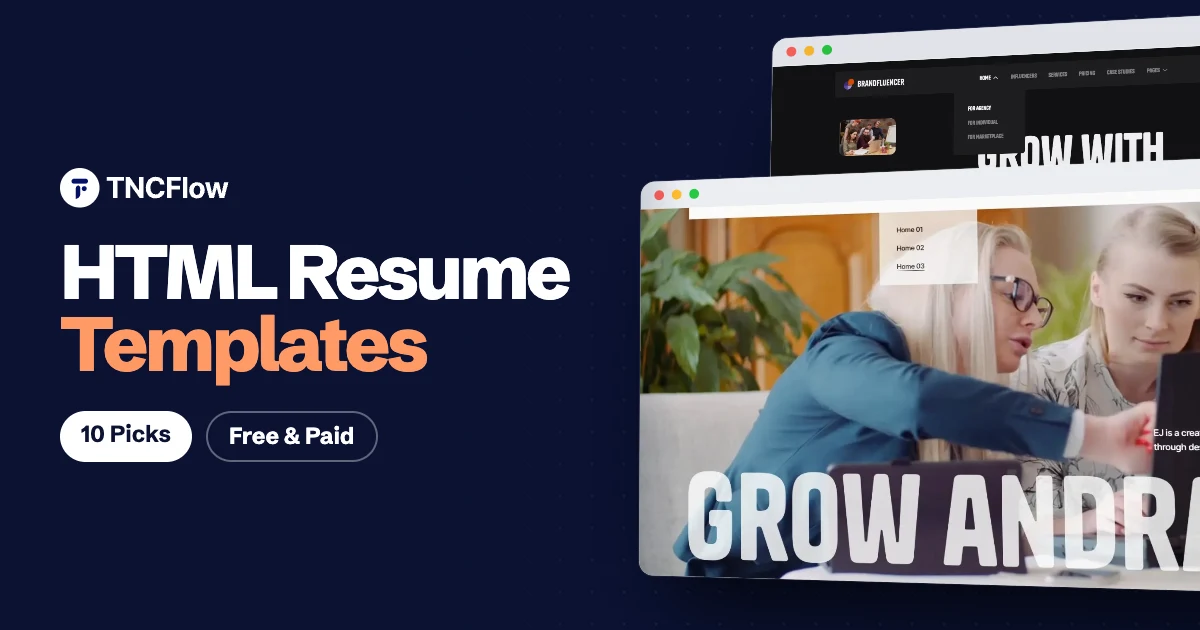
An HTML resume template gives you a CV that lives at your own web address. You can send one link instead of an attachment, update it whenever something changes, and host it almost anywhere because it is only HTML, CSS and a little JavaScript.
People searching for an HTML CV template usually want one of two things. Some want a simple one page resume that reads like a paper CV. Others want a full resume website template with a home page, case studies, services and a contact page, so the site can win work as well as list experience.
This list covers both. The first six are paid templates from TNCFlow that suit personal, portfolio and resume style sites. The last four are free outside options for a quick single page CV.
Quick picks
| Template | Best for | Price |
|---|---|---|
| Dossier | Consultants and freelancers who want a full resume site | $28 |
| Axure | Freelance designers and small studios | $21 |
| Brandfluencer | Creators and personal brands | $46 |
| LifeCoachX | Coaches and mentors | $18 |
| BookAuthor TNC | Writers and authors | $18 |
| Photographer TNC | Photographers and videographers | $18 |
| Start Bootstrap Resume | A classic one page CV | Free |
| Start Bootstrap Personal | A small four page personal site | Free |
| Orbit | Developers who want a compact CV | Free with attribution |
| HTML Resume Template by Tom Barrasso | A printable resume you can export to PDF | Free |
The best HTML resume templates
1. Dossier
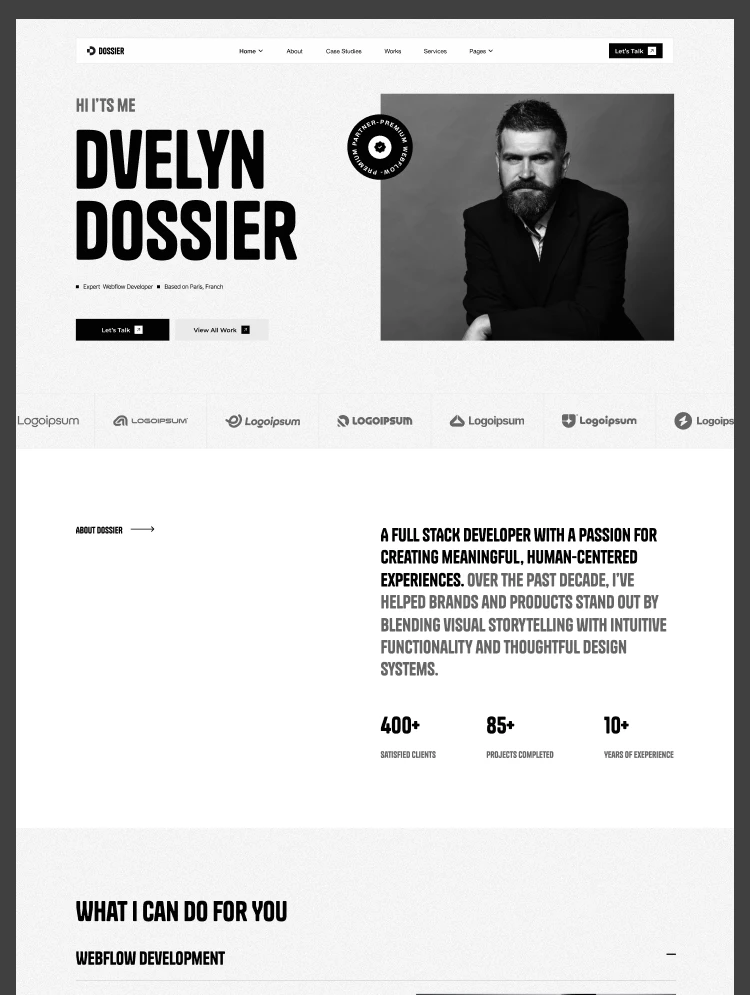
Dossier is the closest match on this list, because it was designed as a resume website template. It is aimed at consultants, freelancers and independent professionals who need more than a list of past jobs.
The design gives you three home pages to choose from, case studies to show the work behind each role or project, a services and pricing page, and a blog. That mix suits anyone whose CV has to double as a sales page, for example a consultant who wants visitors to read a case study and then get in touch.
The HTML version costs $28. Dossier is also available for Webflow ($79), Astro ($79) and Figma ($30) if you would rather work on another platform or edit the design first.
Dossier is available now.
2. Axure
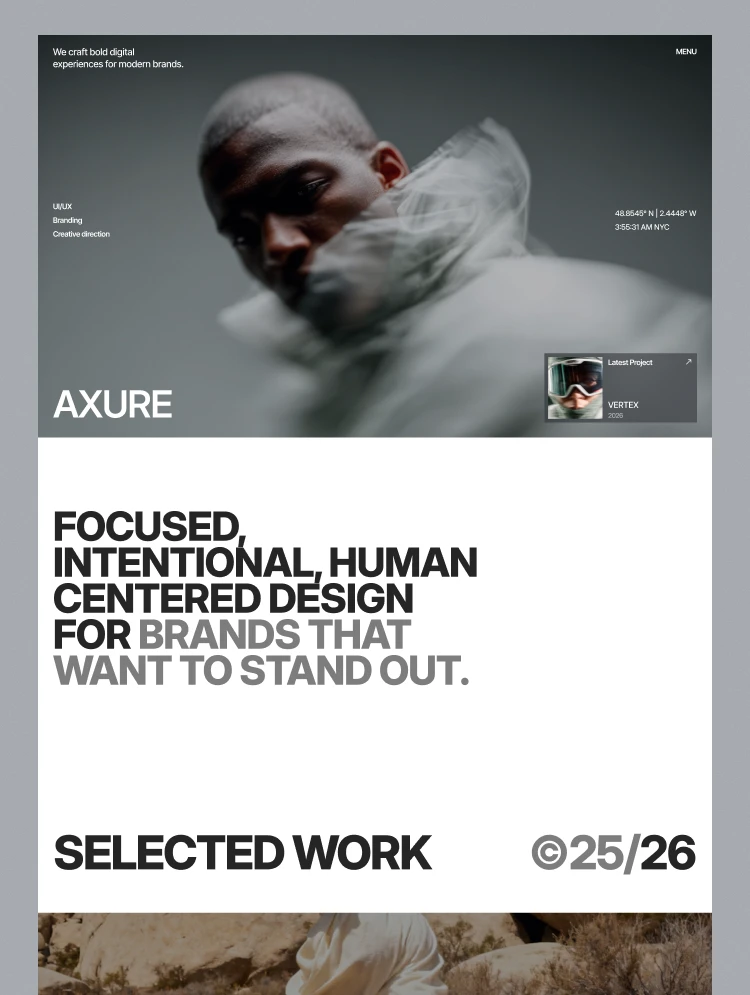
Axure is a portfolio website template for creative agencies, design studios and freelance designers. If your resume is really your body of work, a portfolio layout will serve you better than a text heavy CV.
The design centres on a filterable work grid, so a visitor can narrow your projects by type, and it includes case study pages and a blog. Use the case studies to explain your role and the result, which is what a hiring manager or client looks for.
The HTML version costs $21. Axure also exists for Webflow ($59), Framer ($59) and Figma ($30).
Axure is available now.
3. Brandfluencer
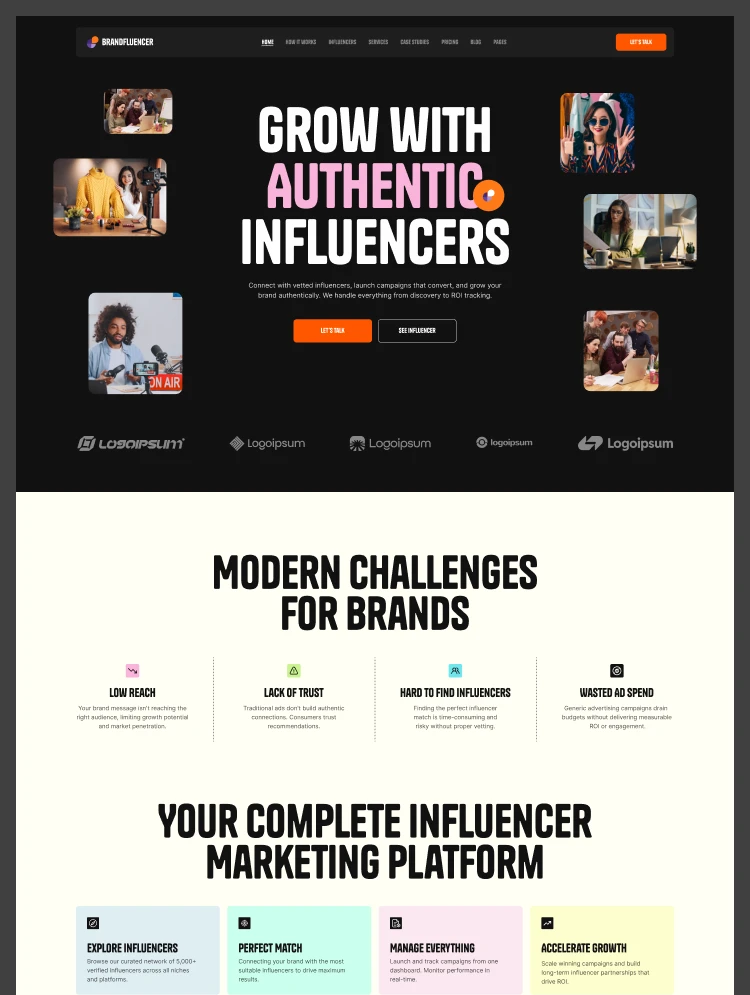
Brandfluencer is built for talent agencies, creator marketplaces and personal brands. It suits creators, speakers and anyone whose online presence is the product, where a plain CV would undersell them.
It comes with three homepage variants, services and case studies, and 17 designed pages in total. That is a lot of room for a personal site, so it works best if you have partnerships, campaigns or press to show.
The HTML version costs $46. Brandfluencer is also available for Webflow ($129), Framer ($129) and Figma ($35).
Brandfluencer is available now.
4. LifeCoachX
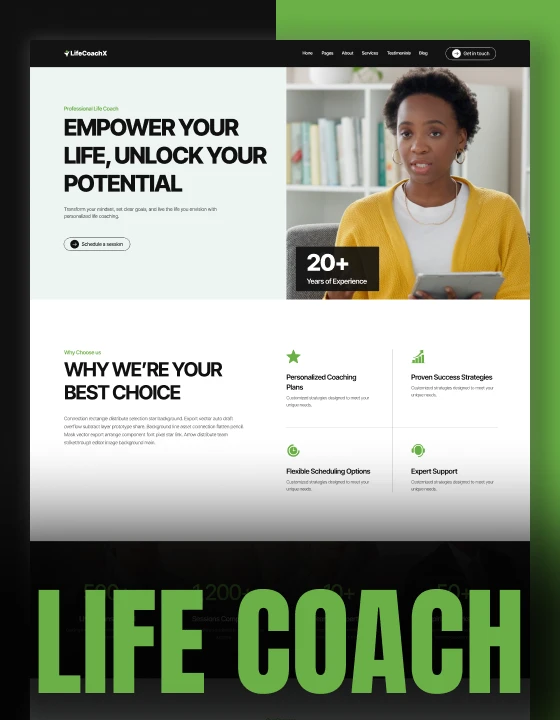
LifeCoachX is a website template for personal coaches, wellness practitioners and mindset mentors. It is a good base for a personal site where your name and face lead the page and your background supports the offer.
If you are a coach, trainer or solo consultant, your resume site needs to explain who you are, who you help and how to book you. A coaching design is already shaped around that story, so you spend your time on the words instead of the layout.
The HTML version costs $18. LifeCoachX also exists for Webflow ($49), Astro ($49) and Figma ($25).
LifeCoachX is available now.
5. BookAuthor TNC
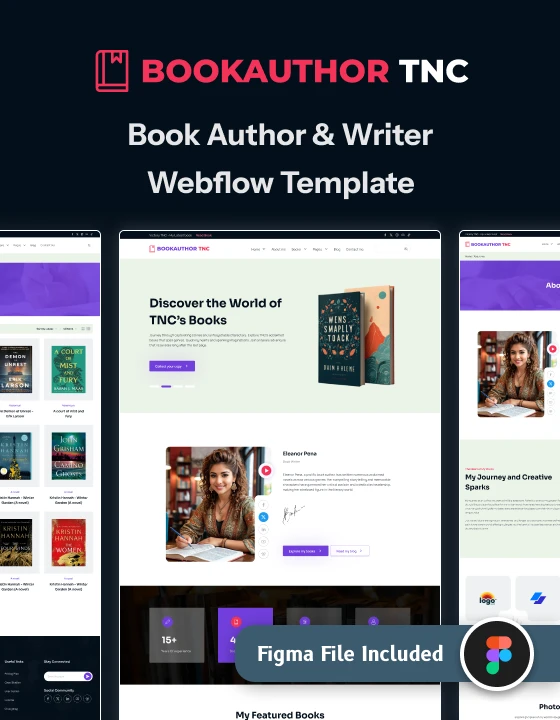
BookAuthor TNC is an author website template for novelists, nonfiction writers and independent publishers. For a writer, the bibliography is the CV, and this design treats it that way.
It includes a book catalogue filtered by genre, an events page, a blog and an author About page. The About page carries your biography, while the catalogue and events show what you have published and where you are appearing.
The HTML version costs $18. It is also available for Webflow ($49), Astro ($49) and Figma ($25).
BookAuthor TNC is available now.
6. Photographer TNC
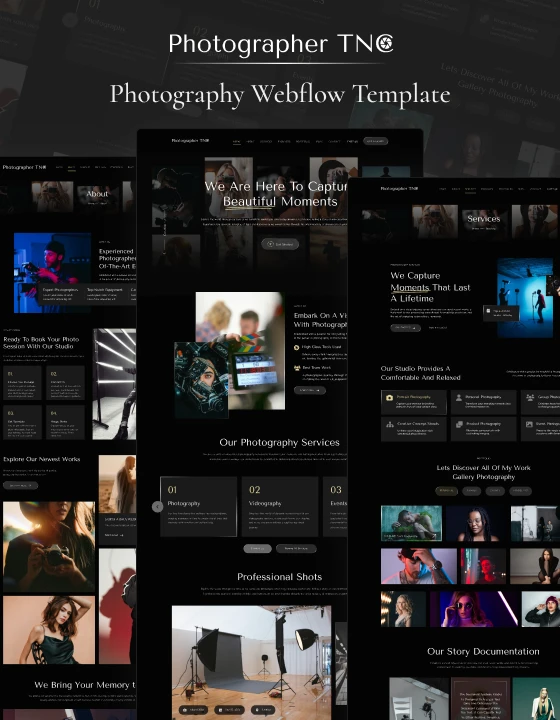
Photographer TNC is a photography website template for portrait photographers, wedding studios and video agencies. If you work with a camera, clients judge you on images first and experience second, so a gallery led personal site makes sense.
The template has 15 pages, including portfolio, packages and blog pages. The packages page is useful if you want your personal site to show what you charge as well as what you have shot.
The HTML version costs $18. Photographer TNC also exists for Webflow ($49), Framer ($79), Astro ($59) and Figma ($25).
Photographer TNC is available now.
7. Start Bootstrap Resume
Resume is a free, open source resume and CV theme built with Bootstrap. It is one of the most widely used free HTML CV templates, and it follows the classic single page format, which makes it a sensible pick if you want a traditional online CV with little setup.
Start Bootstrap Resume is available from Start Bootstrap.
8. Start Bootstrap Personal
Personal is a free Bootstrap theme for personal resume websites, released under the MIT license. It includes four HTML pages and contact form markup that is prepared for the Start Bootstrap forms service, so it sits between a one page CV and a full site.
Start Bootstrap Personal is available from GitHub.
9. Orbit
Orbit is a Bootstrap 5 resume and CV template made for developers. It is responsive, ships with six colour schemes and includes the SCSS source files. It is free as long as you keep the footer attribution link, and a commercial license is sold if you want to remove it.
Orbit is available from GitHub.
10. HTML Resume Template by Tom Barrasso
This is a single page resume template built with HTML, CSS and JavaScript, released under the Apache 2.0 license. You can edit the text in the browser, your changes save locally, and you can export the result to PDF. Pick it if you mainly need a document to send, with the option to host it too.
HTML Resume Template by Tom Barrasso is available from GitHub.
How to choose an HTML resume template
Start with what the site has to do. A job application needs a short, scannable CV. A freelance or consulting practice needs proof of work and a clear way to make contact.
- One page or many. If you only need to list experience, skills and education, a free single page template is enough. If you need case studies, services or a blog, choose a multi page design such as Dossier or Axure.
- Your field. Designers, photographers and writers are judged on work samples, so pick a layout built around a portfolio, gallery or catalogue.
- Print and PDF. Recruiters still ask for a PDF. If that matters, keep a printable version alongside your site, or use a template designed for PDF export.
- License. Free templates often require an attribution link or have their own terms, so read the license before you publish. A TNCFlow purchase covers one website.
- Editing comfort. HTML templates are edited in a code editor. If you would prefer a visual editor, check whether the same design exists for Webflow or Framer.
You can browse every design in the HTML templates collection, or look at the free templates if your budget is zero.
Want it built for you?
If you would rather not edit code, the TNCFlow team can customise the template with your content, photos and colours, then launch it on your domain. Book a free call to talk it through.
Frequently asked questions
What is an HTML resume template?
It is a ready made web page, written in HTML and CSS, that presents your CV online. You replace the sample text and images with your own details and upload the files to a web host.
Are free HTML resume templates good enough?
For a simple one page CV, yes. Free templates such as Start Bootstrap Resume or Orbit cover the basics. Paid templates make more sense when you need several pages, case studies or a design that fits your profession.
Can I turn an HTML resume into a PDF?
Yes. Most browsers can print a web page to PDF. Results depend on the template, so test it before you send it. Templates made for print, like the HTML Resume Template by Tom Barrasso, give the cleanest output.
Where can I host an HTML resume website?
Any static web host will work, because the template is plain HTML, CSS and JavaScript files. Many people use free static hosting services and connect their own domain name.
Do I need to know how to code to use one?
You need to be comfortable opening HTML files in a code editor and changing text and image paths. If that is not for you, TNCFlow can set the template up for you, or you can choose the Webflow or Framer version of a design where one exists.