

A good Framer blog template gives you a readable article page, a clear post index and a structure you can keep adding to without redesigning anything. This list covers 11 Framer blog templates that do that job, for two different kinds of site.
The first kind is a business, agency or product site where the blog or news section sits next to service pages. Most company blogs work this way, and that is where the TNCFlow templates below fit. To be upfront: they are full website templates that include a blog or news section, not blog only themes. The second kind is a pure blog or magazine, and for that we have added three templates from the Framer Marketplace.
Every TNCFlow price below is for the Framer version. You can see the full range on our Framer templates page.
Quick picks
| Template | Best for | Framer price |
|---|---|---|
| PRCOM | News, PR and press style content | $59 |
| Axure | Portfolio with a blog and case studies | $59 |
| PodTalk | Podcast with episodes and blog posts | $59 |
| Scalepro | AI and SaaS product blog | $59 |
| Toolify | Software site with blog and docs | $59 |
| Multilingo | Course and education blog | $59 |
| CityPedia | Community news and notices | $59 |
| Nomadlife | Travel and lifestyle content | $59 |
| Blawg | Free blog with search and dark mode | Free |
| Reado | Free blog and magazine | Free |
| Journal | Simple personal blog | Check current pricing |
The best Framer blog templates
1. PRCOM
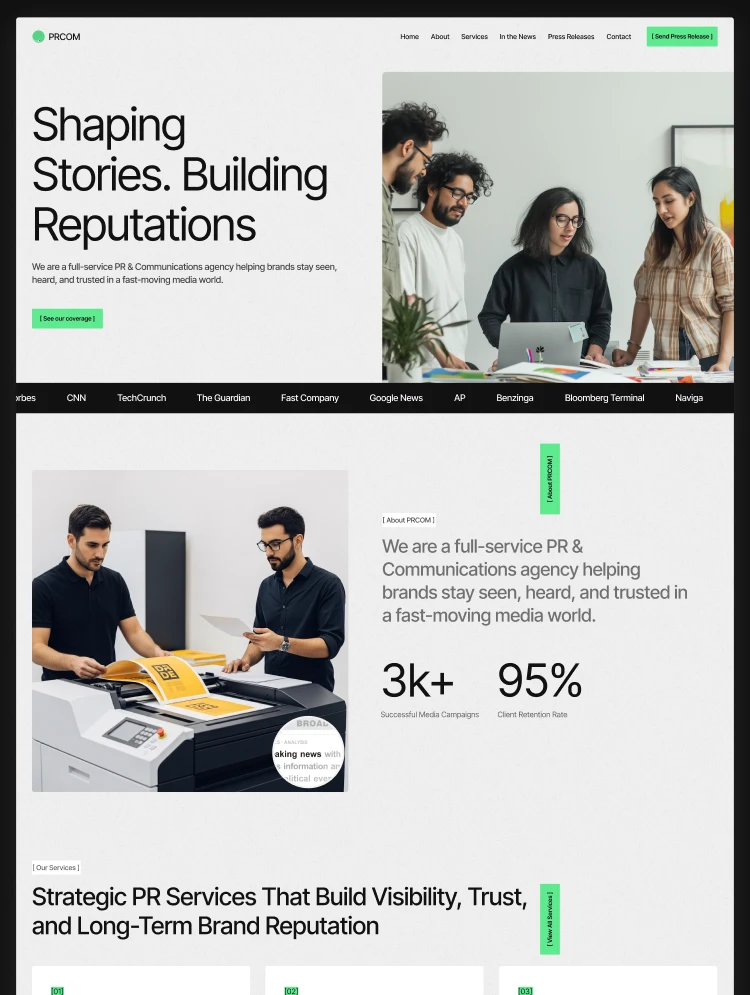
PRCOM is a PR agency website template made for public relations firms, communications consultancies and media agencies. Of everything in our Framer range, it is the closest to an editorial site, and we list it under Blog and Editorial for that reason.
The design centres on a filterable news index, so readers can narrow stories by topic instead of scrolling one long feed. Around that sit six service pages and a press release submission page, across 12 designed pages in total. If your content is news, announcements or commentary, the layout already expects that kind of writing.
The Framer version costs $59. PRCOM is also available for Webflow ($59), Astro ($59), Figma ($30) and HTML ($21).
PRCOM is available now.
2. Axure
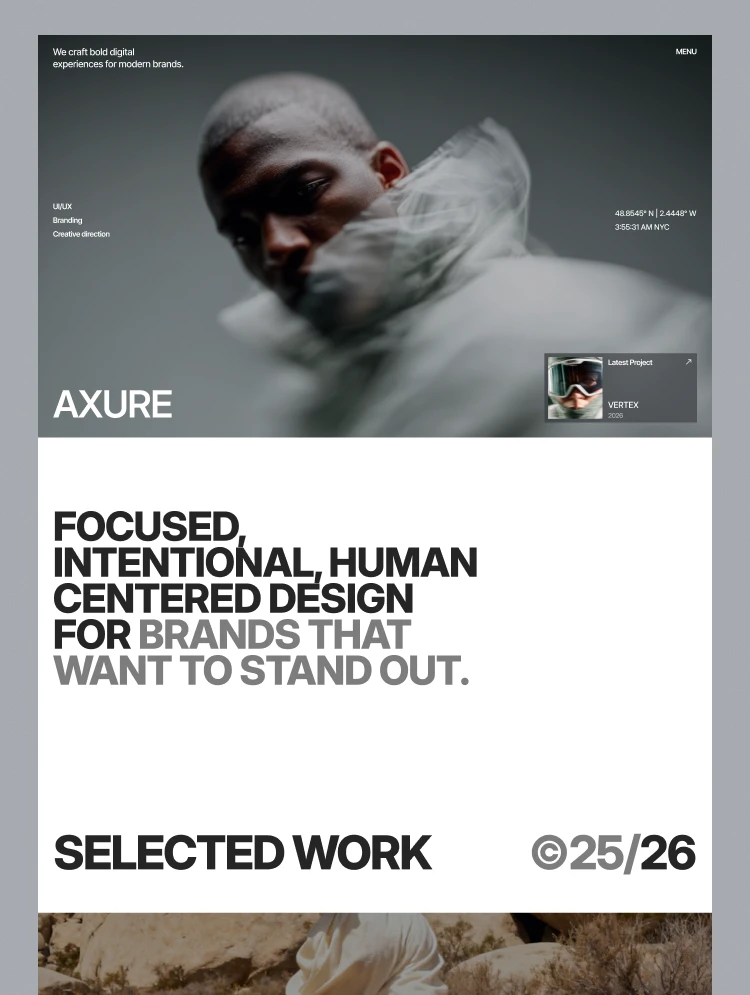
Axure is a portfolio website template for creative agencies, design studios and freelance designers. It suits you if writing is one part of how you win work, alongside showing the work itself.
It comes with a filterable work grid, a blog and case study pages. That combination is useful for content marketing: publish a short post, link it to a longer case study, and let the work grid do the selling. The blog and the portfolio share one visual style, so the site does not feel like two products joined together.
The Framer version costs $59. Axure also exists for Webflow ($59), Figma ($30) and HTML ($21).
Axure is available now.
3. PodTalk
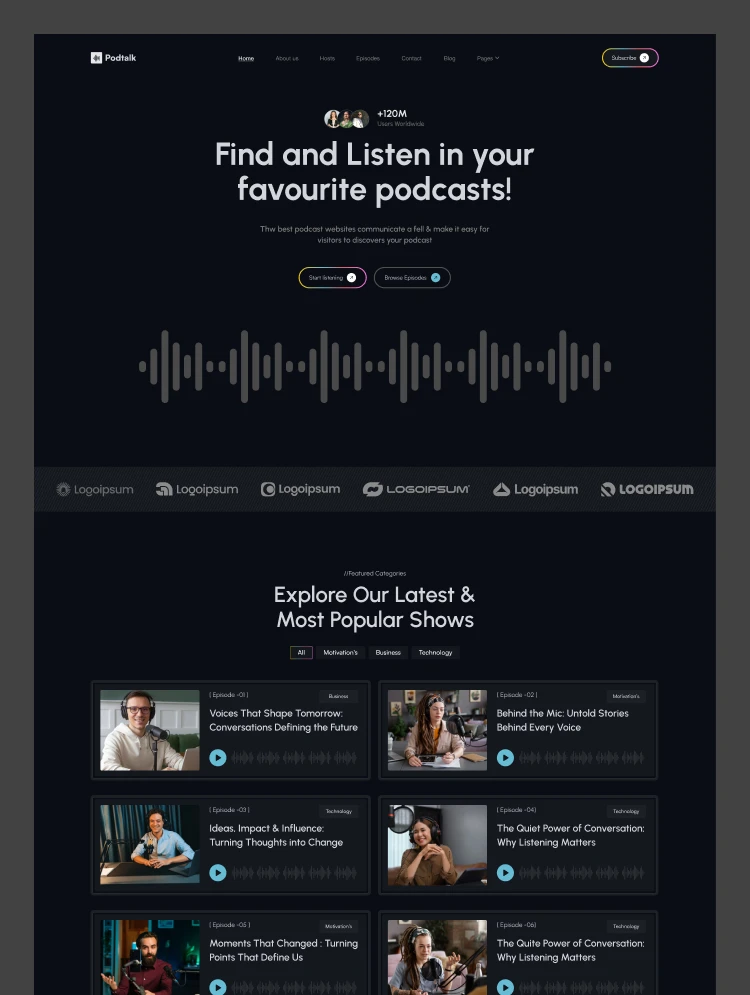
PodTalk is a podcast website template for podcast hosts, radio stations and audio networks. It works well when your blog supports another format, such as show notes, episode write ups or interviews.
The template is organised around episodes, hosts and blog posts, on a bold dark theme. Written posts get their own place beside the audio content, so you can publish an article for listeners who prefer to read.
The Framer version costs $59. PodTalk is also available for Webflow ($59), Figma ($30) and HTML ($21).
PodTalk is available now.
4. Scalepro
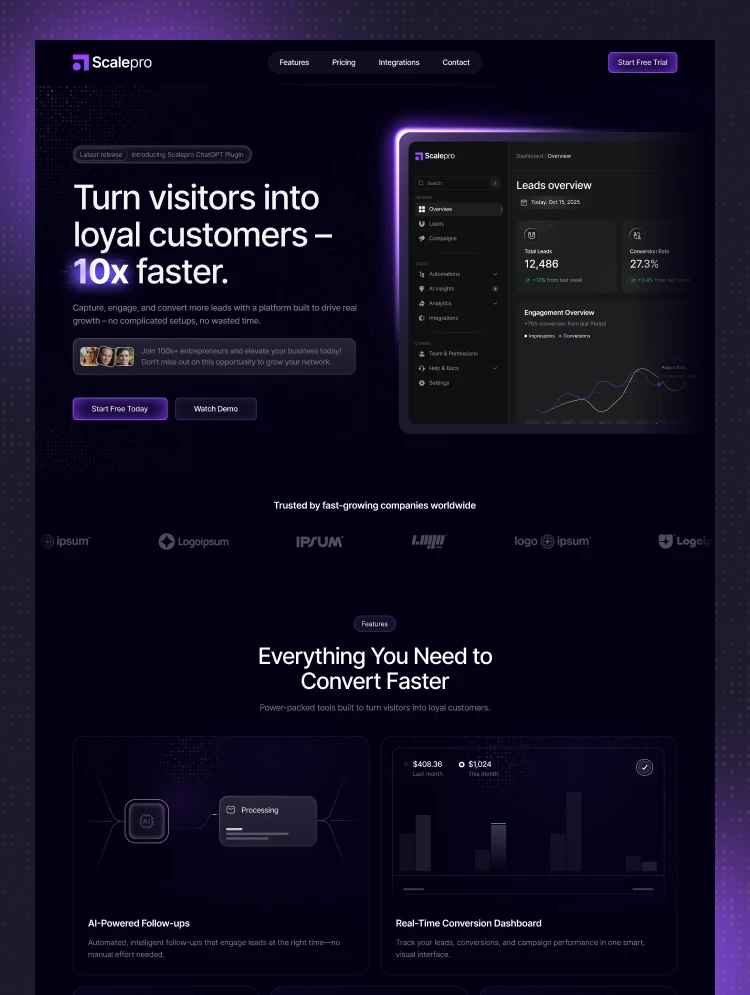
Scalepro is an AI SaaS website template for automation platforms, lead generation tools and growth agencies. Pick it if your blog exists to bring search traffic to a product.
It includes features, integrations, pricing and blog pages. That is the standard shape of a SaaS marketing site, and it means a reader who lands on an article is one click away from pricing or a feature page.
The Framer version costs $59. Scalepro also exists for Webflow ($59), Figma ($25) and HTML ($21).
Scalepro is available now.
5. Toolify
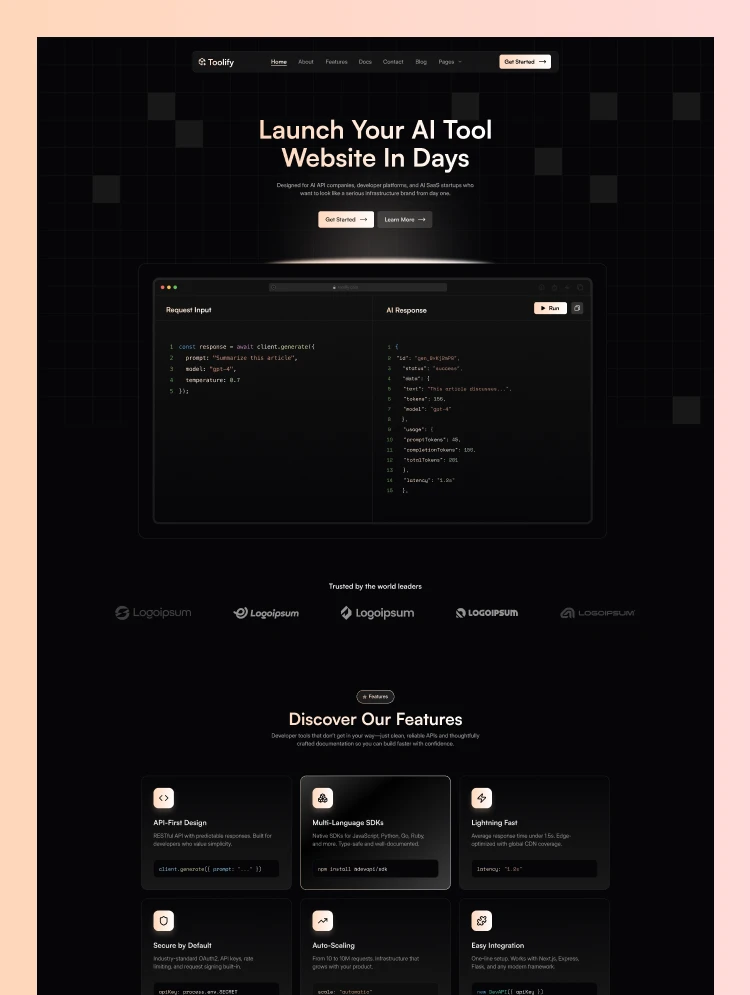
Toolify is a software website template for SaaS platforms, AI tools and developer utilities. It is a good match for technical writing, changelog style posts and product tutorials.
The template contains 16 pages, including a home page, features, pricing, documentation, a blog, contact and a full set of utility pages, all on a dark dashboard style theme. Having documentation and a blog in the same design is the main reason to choose it for a content heavy product site.
The Framer version costs $59. Toolify is also available for Webflow ($59), Figma ($30) and HTML ($21).
Toolify is available now.
6. Multilingo
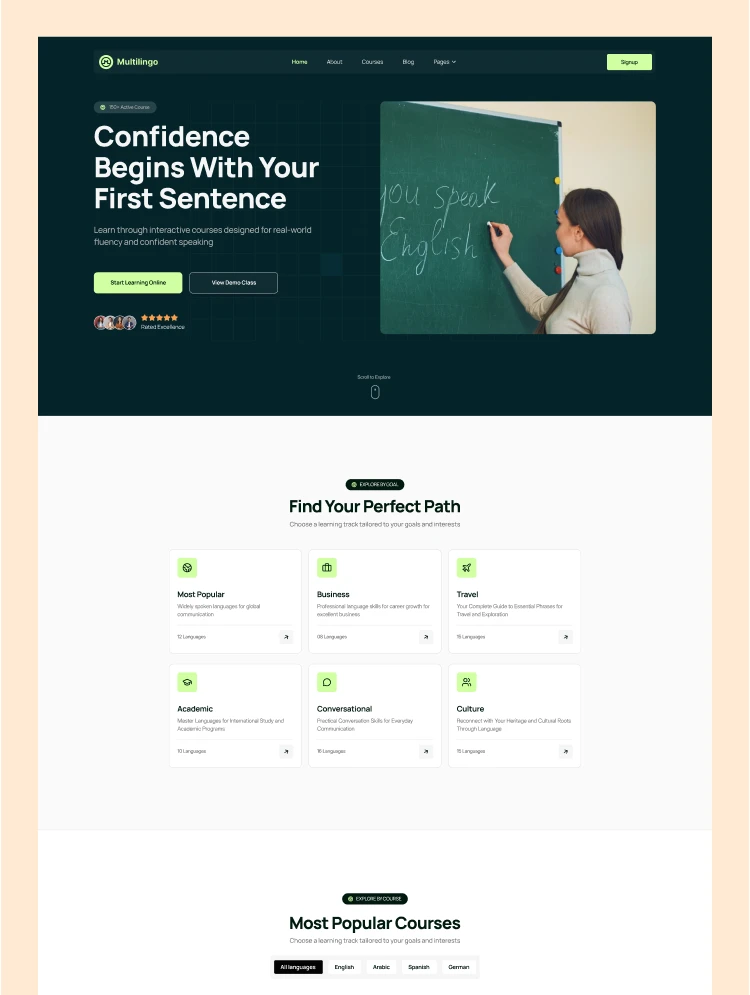
Multilingo is an education website template for language schools, online course creators and private tutors. If you teach, a blog is often the cheapest way to reach new students, and this template gives it a home next to your courses.
It contains 18 pages, including a filterable course catalogue, language landing pages, pricing, a blog and member sign up pages. Articles can point readers to a relevant course or landing page.
The Framer version costs $59. Multilingo also exists for Webflow ($59), Figma ($30) and HTML ($21).
Multilingo is available now.
7. Citypedia
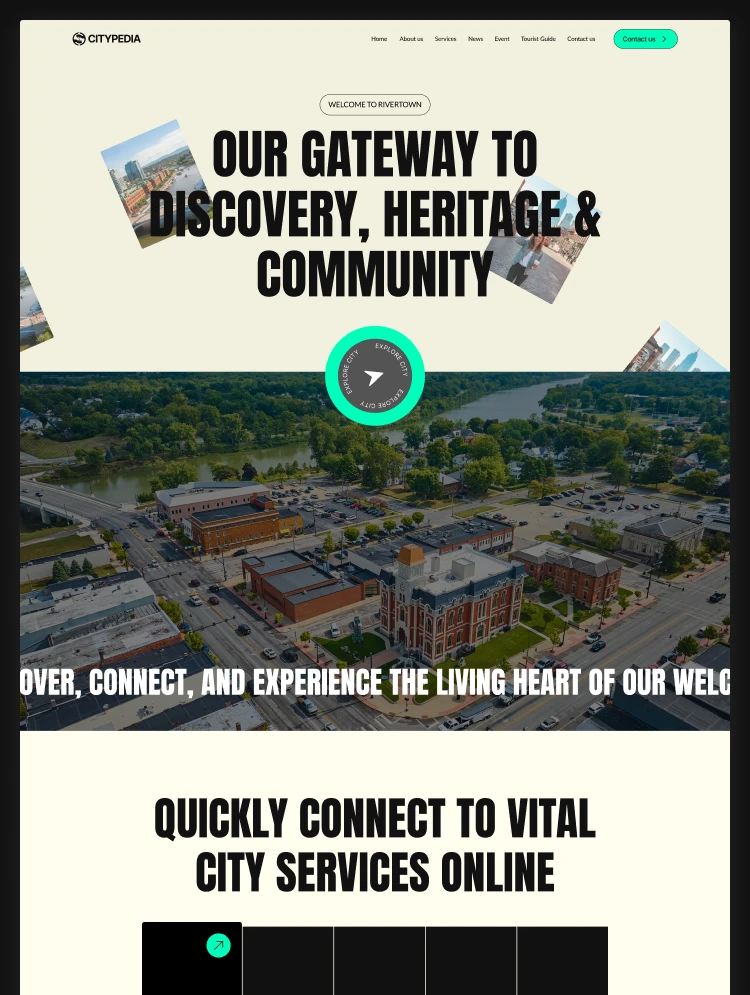
CityPedia is a community website template for city governments, urban planners and municipal service teams. It suits local news, public notices and community updates more than personal blogging.
The design covers service pages, news notices and events across 10 designed pages. If your publishing is mostly short, regular updates for a local audience, this structure fits better than a magazine layout.
The Framer version costs $59. CityPedia is also available for Webflow ($59), Figma ($25) and HTML ($21).
Citypedia is available now.
8. Nomadlife
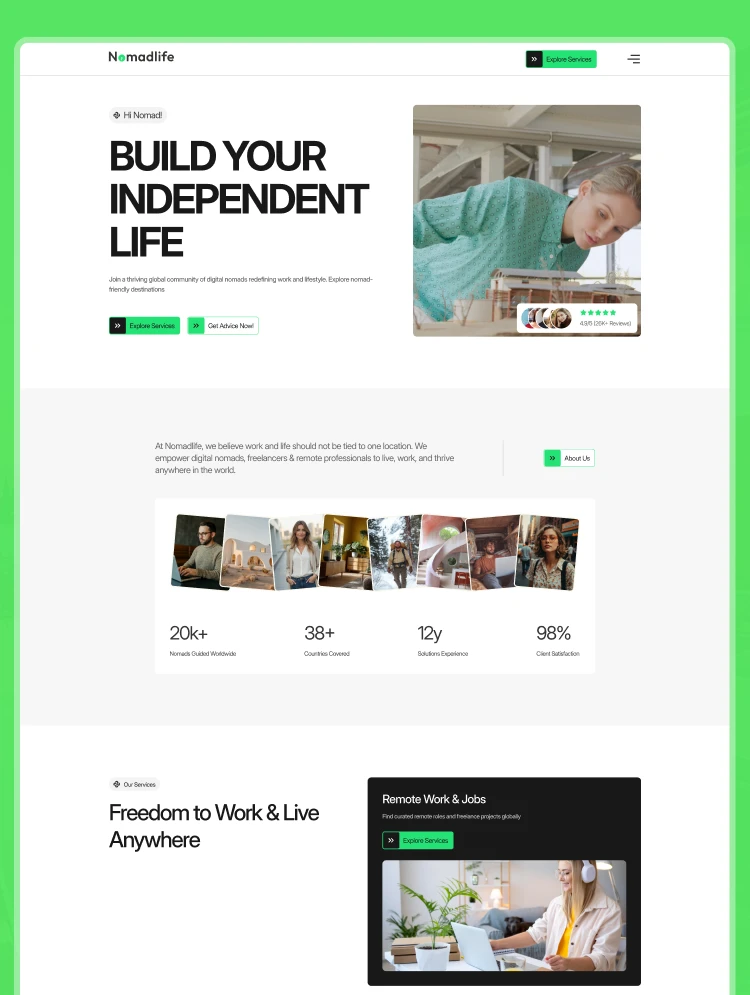
Nomadlife is a digital nomad services website template for remote work agencies, relocation consultants and nomad accommodation brands. We list it under Blog and Editorial and Lifestyle, and its look suits travel and lifestyle content.
The design is built around services, destinations and membership pricing, with 16 designed pages. Destination pages are a natural base for guide style content. Preview the Framer version first to confirm the article layout matches what you plan to publish.
The Framer version costs $59. Nomadlife also exists for Webflow ($59), Figma ($25) and HTML ($21).
Nomadlife is available now.
9. Blawg
Blawg, by Kayode Sasona, is a free blog template for people who want a pure blog. Its listing mentions search with filters, article bookmarking, a reading progress indicator, comments, dark mode and membership through FramerAuth. Some of those features may depend on third party services, so check the listing before you commit.
Blawg is available from the Framer Marketplace.
10. Reado
Reado, by Salim from Webestica, is a free blog and magazine template for bloggers, journalists and publishers. The listing describes a table of contents with scroll progress, reading time, newsletter sign up, a podcast section, author pages, search and category pages.
Reado is available from the Framer Marketplace.
11. Journal
Journal, by Thaer Swailem, is a small personal blog template with home, about, articles, article, categories and privacy pages. It is a sensible choice if you want a plain personal blog with few pages to manage. Check current pricing on the listing.
Journal is available from the Framer Marketplace.
How to choose a Framer blog template
Start with what the site is for. That decides more than the visual style does.
- Blog only or blog plus business. If writing is the whole site, a dedicated blog or magazine template is simpler. If the blog supports services or a product, choose a full site template so the service, pricing and contact pages match the articles.
- Open the article page first. Home pages sell templates, but readers spend their time on the post page. Check line length, heading styles, image handling and how it reads on a phone.
- Look at how posts are organised. Categories, filters and a clear index matter once you pass 20 or 30 posts.
- Check your Framer plan. A blog runs on the Framer CMS, and Framer plans differ in CMS limits. Confirm the current limits on Framer before you plan a large archive.
- Match the niche. A template designed for your industry needs less rework than a generic one.
A TNCFlow purchase covers one website. If you are not ready to pay yet, our free templates page is a good place to start.
Want it built for you?
If you would rather not set it up yourself, the TNCFlow team can customise the template with your branding and content, adapt the blog layout to how you publish, and launch the site for you. Book a free call to talk it through.
Frequently asked questions
Is Framer good for blogging?
Yes, for most small and medium blogs. Framer has a built in CMS for posts, so you can write and publish without a separate platform. Very large publications should check the CMS limits on their Framer plan first.
Are there free Framer blog templates?
Yes. Blawg and Reado are both listed as free on the Framer Marketplace. Free templates still need a Framer plan if you want to publish on a custom domain.
Do the TNCFlow templates here include a blog?
They are full website templates with a blog or news section built into the design, such as the news index in PRCOM or the blog in Axure, Toolify and Multilingo. They are not blog only themes, so preview each one to see how the article pages look.
How much does a Framer blog template cost?
The TNCFlow templates in this list cost $59 for the Framer version. Marketplace templates range from free to paid, so check the listing for the current price.
Can I use one template on several websites?
A TNCFlow purchase covers one website. For other marketplaces, read the license on the template listing.
Can someone set up the template for me?
Yes. TNCFlow offers a done for you service to customise and launch your template. You can book a free call to discuss what you need.