

PRO


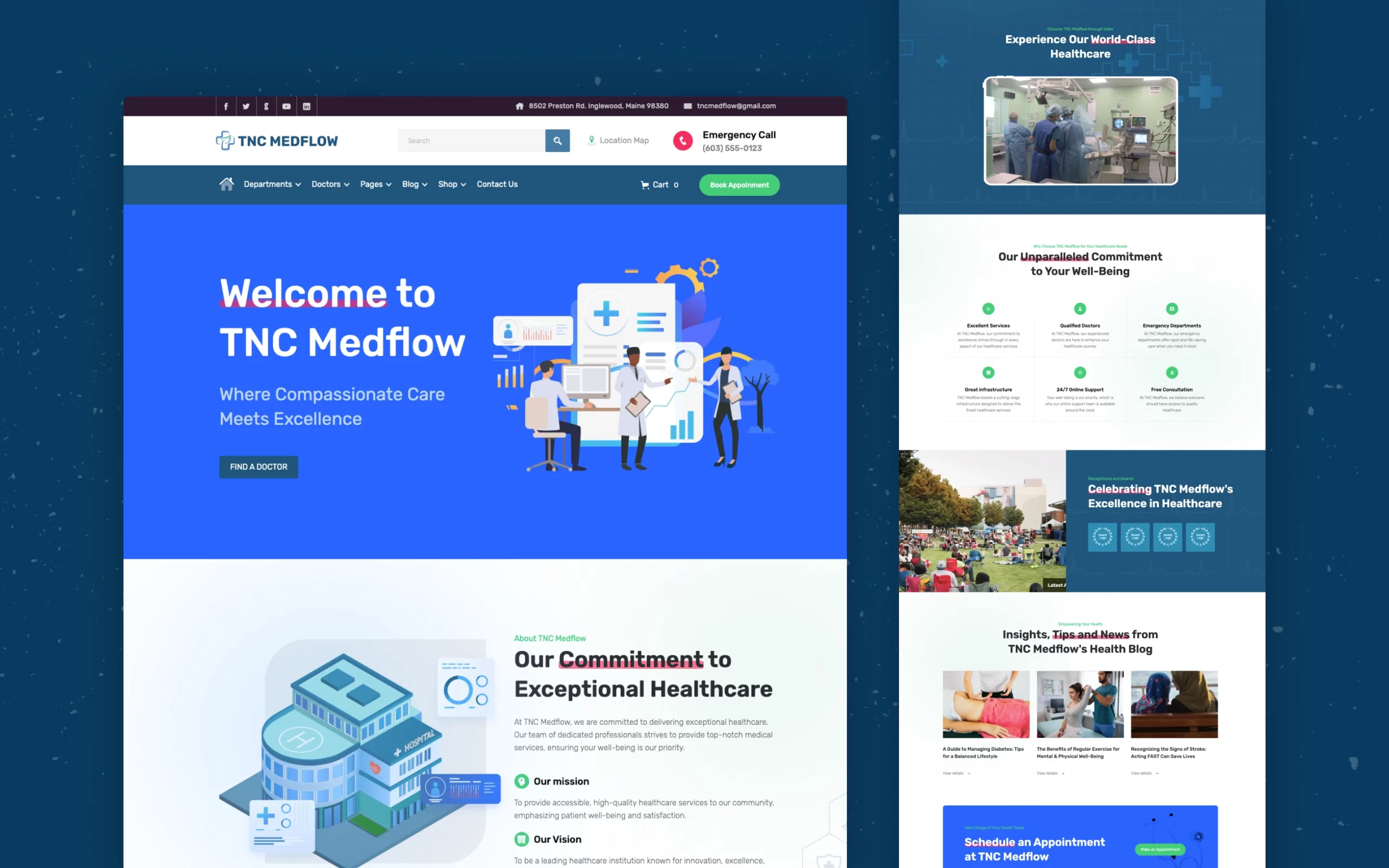

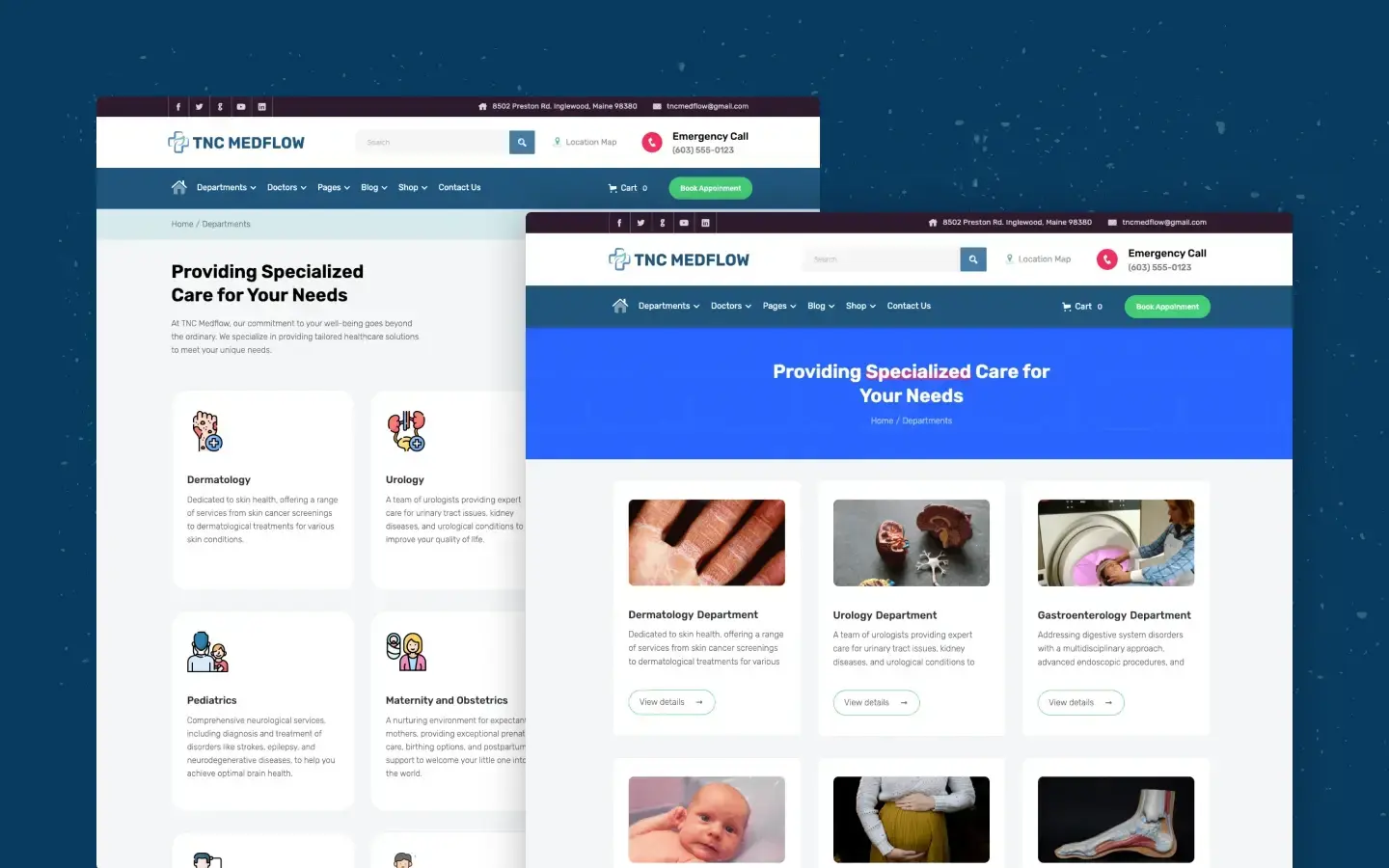
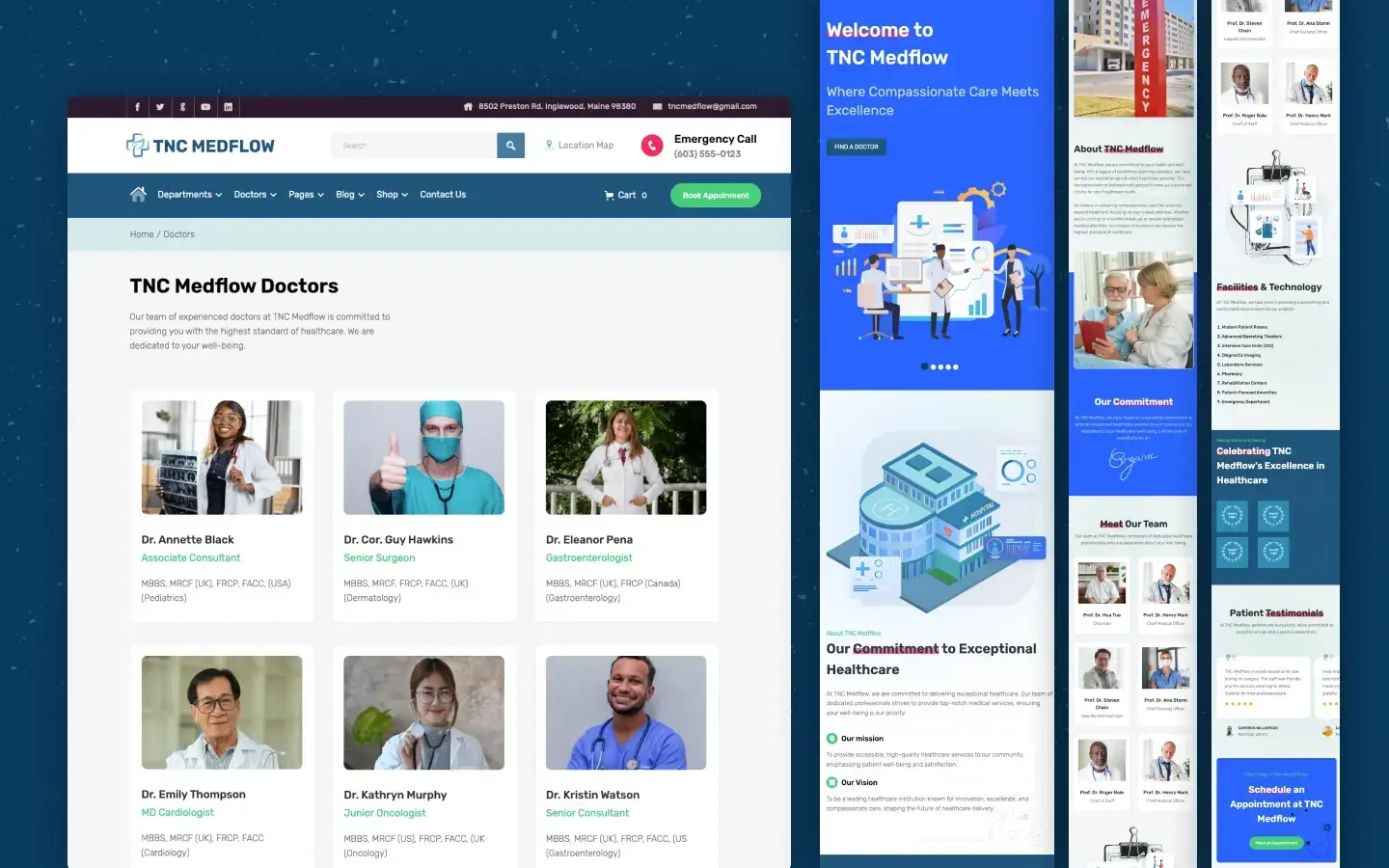

TNC MedFlow is a medical website template for hospitals, private clinics and individual doctors. It ships for Webflow, Figma and HTML.
The template covers a full care site in 28 pages. So you get doctor profiles, department pages, an appointment flow and a blog on day one. Because the layout is already built, you only swap in your own words and photos. Then you publish.
Each section has one job. The hero states what your clinic treats. The services grid lists your departments. The doctor cards build trust. However, none of it fights for attention, so a nervous patient can still find the booking button fast.
Explore the live preview now.
TNC MedFlow at a Glance
| Formats | Webflow, Figma and HTML |
| Webflow builds | Webflow, CMS and Ecommerce |
| Best for | Hospitals, clinics, doctors, dental and wellness practices |
| Pages | 28 |
| CMS pages | 13, covering doctors, departments, blog and gallery |
| Ecommerce pages | 5, covering shop, product, categories, checkout and order confirmation |
| Responsive | Yes, on desktop, tablet and mobile |
| Support | Included, direct from the TNCFlow team |
Key Features of TNC MedFlow
Professional Medical Design: The style is clean, calm and current. Because healthcare buyers judge a clinic in seconds, the layout keeps whitespace generous and type large. So the page reads as a real practice, not a brochure.
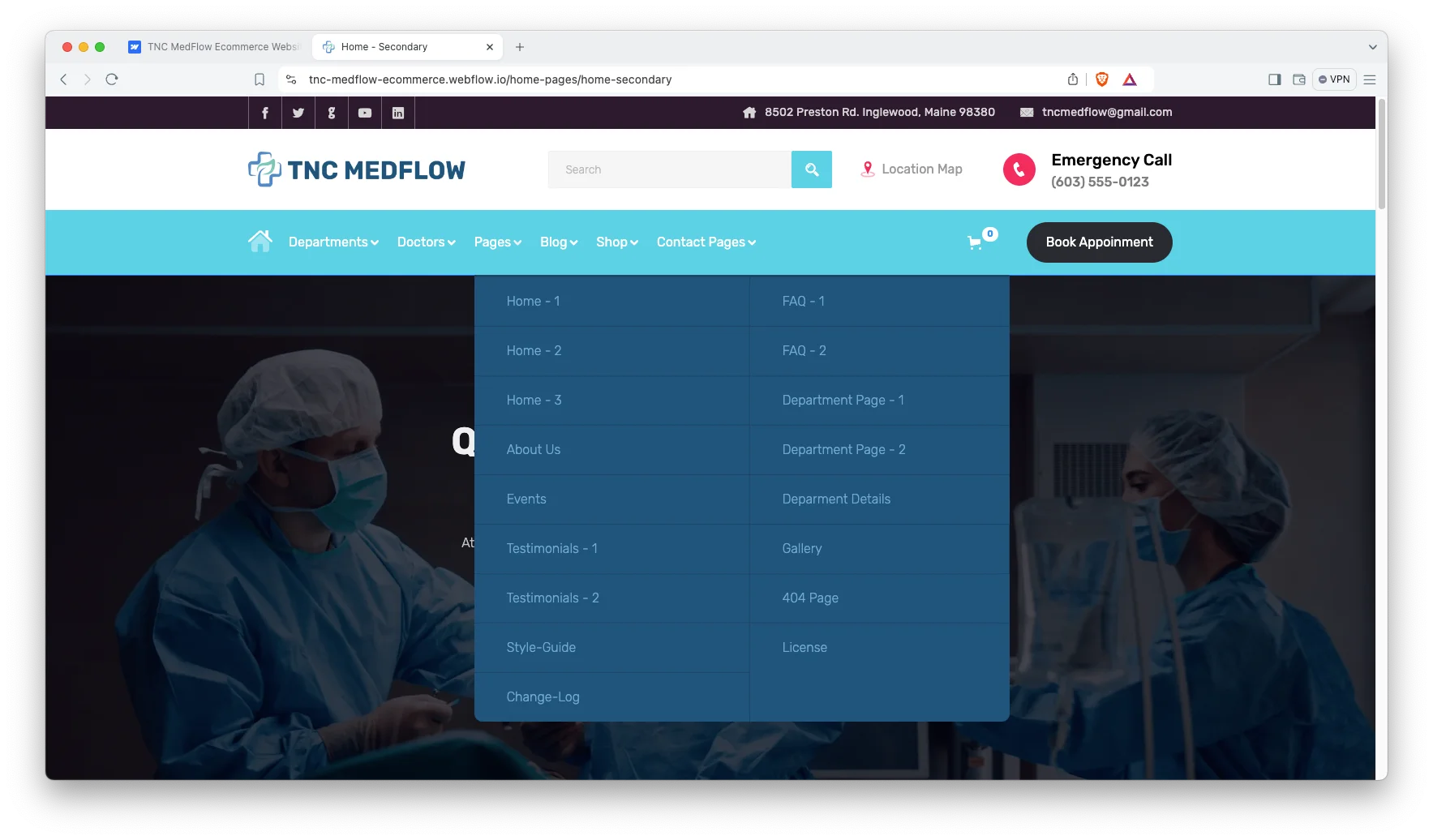
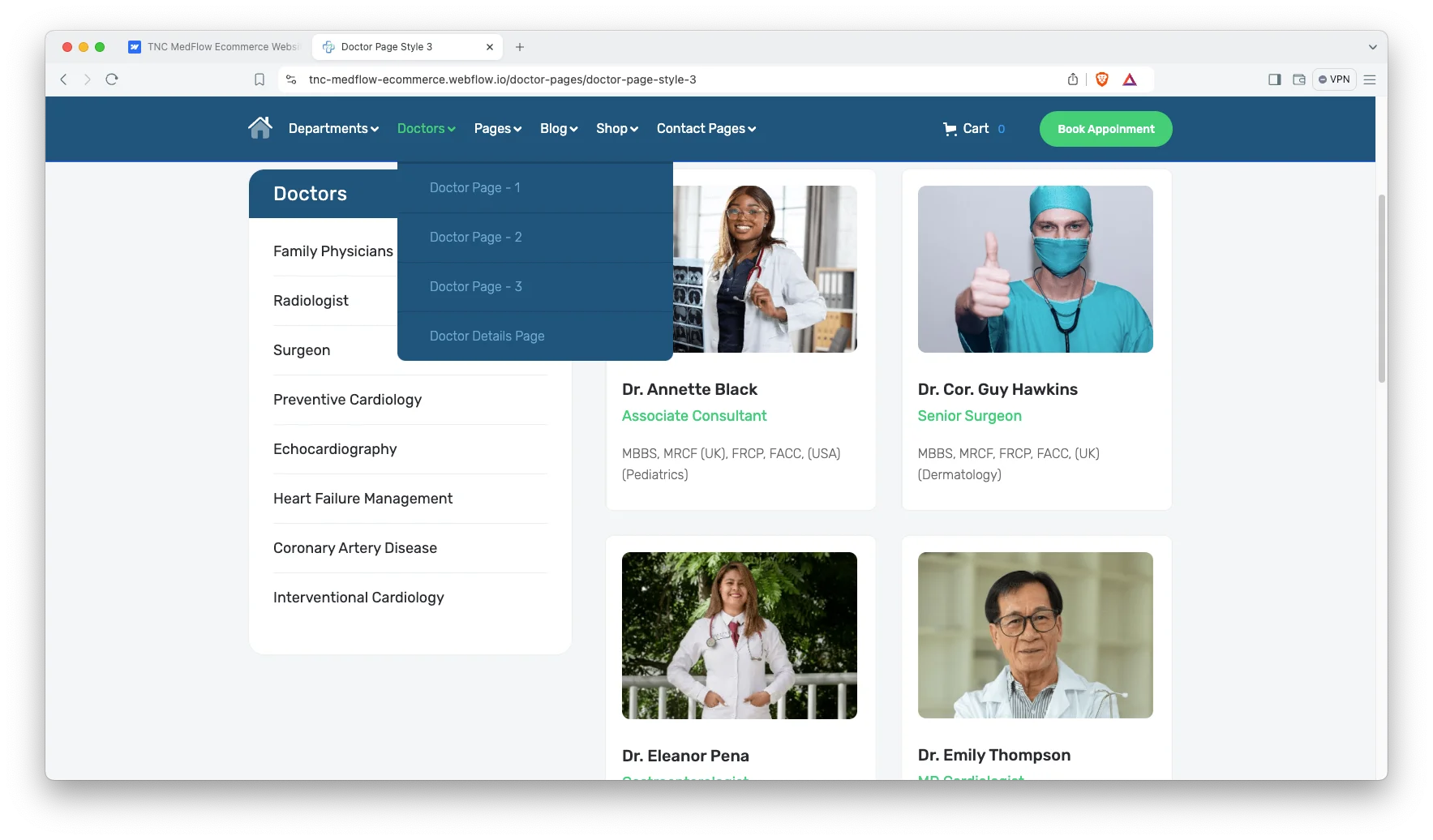
Doctors CMS: Staff pages run on Webflow CMS. So you add a doctor once, then the profile, the listing card and the department page all update. Each record holds a specialty, credentials and contact details. In total 13 pages are CMS driven.
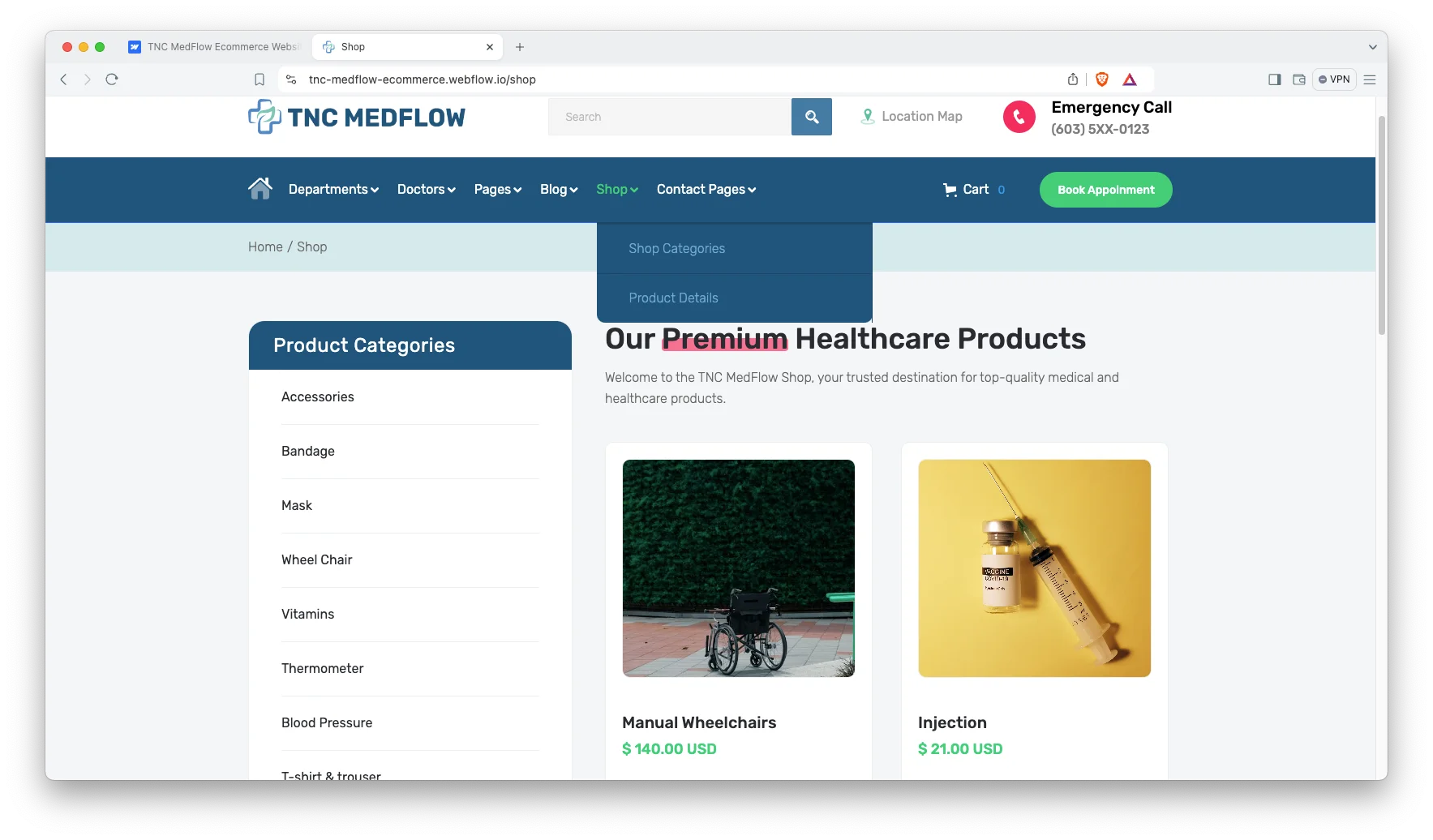
Ecommerce Build: The Ecommerce version adds five store pages. So a pharmacy counter, an optical shop or a surgical supplier can sell online from the same site. Shop, product, category, checkout and order confirmation are all styled to match.
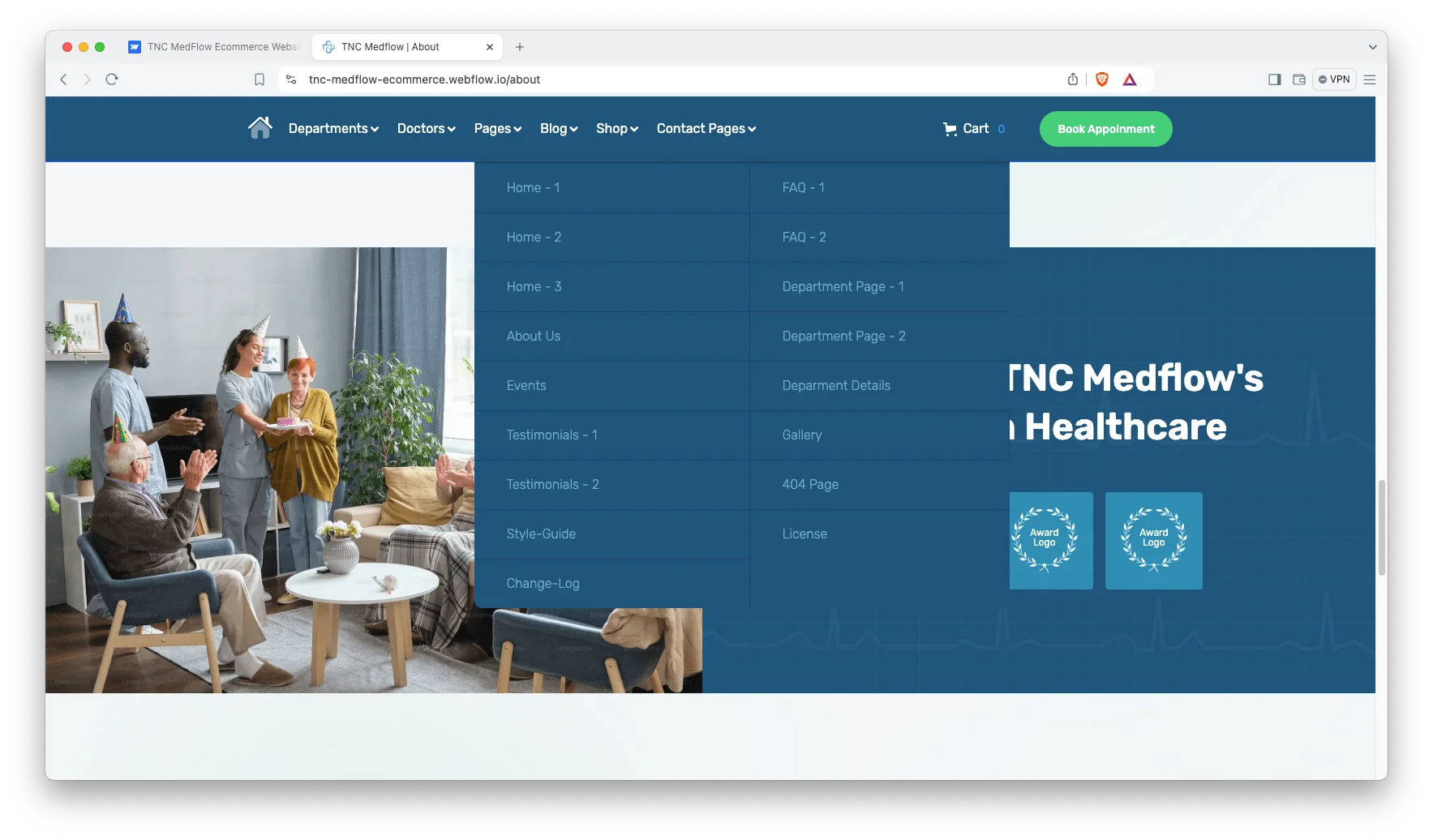
Sections That Do Real Work: You get a dynamic hero, a services grid, testimonials, a slider, a blog feed, blog archive pages and an FAQ block. Social icons are wired in too. Because the parts are modular, you can drop any of them and the page still holds together.
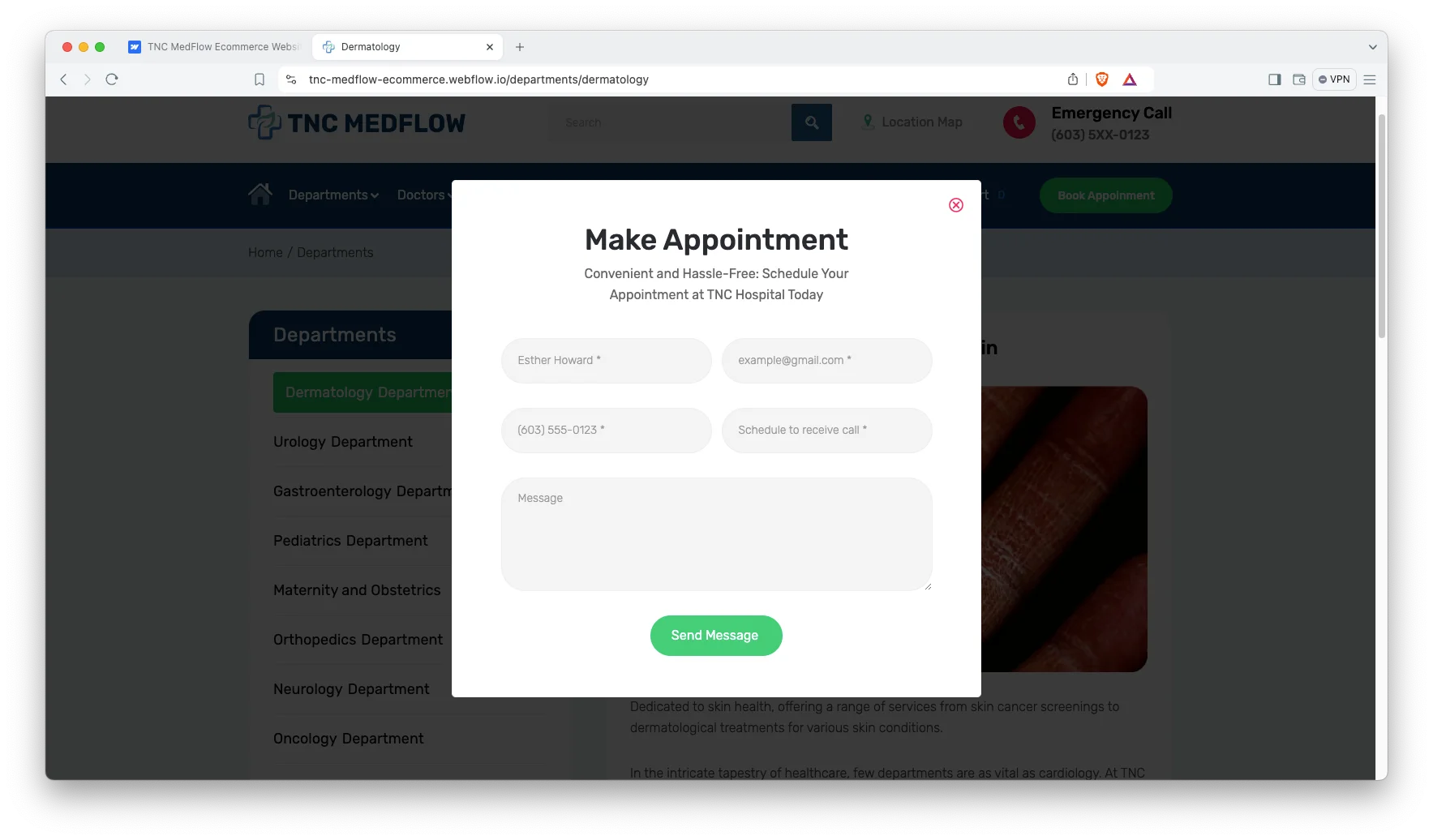
Appointment Booking: A booking block sits high on the homepage and repeats on every doctor page. So patients never hunt for it. You can point it at your own scheduling tool, and the front desk answers fewer calls as a result.
Easy Customization: Colours, fonts and spacing run off shared styles. So one change updates the whole site. However, nothing is locked, and you can still restyle a single section when a department needs its own look.

Responsive on Every Screen: Most clinic traffic arrives on a phone. So every page was laid out for small screens first. Then it scales up to tablet and desktop without breaking.

Animations, Video and Sliders: Motion is used sparingly. Sections fade in as you scroll, and sliders carry testimonials and gallery shots. Because the effects are light, pages still load quickly on clinic wifi.

Watch on YouTube
The walkthrough below tours every page in the template. So you can judge the fit before you buy.
Pages Included in TNC MedFlow
There are 28 pages in total. Pages marked CMS are collection driven. Pages marked Ecommerce belong to the store build.
Homepage
About Page
Event Page
Contact Page
Departments Page Style 1 (CMS)
Departments Page Style 2 (CMS)
Single Department Page (CMS)
Doctors Page Style 1 (CMS)
Doctors Page Style 2 (CMS)
Single Doctor (Profile) Page (CMS)
Doctors Page Style 3 (CMS)
Doctor Expertise List Page (CMS)
Testimonials Page Style 1
Testimonials Page Style 2
FAQ Page Style 1
FAQ Page Style 2
Blog Page Style 1 (CMS)
Blog Page Style 2 (CMS)
Single Blog Post Page (CMS)
Blog Archive Pages (Category, Tags, Author) (CMS)
Gallery Page (CMS)
Shop Page (Ecommerce)
Product Page (Ecommerce)
Product Categories Page (Ecommerce)
Checkout Page, normal and PayPal (Ecommerce)
Order Confirmation Page (Ecommerce)
Search Results Page
404 Not Found Page
How to Use TNC MedFlow
Setup is short. Here are the steps.
- Use the purchase widget on the right side of this page to buy the TNC MedFlow template
- Pick the build you need, then follow the steps to get your site ready
- Replace the demo content with your own words and photos
- Add your doctors and departments to the CMS collections
- Adjust the colours and type if you want
- Preview, then publish
How to Choose a Medical Website Template
What do patients look for first? Usually proof that a real clinician works there. So the doctor page matters more than the homepage hero. Check that a template gives each clinician a full profile, not just a headshot in a grid.
Next, count the booking steps. Every extra click loses people who are already anxious. A good medical template puts one clear booking action in the header, in the hero and on each doctor page.
Then think about growth. A single clinic may open a second branch. A dental practice may add an aesthetics arm. Because departments and staff live in CMS collections here, that growth is a data entry job rather than a rebuild.
Finally, weigh the store question honestly. Most practices do not sell online. However, pharmacies, opticians and supply firms do, and swapping a static site for a store later is painful. If selling is even possible for you, start on the Ecommerce build.
Frequently Asked Questions
What is TNC MedFlow?
TNC MedFlow is a medical website template for hospitals, private clinics and individual doctors. It contains 28 pages, including doctor profiles, department pages, an appointment section, a blog and a store.
Which formats does TNC MedFlow ship in?
TNC MedFlow ships for Webflow, Figma and HTML. The Webflow side comes in three separate builds: Webflow, CMS and Ecommerce. There is no Framer version and no WordPress version.
How many pages does TNC MedFlow include?
The template includes 28 pages. Of those, 13 are CMS driven and 5 belong to the Ecommerce build.
Can I sell products with TNC MedFlow?
Yes, if you choose the Ecommerce build. It adds a shop page, a product page, a product categories page, a checkout page and an order confirmation page. So a pharmacy or optical counter can trade from the same site.
Can I add doctors and departments without code?
Yes. Doctors and departments live in Webflow CMS collections. So you fill in a form, and the profile page, the listing card and the related department page all update together.
Is the Figma file included with the template?
No. The Figma file is a separate product, and you buy it from the purchase widget on this page. The Webflow and HTML builds are also sold on their own.
When you choose TNC MedFlow, you get support direct from the TNCFlow team. So if a section will not behave, just ask us.
Check out other Webflow templates by TNCFlow.



Select template
Choose one or more options for your build
All-Access Pass
$199
/ Yearly
$20,000+ in assets
130+ Webflow Templates
130+ Figma UI Templates
45+ Framer Templates
130+ HTML Templates
