

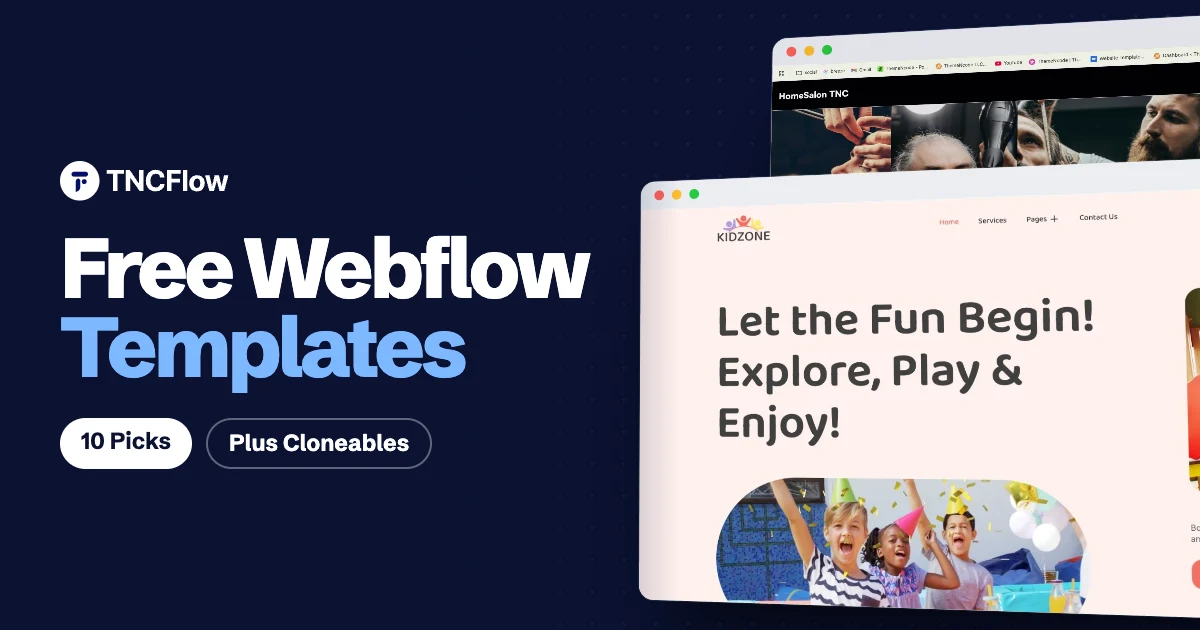
Free Webflow templates are the fastest way to find out whether Webflow suits your project before you spend anything. You get a finished layout, real class names and working interactions to learn from, and you can publish to a webflow.io staging address while you decide.
There are two kinds of free starting point. The first is a free template, which you add to your account from a template marketplace. The second is a Webflow cloneable, a project that its maker has shared publicly on Made in Webflow so anyone can copy it into their own workspace.
This list covers both. Every numbered pick below is free to use at the time of writing. We start with the free templates from our own catalog, then move to free templates from the official Webflow marketplace and well known cloneables from Made in Webflow.
Quick picks
| Template | Best for | Price |
|---|---|---|
| HomeSalon TNC | Salons, barbershops, mobile beauty services | Free |
| KidZone | Daycare, play zones, kids stores | Free |
| Portfolio Starter | A first personal portfolio | Free |
| Business Starter | A simple small business site | Free |
| CoffeeStyle | Coffee shops and small stores | Free |
| Escape | Travel and photography blogs | Free |
| Uncommon | Creative portfolios | Free |
| Client-First Cloneable | Starting a build with a clean class system | Free |
| Relume Style Guide | Projects built with Relume components | Free |
| Relume Website Cloneable | Studying a full agency style site | Free |
What is a Webflow cloneable, and how does cloning work?
A cloneable is a Webflow project that the owner has marked as open to copy. It appears on Made in Webflow, the community showcase, with a “Clone in Webflow” button. Some cloneables are full websites, some are a single component such as a slider or a navigation bar, and some are starter projects that hold only a style guide.
- Sign in to Webflow, or create a free account.
- Open the project page on Made in Webflow and select “Clone in Webflow”.
- Pick the workspace where the copy should live. Webflow creates a new site that is fully yours to edit.
- Rename it, swap the content, and publish to the webflow.io staging address. A custom domain needs a paid site plan.
Two things to know before you rely on one. A cloned site counts toward the site limit of your workspace plan, so check the current limits on your plan. And cloneables come from the community, so quality, support and license terms vary from project to project. Read the project description before you use one for client work.
The best free Webflow templates and cloneables
1. HomeSalon TNC
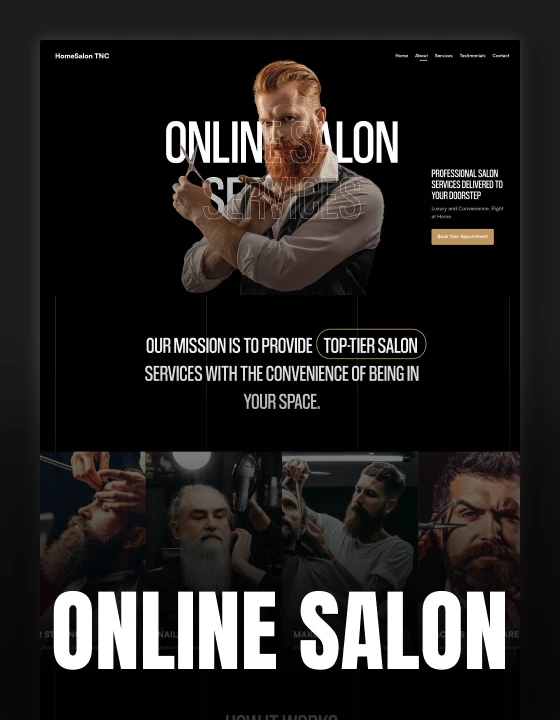
HomeSalon TNC is a salon website template for hair salons, barbershops and mobile beauty services. If you run a small beauty business and want a site that takes bookings without a week of setup, this is the one to start with.
The design is a dark, single page layout. It walks a visitor through your services, a how it works section and testimonials, then ends on a book an appointment section. One page means there is very little to maintain, and nothing to learn about the CMS before you launch.
The Webflow version is free. HomeSalon TNC also exists for Framer, Figma and HTML, and those versions are free as well, so you can pick the platform you already know.
HomeSalon TNC is free to download.
2. KidZone
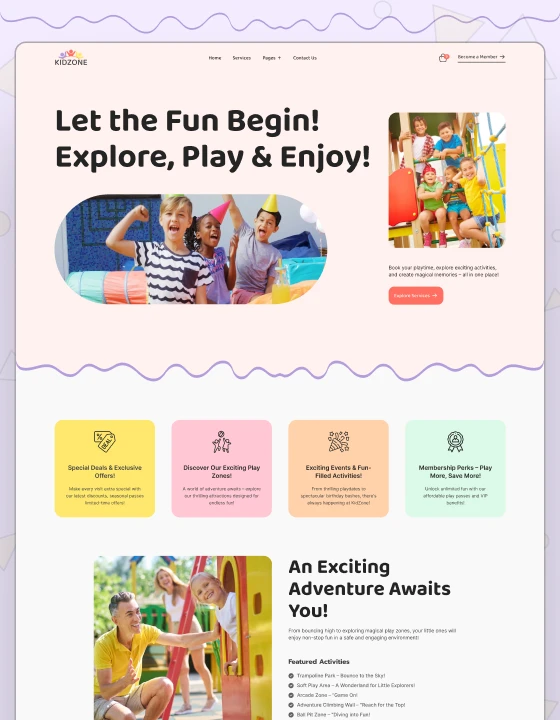
KidZone is a daycare website template for childcare centers, indoor play zones and kids stores. It suits a business that needs to explain its programs to parents and may also want to sell products or passes online.
Unlike most free templates, KidZone is not a stripped down one pager. It comes with Webflow CMS and Ecommerce included, so you can manage content from collections and add a store when you are ready. The look is bright and friendly, which fits the audience.
The Webflow version is free. KidZone is also available for Figma and HTML, both free too. You can see every free template we offer on the free templates page.
KidZone is free to download.
3. Portfolio Starter
Portfolio Starter is a free portfolio template made by Webflow itself. It is a sensible first project if you are a designer, developer or freelancer who wants a plain place to show work, and it is simple enough to read through and learn how a Webflow site is put together.
Portfolio Starter is available from the Webflow template marketplace.
4. Business Starter
Business Starter is the official free starting point for a small business site. Use it when you need the usual company pages online quickly and plan to restyle the template with your own brand colors and fonts.
Business Starter is available from the Webflow template marketplace.
5. CoffeeStyle
CoffeeStyle is a free Webflow template listed under the coffee shop category. It is aimed at cafes and small product brands that lean on photography, and it is a good one to open if you want to see how a store style layout is structured in Webflow.
CoffeeStyle is available from the Webflow template marketplace.
6. Escape
Escape is a free blog template from Webflow. It suits travel writers, photographers and anyone whose posts are led by large images. If your main goal is to publish articles, start here instead of bending a business template into a blog.
Escape is available from the Webflow template marketplace.
7. Uncommon
Uncommon is another free portfolio template by Webflow, built for creative professionals. Choose it over Portfolio Starter if you want a design with more personality out of the box.
Uncommon is available from the Webflow template marketplace.
8. Client-First Cloneable
This is the official starter project for Client-First, the class naming system by Finsweet. It contains a style guide page with all the utility classes that come with the system, and it has been cloned more than 100,000 times. It is not a finished website. It is the clean base that many Webflow developers begin every build from.
Client-First Cloneable is available from Made in Webflow.
9. Relume Style Guide
The Relume Style Guide is a starter project by Relume with a style guide page of pre-built classes. There are no pages or layouts to delete, which makes it a tidy base for a site you plan to assemble from Relume components. It is one of the most cloned projects on Made in Webflow, with more than 200,000 clones.
Relume Style Guide is available from Made in Webflow.
10. Relume Website Cloneable
Relume also shared a version of its own website as a cloneable. It is worth cloning to study how an experienced team builds a full site, including a timeline section and a portfolio shown through a Figma embed. Treat it as a learning project and replace the branding and content completely before you publish anything based on it.
Relume Website Cloneable is available from Made in Webflow.
When to upgrade to a paid Webflow template
Free templates are good for learning, testing an idea and launching something small. They are usually limited in page count and niche. When you need more pages, CMS collections built for your industry, or a design fewer other sites are using, a paid template saves real hours. These four from our Webflow templates catalog are common next steps.
- MNC, $59 for the Webflow CMS version. A corporate website template for multinational groups, enterprise service firms and professional services companies.
- Nocomation, $59 for the Webflow CMS version. A SaaS website template for automation platforms, no code studios and software companies.
- Agentor, $49 for the Webflow CMS version. A realtor website template with 16 ready-made pages and CMS collections for property listings, agent profiles and blog articles.
- Dossier, $79 for the Webflow CMS version. A resume website template for consultants and freelancers, with three home pages, CMS case studies, a services and pricing page and a blog.
A TNCFlow purchase covers one website.
How to choose a free Webflow template
- Match the niche first. A salon template will get a salon online faster than a generic starter, because the sections already fit the content.
- Decide if you need the CMS. A one page site needs none. A blog, listings or a store does, and that affects which Webflow site plan you will need later.
- Decide between a finished design and a framework. Templates give you a complete look. Starters such as Client-First or the Relume Style Guide give you structure and leave the design to you.
- Open the Navigator and the class list after you copy a project. Clear, consistent class names are the best sign that the site will be easy to edit.
- Check the terms. Marketplace templates follow the marketplace license, and cloneables follow whatever the maker states.
Want it built for you?
If you would like to skip the setup, the TNCFlow team can customise any of our templates with your brand, content and integrations, then launch it on your Webflow account. Book a free call to talk it through.
Frequently asked questions
Are free Webflow templates really free?
Yes. The templates in this list cost nothing to add to your Webflow account. Webflow itself is free to start, and you can publish to a webflow.io staging address. You will need a paid Webflow site plan to connect a custom domain.
What is the difference between a Webflow template and a cloneable?
A template is a product listed in a template marketplace, free or paid, with a set license. A cloneable is a project that a community member has shared on Made in Webflow for anyone to copy. Cloneables range from full sites to single components, and terms are set by each maker.
How do I clone a Webflow site?
Sign in to Webflow, open the project page on Made in Webflow, select “Clone in Webflow” and choose a workspace. Webflow creates a copy that you can edit and publish as your own site.
Can I use a free template or cloneable for a client project?
For free marketplace templates, follow the license shown in the marketplace. For cloneables, read the project description, since each maker decides how the work may be used. If the terms are unclear, ask the maker before you use it commercially.
Which TNCFlow Webflow templates are free?
HomeSalon TNC, a salon and barbershop template, and KidZone, a daycare template with CMS and Ecommerce, are both free in their Webflow versions. The free templates page lists everything currently free across platforms.