

A good Astro portfolio template does two jobs. It shows your work clearly, and it loads fast enough that a busy client or hiring manager actually sees it. Astro is a strong fit for that, because it ships mostly static HTML and keeps your projects, case studies and posts in simple content files.
The hard part is picking a starting point. Most lists of Astro portfolio themes are full of developer starters that look alike: a dark page, a list of repos and a contact link. That works for some engineers, but not for a photographer, an author, a coach or a consultant who needs services and pricing on the site.
This list covers both sides. First come seven designed templates from the TNCFlow Astro templates collection, each built around a specific kind of personal brand or project showcase. After that you get three free, open source themes from GitHub that we checked ourselves. If you want a wider view across every niche, see our roundup of the best Astro themes and templates.
Quick picks
| Template | Best for | Price |
|---|---|---|
| Dossier | Consultants, freelancers, resume sites | $79 |
| Photographer TNC | Photographers and video studios | $59 |
| BookAuthor TNC | Authors and independent publishers | $49 |
| Builder TNC | Builders and architecture firms showing projects | $49 |
| LifeCoachX | Coaches and personal brands | $49 |
| Diary TNC | Writers who want a writing portfolio | $49 |
| Diary Dark TNC | Writers who prefer a dark look | $49 |
| Astrofy | Developers who want blog, CV and projects | Free |
| Simple Portfolio | Developers who want a clean one-person site | Free |
| Dark Minimal | Developers who want a dark, animated look | Free |
The 10 best Astro portfolio templates
1. Dossier
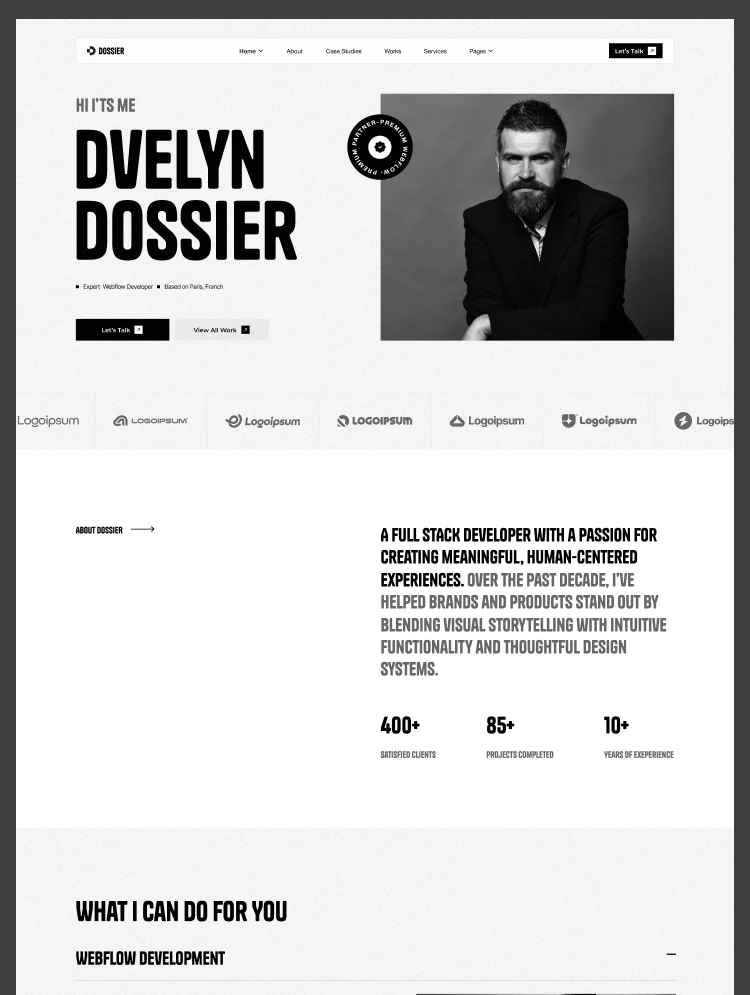
Dossier is a resume website template made for consultants, freelancers and independent professionals. If your portfolio needs to win paid work, not just show a list of links, this is the one to start with.
The design gives you three home pages to choose from, case studies for your projects, a services and pricing page and a blog. That mix matters. Case studies let you explain the problem, your process and the result, and a pricing page saves you from answering the same email again and again.
The Astro version costs $79. Dossier is also available for Webflow ($79), HTML ($28) and Figma ($30), so you can keep the same design if you change platforms later.
Dossier is available now.
2. Photographer TNC
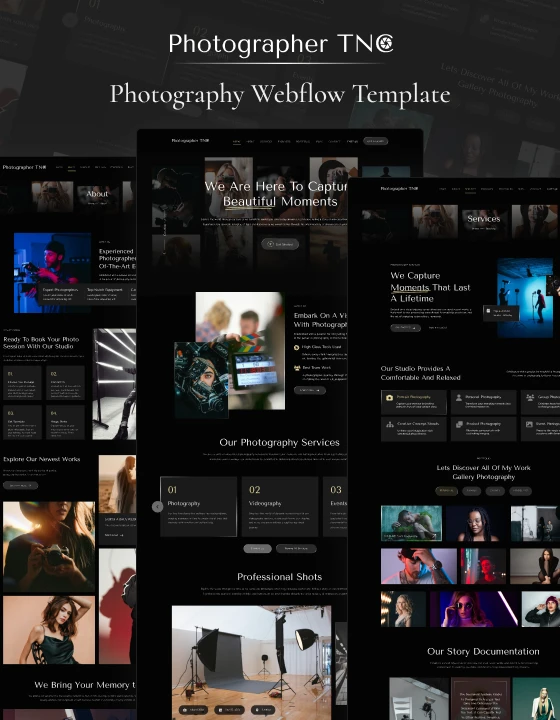
Photographer TNC is a photography website template for portrait photographers, wedding studios and video agencies. It is the pick for visual work, where the images need room and the text should stay out of the way.
It is built around portfolio, packages and blog sections, so a visitor can go from browsing your galleries to seeing what a session costs without leaving the site. That is the main gap in most free portfolio themes, which are written for developers and treat images as an afterthought.
The Astro version costs $59. The same design exists for Webflow (from $49), Framer ($79), HTML ($18) and Figma ($25).
Photographer TNC is available now.
3. BookAuthor TNC
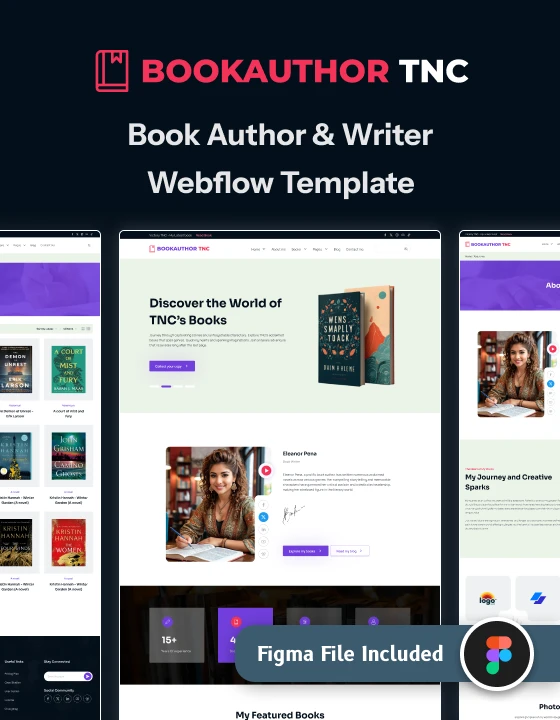
BookAuthor TNC is an author website template for novelists, nonfiction writers and independent publishers. For an author, the portfolio is the bookshelf, and this design treats it that way.
It includes a book catalogue that can be filtered by genre, an events page for readings and signings, a blog and an author About page. If you have more than two or three titles, the catalogue is much easier for readers than one long scrolling page.
The Astro version costs $49. It is also available for Webflow ($49), HTML ($18) and Figma ($25).
BookAuthor TNC is available now.
4. Builder TNC
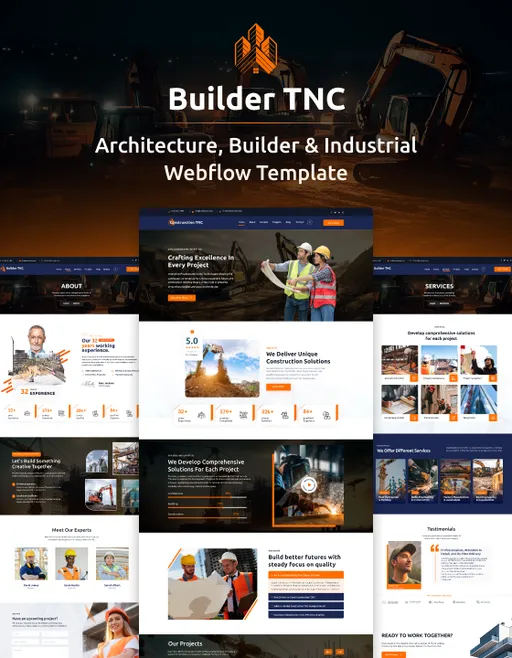
Builder TNC is a construction website template for builders, general contractors and architecture firms. It earns a place here because it has a real project portfolio at its center, alongside a services library.
Use it if your portfolio is a set of finished jobs: houses, fit outs, renovations or commercial builds. Each project gets its own space for photos and details, and the services pages explain what you take on. It suits a small firm better than a single freelancer.
The Astro version costs $49. Builder TNC also comes for Webflow ($49), HTML ($28) and Figma ($25).
Builder TNC is available now.
5. LifeCoachX
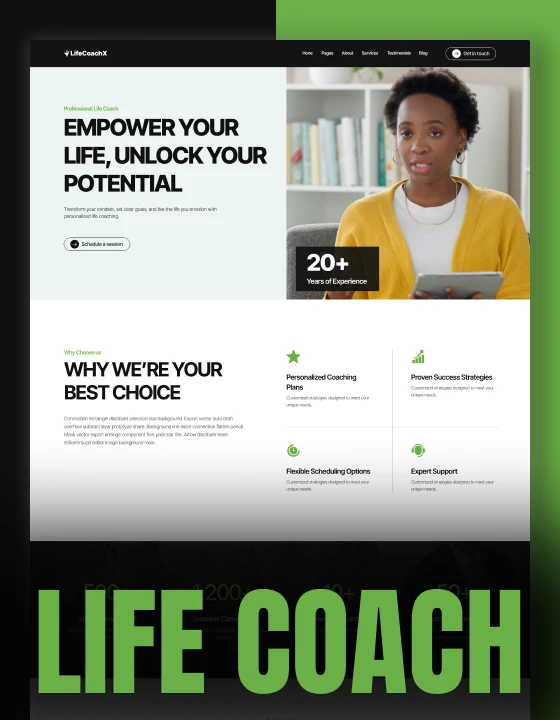
LifeCoachX is a life coach website template for personal coaches, wellness practitioners and mindset mentors. It is a personal brand site first, which makes it a good choice when you are the product and your portfolio is your story, your approach and your results.
Pick it if you sell sessions or programs and need a calm, trustworthy design with you at the front. It is less suited to showing a large body of visual work, so photographers and designers should look at the options above instead.
The Astro version costs $49. It is also available for Webflow ($49), HTML ($18) and Figma ($25).
LifeCoachX is available now.
6. Diary TNC

Diary TNC is a blog website template for personal bloggers, writers and online magazines. For journalists, copywriters and essayists, the writing is the portfolio, and a blog-first layout shows it better than a grid of project cards.
It offers six home page layouts and is organised around posts, authors, categories and tags. That structure lets you group your clips by topic or publication, so an editor can find the relevant samples quickly.
The Astro version costs $49. Diary TNC also exists for Webflow ($49), HTML ($18) and Figma ($25).
Diary TNC is available now.
7. Diary Dark TNC
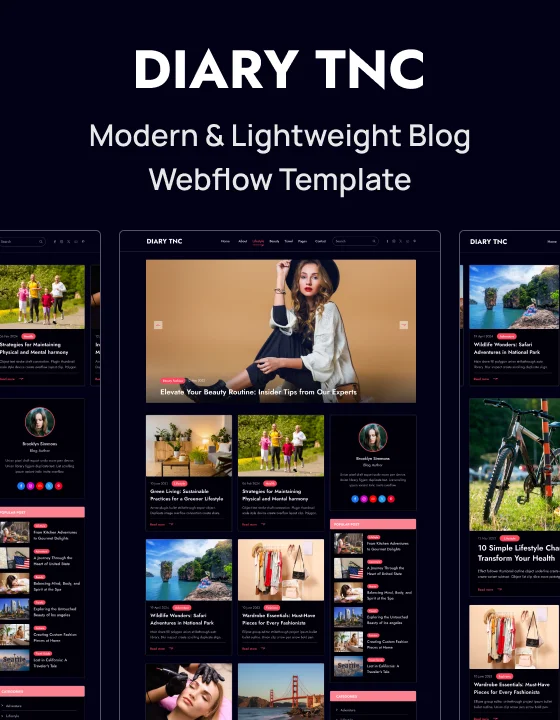
Diary Dark TNC is the dark palette sibling of Diary, made for writers, storytellers and independent bloggers. Choose it if you want a writing portfolio with a moodier look, or if your work leans toward fiction, film or music writing.
Like Diary, it has six home page layouts and uses posts, author profiles, category archives and tag archives to organise your work. The difference is the palette, so the decision comes down to taste and to how your images look on a dark background.
The Astro version costs $49. It is also available for Webflow ($49), HTML ($18) and Figma ($25).
Diary Dark TNC is available now.
8. Astrofy
Astrofy is a free, MIT licensed personal portfolio template built with Astro, Tailwind CSS and DaisyUI. It covers a blog, a CV with a timeline, a projects section, a simple store page and an RSS feed, and it is one of the most starred Astro portfolio themes on GitHub. It is a solid choice for developers who want everything in one place and are comfortable editing code.
Astrofy is available from GitHub.
9. Simple Portfolio
Simple Portfolio is a free, MIT licensed Astro portfolio theme that is also listed in the official Astro themes directory. It uses Tailwind CSS with TypeScript and MDX, has light and dark modes, and includes sections for projects, work experience, education and skills, plus a blog. Most of your details live in one config file, which keeps setup short.
Simple Portfolio is available from GitHub.
10. Dark Minimal
Dark Minimal is a free, MIT licensed developer portfolio built with Astro, React, TypeScript and Tailwind CSS. It has a home section, skills, a project showcase and a contact form that works through Formspree, with a few animated text effects. Go for it if you want a dark, single-person developer site and do not need a blog.
Dark Minimal is available from GitHub.
How to choose an Astro portfolio template
Start with the work you need to show, not with the design you like most. A few questions will narrow the list quickly.
- What is your work made of? Images need large galleries (Photographer TNC). Client projects need case studies (Dossier). Books need a catalogue (BookAuthor TNC). Writing needs a blog-first layout (Diary or Diary Dark).
- Do you sell something? If visitors should hire you, look for services, packages or pricing pages. Free developer themes rarely include them.
- How much will you add over time? If you plan to publish new projects or posts often, pick a template with a clear content structure so adding an entry is a small job.
- How comfortable are you with code? Every Astro template needs some editing in files. Free GitHub themes assume you can do that alone. A paid template gives you a finished design, so you spend time on content instead of layout.
- Free or paid? Free themes are great for a developer portfolio. If your site has to look different from everyone else in your field, a designed template for your niche is usually worth the cost.
One note on licensing: a TNCFlow purchase covers one website. The free themes above use the MIT license, but check each repository before you launch, since terms can change.
Want it built for you?
If you would rather not touch the code, the TNCFlow team can customise any of these templates with your content, colours and projects, then launch it for you. Book a free call to talk it through.
Frequently asked questions
Is Astro good for a portfolio website?
Yes. Astro builds mostly static pages, so a portfolio loads quickly and is cheap to host. It also keeps projects and posts in content files, which makes adding new work simple once the site is set up.
What is the best Astro portfolio template for freelancers?
Dossier is our top pick for freelancers and consultants. It is a resume website template with three home pages, case studies, a services and pricing page and a blog. The Astro version costs $79.
Are there free Astro portfolio themes?
Yes. Astrofy, Simple Portfolio and Dark Minimal are free, MIT licensed themes on GitHub. They are aimed at developers, so expect to edit code and config files yourself.
Do I need to know how to code to use an Astro portfolio template?
You need basic comfort with editing files and running a few commands. If you do not want to do that, TNCFlow can customise and launch the template for you.
Can I use one TNCFlow template on several websites?
A TNCFlow purchase covers one website. If you need the same template for another site, buy it again for that site.
Can I get the same design on another platform?
Yes, for the TNCFlow templates. Each one in this list is also available for Webflow, HTML and Figma, and Photographer TNC has a Framer version as well.