

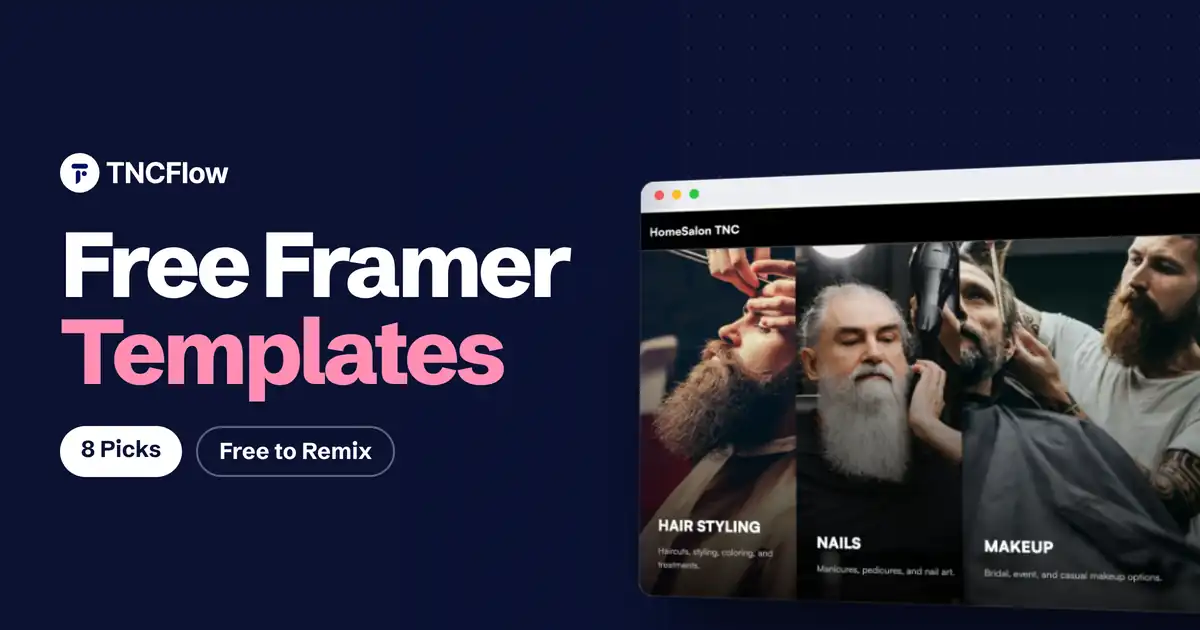
Free Framer templates are the fastest way to see whether Framer suits you. You remix one into your account, change the text and images on the canvas, and publish, all without paying for the template.
This list is for freelancers, designers and small business owners who want a real site at no template cost. All eight are free. The first is from our own Framer templates catalog and the other seven come from creators on the Framer Marketplace. We also explain what almost no other list does: what “free” still costs once you want your own domain.
Quick Picks
| Template | Best for | Type | Link |
|---|---|---|---|
| HomeSalon TNC | Salons and local services | One page | View template |
| Bureau Nine | Studios and boutique agencies | Multi page with CMS | Framer Marketplace |
| Norell | Full agency sites | Multi page with CMS | Framer Marketplace |
| Tabfolio | Product and UX designers | Portfolio with CMS | Framer Marketplace |
| Fuel | Minimal portfolios | Portfolio | Framer Marketplace |
| SwissBrut | Quick studio sites | One page | Framer Marketplace |
| Kirk | Bold personal portfolios | Portfolio | Framer Marketplace |
| ECOM | Fashion stores | Ecommerce, needs Shopify | Framer Marketplace |
The Best Free Framer Templates
1. HomeSalon TNC
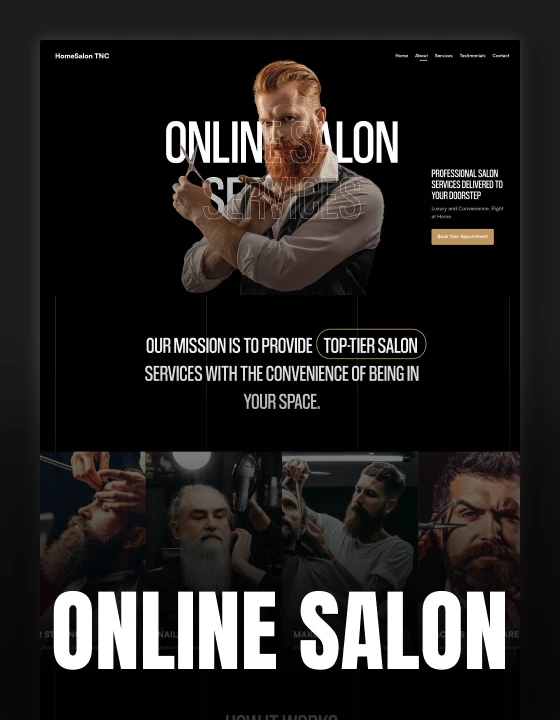
HomeSalon TNC is our free Framer template for hair salons, barbershops and mobile beauty services. It is a dark, single page layout with services, how it works, testimonials and a book an appointment section.
Because it is a single page with no CMS, it publishes comfortably on any Framer plan, including the free one. Swap in your own photos, services and booking link and it is ready. See the live Framer preview. The same design is also free for Webflow, Figma and HTML.
HomeSalon TNC is free to download.
Free Framer Templates From Other Creators
Each of these was listed as free on the Framer Marketplace when we checked. Creators can change pricing, so confirm on the template page.
2. Bureau Nine by Soleno
A calm, editorial template for creative studios, boutique agencies and freelancers, with plenty of whitespace and a CMS-driven case study system. Best when you have a handful of projects worth explaining in depth.
Bureau Nine on Framer Marketplace.
3. Norell by Tanjim
A full multi page agency site with more than ten pages, including services, projects, blog and pricing, plus a CMS project gallery and blog. It includes a Figma file. Note that it uses a CMS for both projects and blog, which matters when you choose a Framer plan.
4. Tabfolio by Sebastian
A portfolio for product and UX designers, with CMS case studies, an about page and a resume page. A good fit if your work needs written context and not only images. A paid Pro edition also exists.
Tabfolio on Framer Marketplace.
5. Fuel by Westhill Studio
A minimal, portfolio-centred template for agencies, freelancers and photographers. Choose it when you want the work to carry the page and the design to stay out of the way.
6. SwissBrut by Swiss Themes
A minimalist one page template for a quick agency or studio site, with custom animations and reusable components. Being a one pager, it is quick to finish.
SwissBrut on Framer Marketplace.
7. Kirk by Gustave Flowbert
A bold, colorful portfolio with a lot of motion. It suits designers and illustrators who want personality on the first screen.
8. ECOM by Soyeb
An eleven page fashion ecommerce template with CMS products, collections and a journal. The template is free, but its page states that it needs active Framer, Shopify and Framer Commerce plugin subscriptions, so the store itself is not free to run.
What a Free Framer Template Really Costs
The template is free. Publishing is where plans come in.
- On the free plan your site is published on a Framer subdomain and shows a “Made in Framer” badge. That is fine for testing and personal projects.
- For your own domain you need a paid site plan. The badge disappears once a custom domain is connected or the site is upgraded.
- CMS limits matter. Paid plans cap the number of pages and CMS collections. A template that uses one collection for projects and another for a blog can use up the allowance of the entry plan.
Plan names, prices and limits change, so check Framer’s pricing page before you commit. The practical rule: a one page template is the cheapest to run, and a CMS-heavy one may push you to a higher plan.
How to Choose a Free Framer Template
- Count the CMS collections. Fewer collections means a cheaper plan and less to maintain.
- Decide between one page and multi page. A local business or a launch rarely needs more than one page. An agency with case studies does.
- Preview the motion on a phone. Heavy animation can look great on a desktop and feel slow on mobile.
- Check what else it depends on. Store templates may need Shopify or a paid plugin.
- Pick the closest match to your industry. Rewriting a designer portfolio into a salon site takes longer than starting from a salon template.
When to Pay for a Framer Template
Most free Framer templates are portfolios and agency sites. If you run a clinic, a restaurant, a nonprofit or a SaaS product, a paid template built for that purpose saves more time than it costs. Our Framer templates start at $29 and cover close to 50 designs. Browse the Framer templates collection or the free templates page.
Want It Built for You?
If you would rather not set it up yourself, we do it for you. Pick a template and we handle setup, content, branding and launch, or we design and build a custom Framer site from scratch.
Book a free call to talk it through.
Related Reading
See also our guides to the best Framer portfolio templates, the best Framer landing page templates and the best Framer agency templates.
Frequently Asked Questions
Are free Framer templates really free?
Yes, the template costs nothing to remix into your Framer account. What you may pay for is the Framer plan needed to publish on your own domain.
How do I use a free Framer template?
Open the template page, choose to remix or duplicate it, and it opens as a new project in your Framer account. Edit text and images on the canvas, then publish.
Can I publish a free Framer template on a custom domain?
Yes, with a paid Framer site plan. On the free plan the site stays on a Framer subdomain with a “Made in Framer” badge.
Can I use a free Framer template for client work?
In most cases yes, but terms are set by each creator. Check the template page, and avoid reselling the template itself.
Do free Framer templates include a CMS?
Some do. Portfolio and agency templates often use CMS collections for projects and blog posts. One page templates usually do not, which keeps them simpler and cheaper to run.
Is a free template good enough for a business website?
For a simple site, yes. If you need pages and features specific to your industry, a paid template or a done-for-you setup is usually the faster route.