

These Framer ecommerce templates are the product and retail designs in our catalog. Compare them here, then read how selling in Framer works before you buy.
This collection comes with a caveat that belongs at the top rather than buried at the bottom, because it changes whether you should buy at all.
Framer does not have a native store. There is no built-in cart, checkout or inventory system the way there is in Webflow or Shopify. Framer ecommerce templates are product-led marketing designs, and selling through them means connecting a third-party checkout.
That is not a reason to avoid them. For a small catalog, a launch, or a brand where the storytelling matters more than the transaction, it works well. But you should know it before you buy, not after. If you need a real store today, our Webflow ecommerce collection or Shopify service is the honest answer.
Quick Picks
| Template | Best for | Framer price | Link |
|---|---|---|---|
| Khelna | Sports websites | $99 | View template |
| ModestWear | Clothing websites | $99 | View template |
| Ampul | Online Pharmacy websites | $79 | View template |
| Pawdopt | Pet Adoption websites | $59 | View template |
| Menorca | Stores connected to Shopify | Free | Framer Marketplace |
| Essentia | One-product stores | $129 | Framer Marketplace |
| Orveli Organic Store | Skincare stores | $48 | Framer Marketplace |
How Selling in Framer Actually Works
In practice you have two routes. The first is embedding a third-party checkout, where a service handles the cart, payment and order management and you place its buttons into the Framer design. The second is treating the Framer site as a catalog and sending buyers to a store hosted elsewhere.
Both are legitimate. Both mean part of your buying experience lives outside the design you bought. If a seamless, fully owned checkout is important to your brand, that is a genuine reason to choose a different platform rather than something to work around.
What to Check Before Buying a Framer Ecommerce Template
Given the above, the checklist is different from a normal store template:
- How many products you actually sell. A handful is fine. A large, frequently changing catalog is not a good fit.
- Whether you need variants, such as size and color combinations with separate stock. Third-party checkouts vary a lot in how well they handle this.
- Whether the design survives an embedded checkout visually, since that part will not match the template exactly.
- Whether you need multi-channel selling or marketplace integration, which points firmly at Shopify.
- Whether the same design exists as a Webflow build, which would give you a native cart instead.
The Framer Product and Retail Templates
Each of these is sold as a Framer build. Several also exist as Webflow builds with a native store, which is worth comparing before you decide.
Khelna
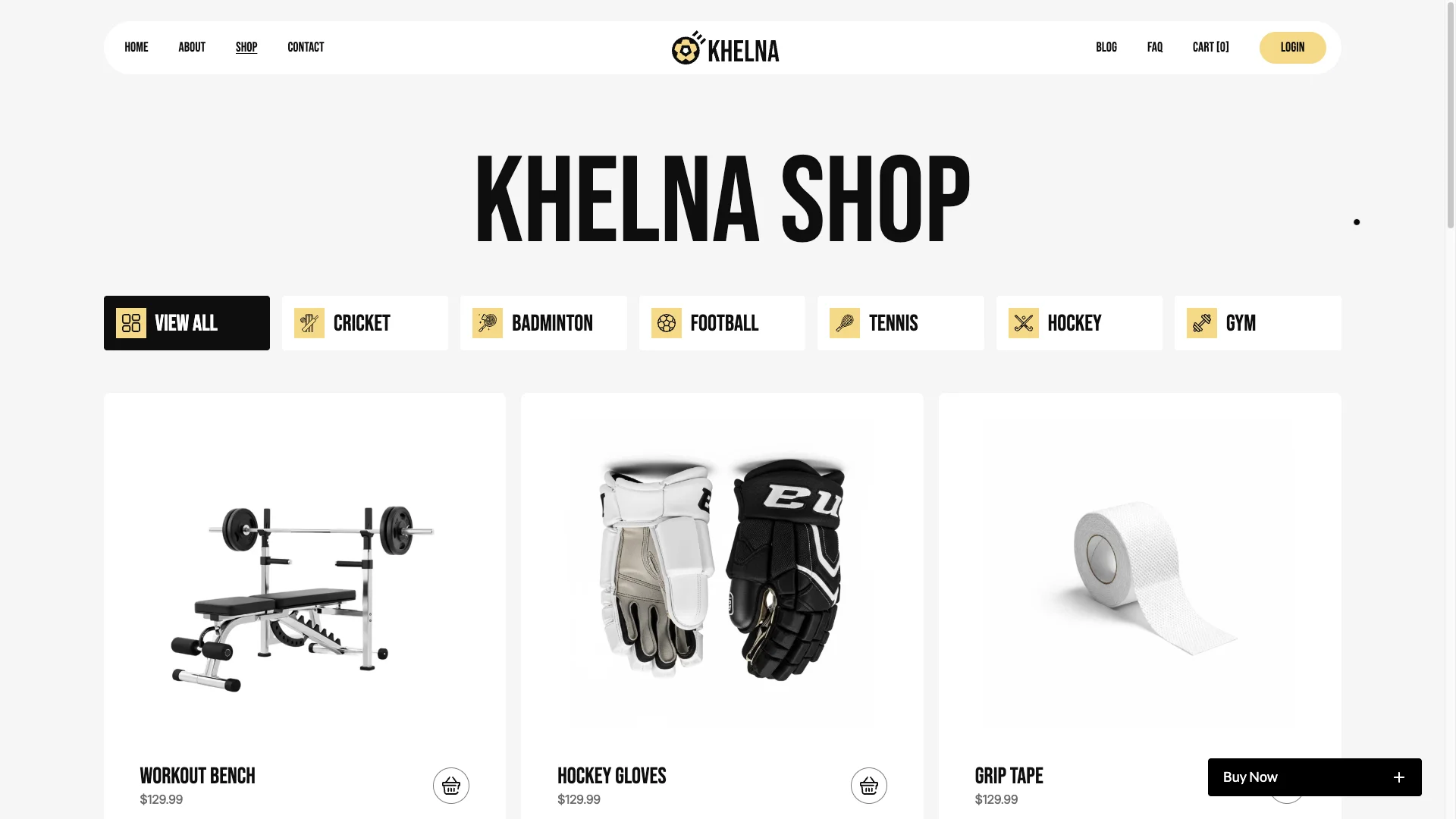
Khelna is a sports and equipment retail design with strong product presentation and category structure. In its Webflow build it uses a native cart; in the Framer build the same layout works as a catalog with an external checkout.
That difference between builds is exactly the thing to check before purchase. The design is the same; the selling mechanism is not.
Khelna is available now.
ModestWear
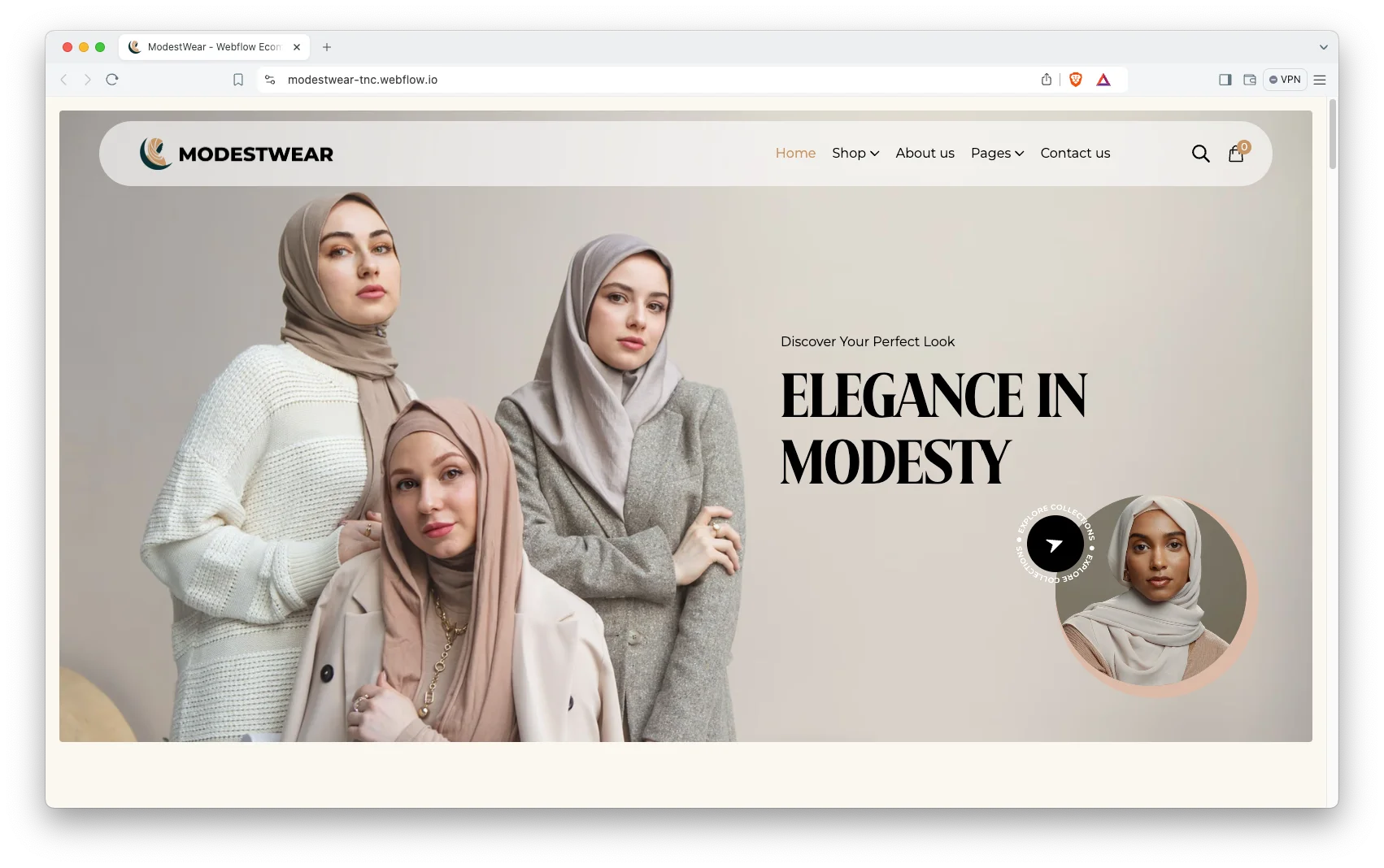
ModestWear is a fashion and apparel layout built for lookbook-style presentation, where the imagery carries the sale. It suits brands with a considered, seasonal range rather than a large catalog.
As with Khelna, the Webflow build offers a native cart and the Framer build does not.
ModestWear is available now.
Ampul
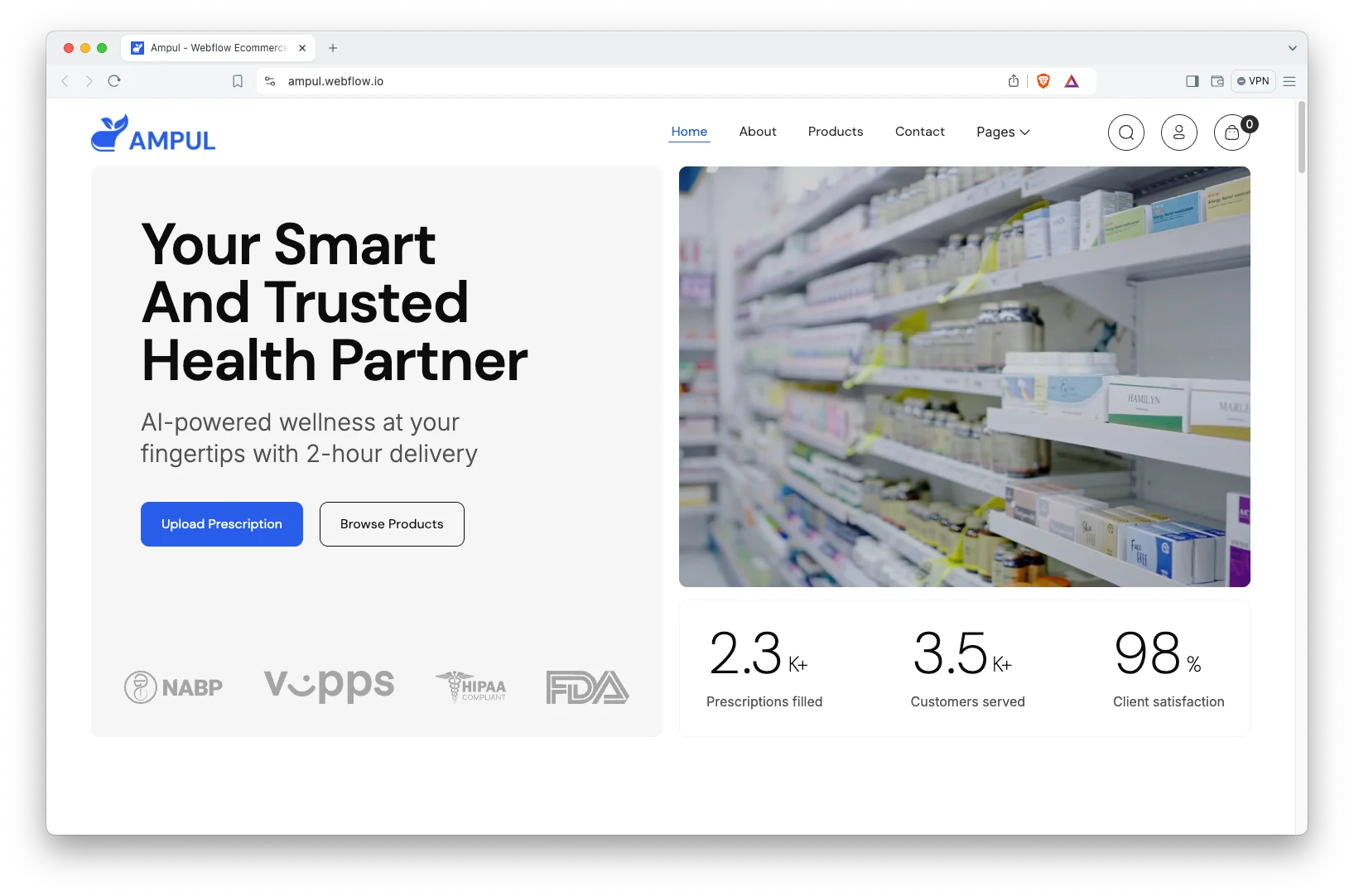
Ampul is a health and pharmacy-adjacent retail design, clean and clinical, built for products that need clear information alongside them.
Note that regulated products carry rules about how they can be described and sold online. A template does not address compliance, and you should take your own advice on that.
Ampul is available now.
Pawdopt

Pawdopt is a pet-focused design covering adoption and pet products. It is a good example of a site where the emotional content does most of the work and the transaction is secondary.
Well suited to organizations that mix a small shop with a larger non-commercial purpose.
Pawdopt is available now.
When to Choose Something Else
Choose Shopify if retail is your business. High volume, complex variants, multi-channel selling, real inventory and returns handling are what it exists for. We recommend it over our own Webflow templates in those cases, and we would rather say so.
Choose Webflow if you want a native cart inside the site you own, with a modest catalog. Several of the designs above exist as Webflow builds for exactly this reason. See the Webflow ecommerce templates.
Choose Framer if the site is mostly a brand and story, with a small number of products attached. That is a real and common situation, and it is where these templates genuinely shine.
How to Choose the Right One
Work backwards from the checkout rather than forwards from the design. Decide how someone will pay you, confirm that mechanism handles your products and variants, and only then pick the design that will wrap around it. Doing it the other way round is how people end up rebuilding.
If you are unsure, ask before buying. We will tell you if Framer is the wrong choice for your catalog: book a free consultation or request a quote.
Framer Ecommerce Templates From Other Creators
These are not ours. They are popular options on the Framer Marketplace, included so you can compare before you decide. Prices are as listed at the time of writing.
Menorca
Menorca is free. A free ecommerce template that works with Shopify.
Menorca on the Framer Marketplace.
Essentia
Essentia costs $129. A premium template for selling a single product.
Essentia on the Framer Marketplace.
Orveli Organic Store
Orveli Organic Store costs $48. A skincare store template.
Orveli Organic Store on the Framer Marketplace.
Related Reading
More guides: Framer portfolio templates, Framer web design trends for 2026, Framer vs Webflow and Framer agency templates.
Frequently Asked Questions
Can I sell products directly from a Framer site?
Not with a native store, because Framer does not include one. You sell by embedding a third-party checkout or by linking to a store hosted elsewhere. Both work, but neither is built into Framer itself.
Does the Framer version of a template include the same shop as the Webflow version?
No, and this is the most important thing to understand here. Where a design exists in both builds, the Webflow version may use a native cart while the Framer version does not. Check the specific build before buying.
How many products can I realistically sell this way?
A small catalog is comfortable. Once you are managing many products with variants and stock levels, the manual overhead grows quickly and a purpose-built platform becomes worth the move.
Can I start on Framer and move to Shopify later?
Yes, and plenty of brands do. Be aware it is a rebuild rather than a migration, since the platforms are unrelated. Starting on Framer is reasonable if you are validating demand rather than scaling.
Do these templates handle tax and shipping?
No. Those are functions of whichever checkout you connect, not of the design. Choose your checkout with tax and shipping rules in mind, as they vary considerably between providers.
Can you set up the checkout integration for us?
Yes. Our Framer customization service covers integrations, and we can also advise whether Shopify would serve you better. Request a quote with your product details.
Start Building
Browse the Framer collection, compare against the Webflow ecommerce templates, or see the full catalog.
If you would like a straight recommendation on platform before you spend anything, book a free consultation.