

PRO

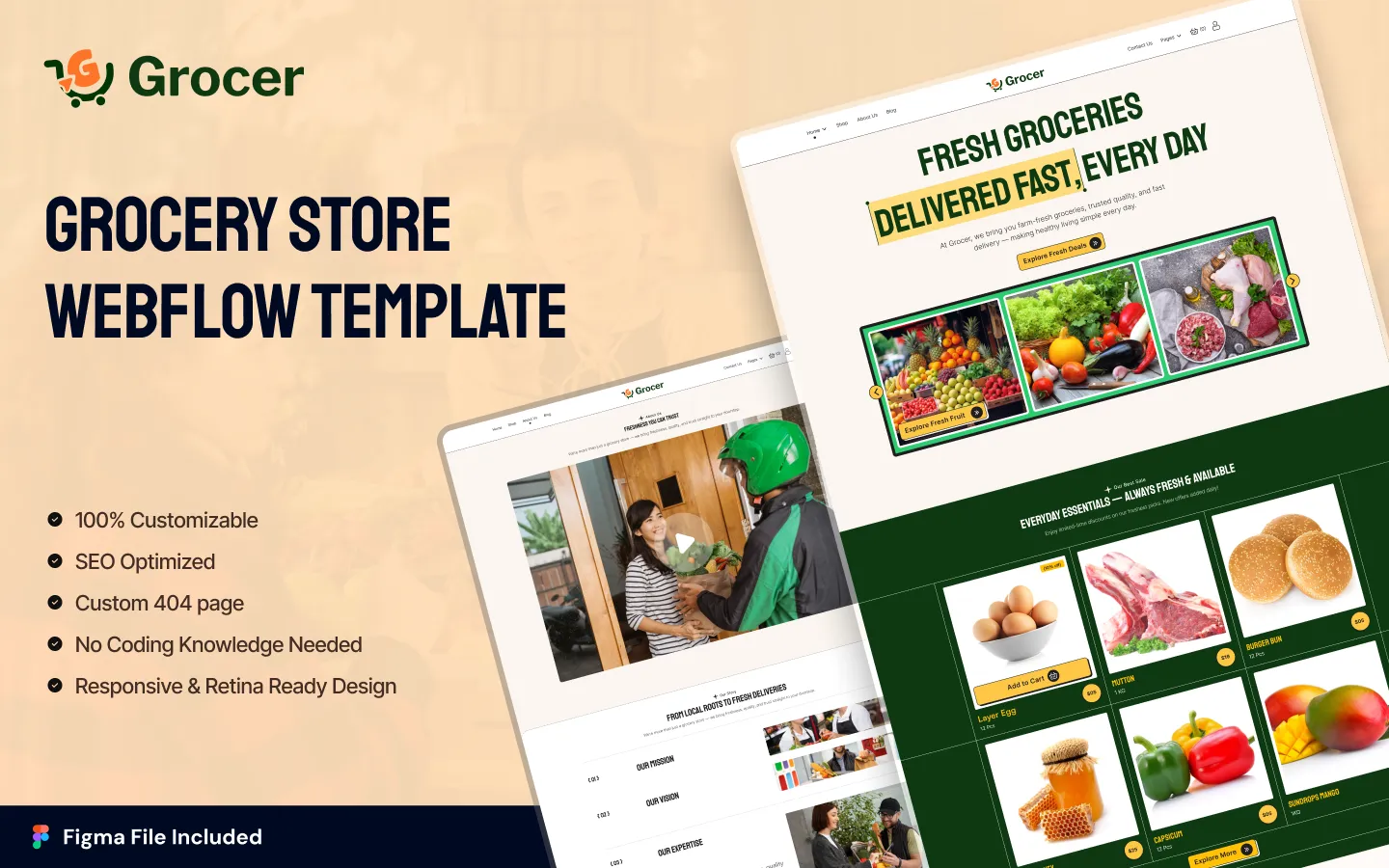
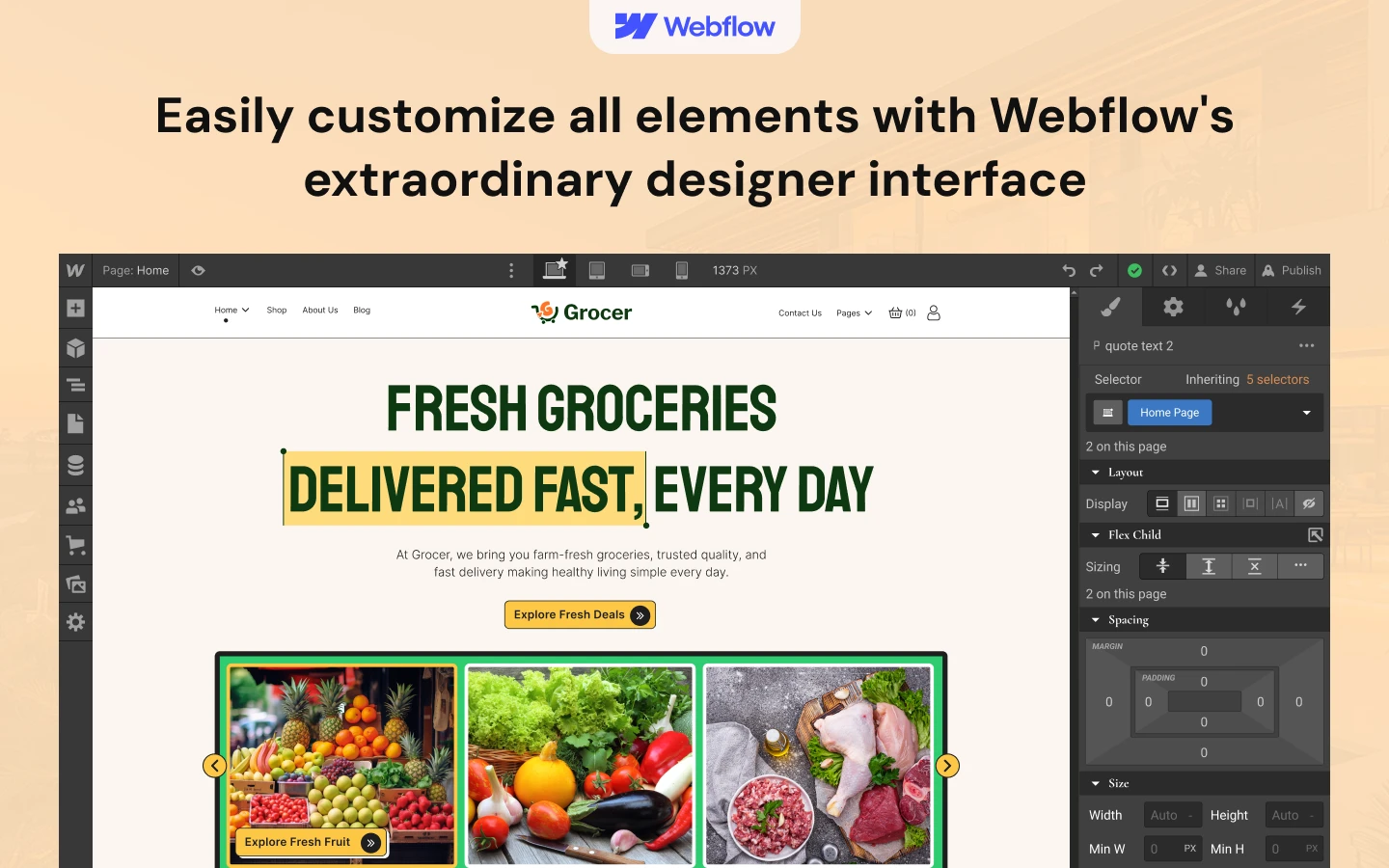
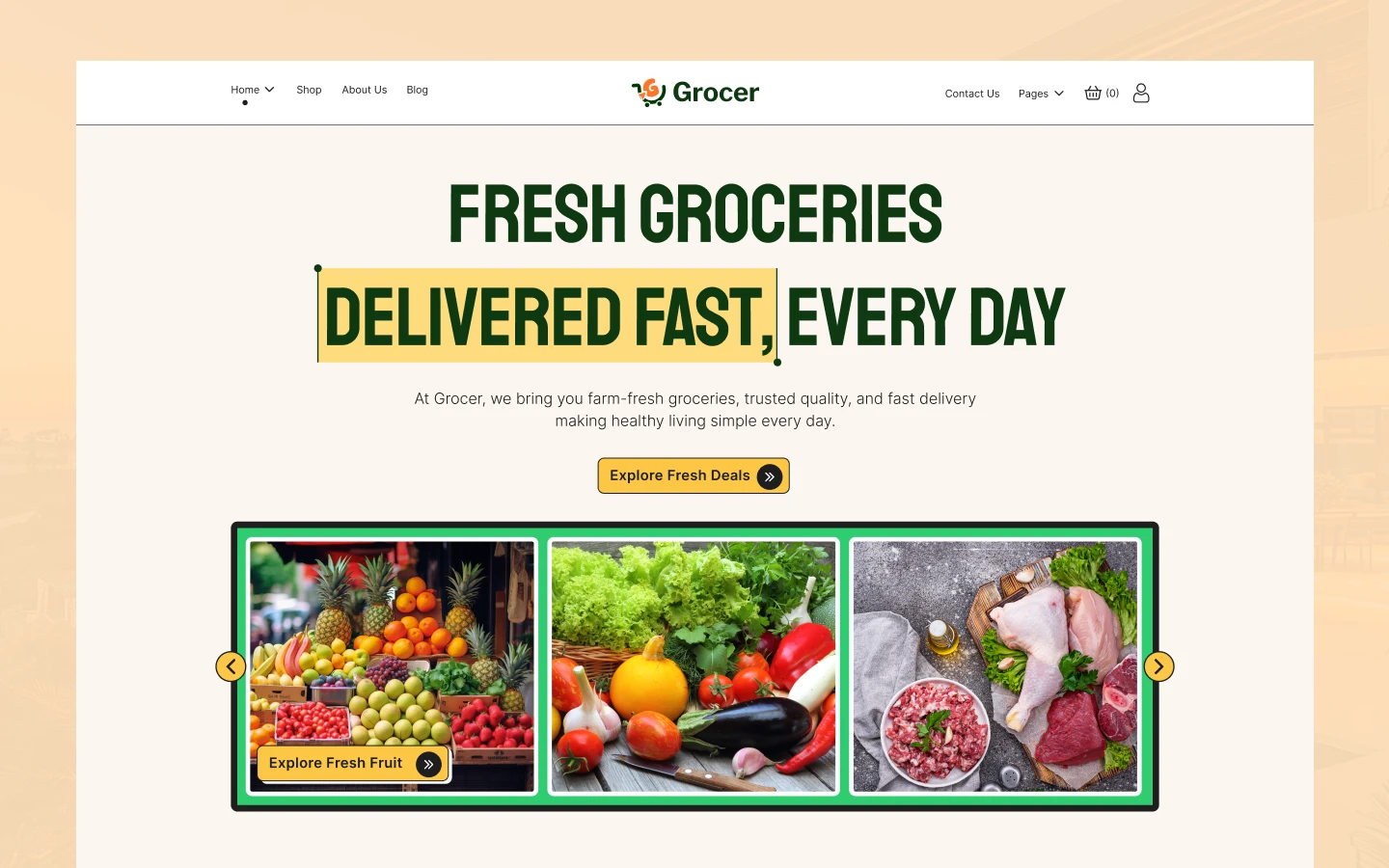
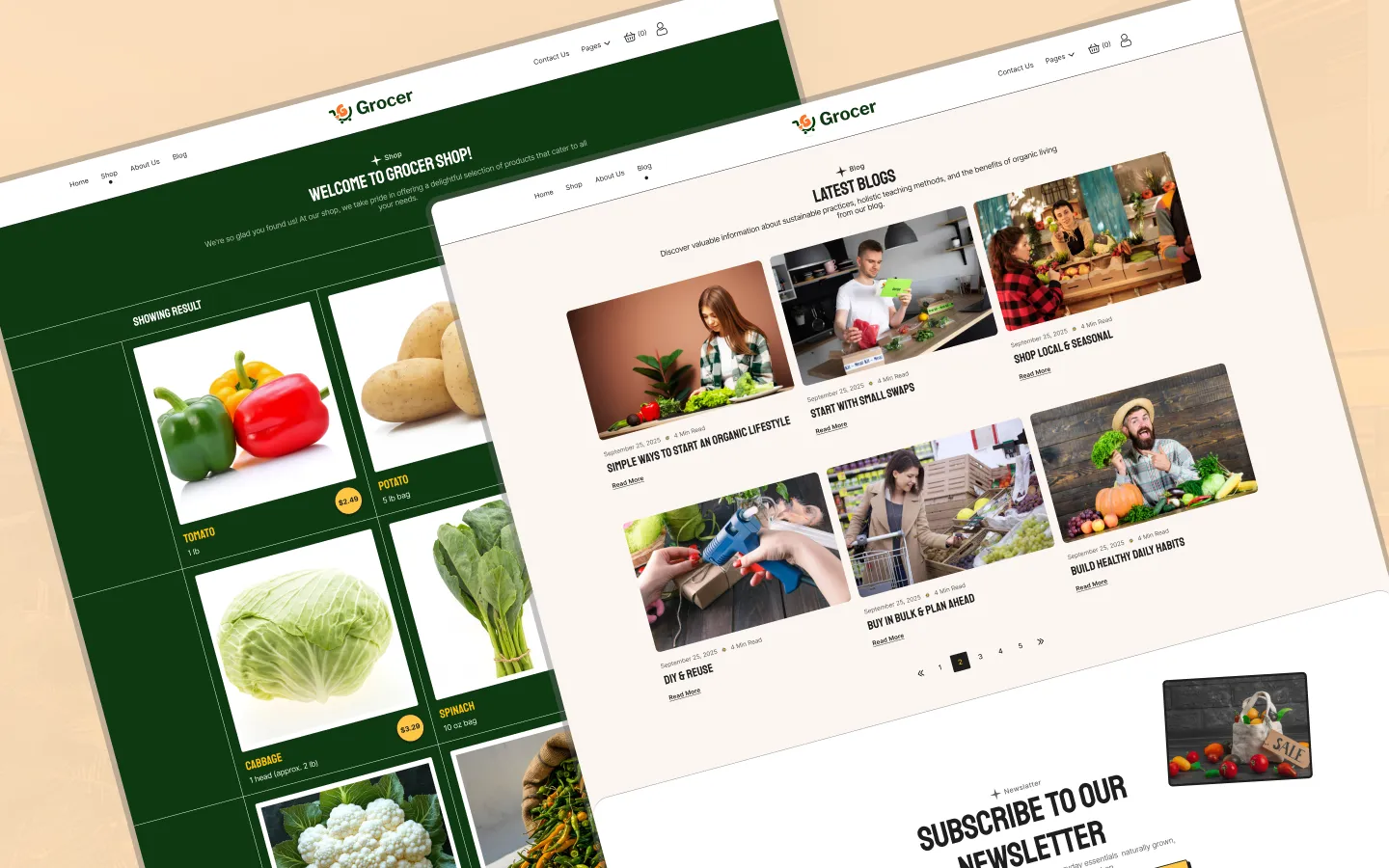
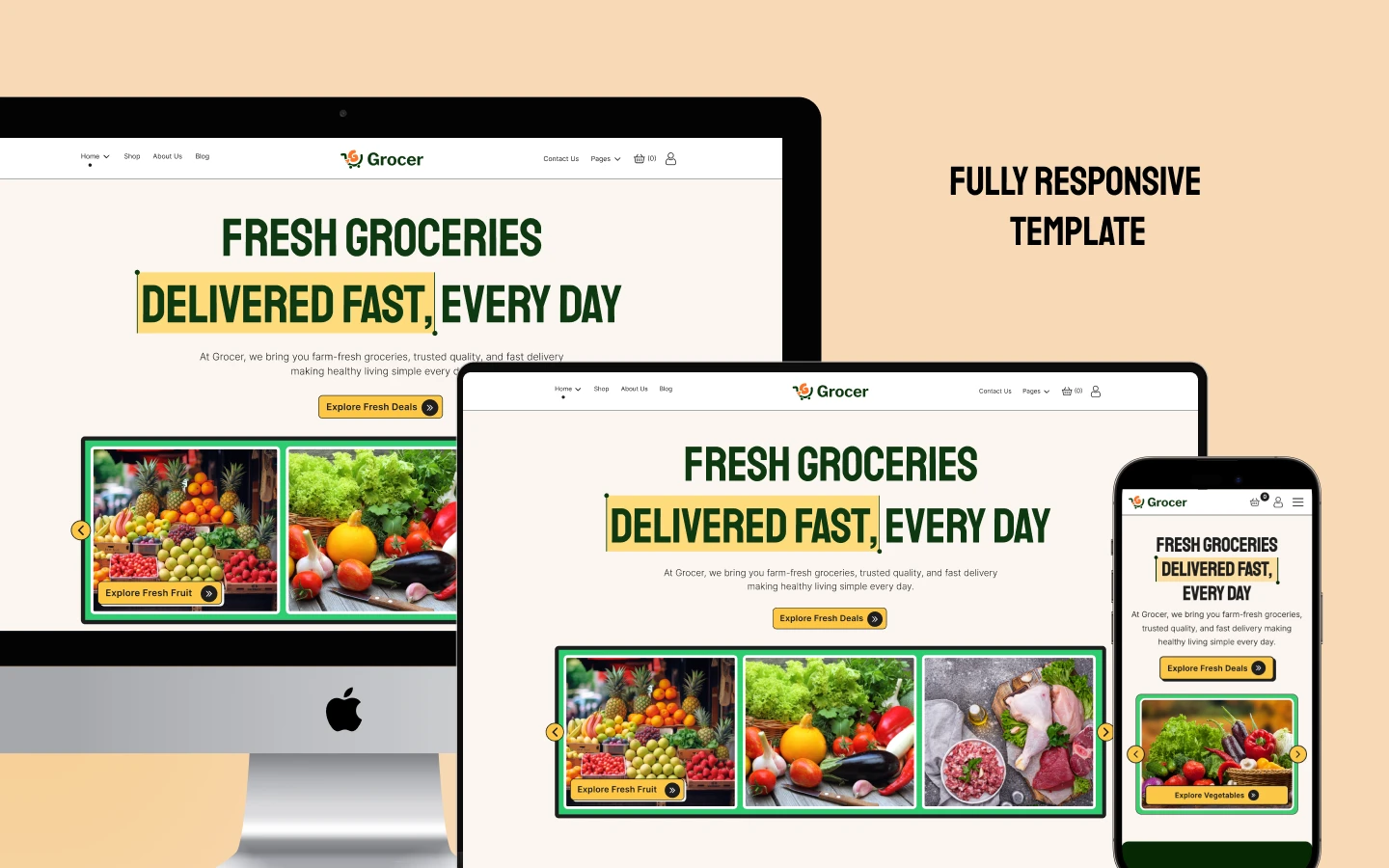
Grocer is a modern Webflow Ecommerce template designed for online grocery stores, fresh food shops, organic markets, and everyday essentials businesses. It combines two homepage layouts with product browsing, product detail pages, shopping cart and checkout experiences, customer account pages, blog content, FAQs, and essential utility pages. It ships for Webflow, Figma and HTML.
Grocer is a clean, modern Webflow Ecommerce template built for grocery stores and businesses selling fresh food, beverages, cooking essentials, beauty products, and other everyday items.
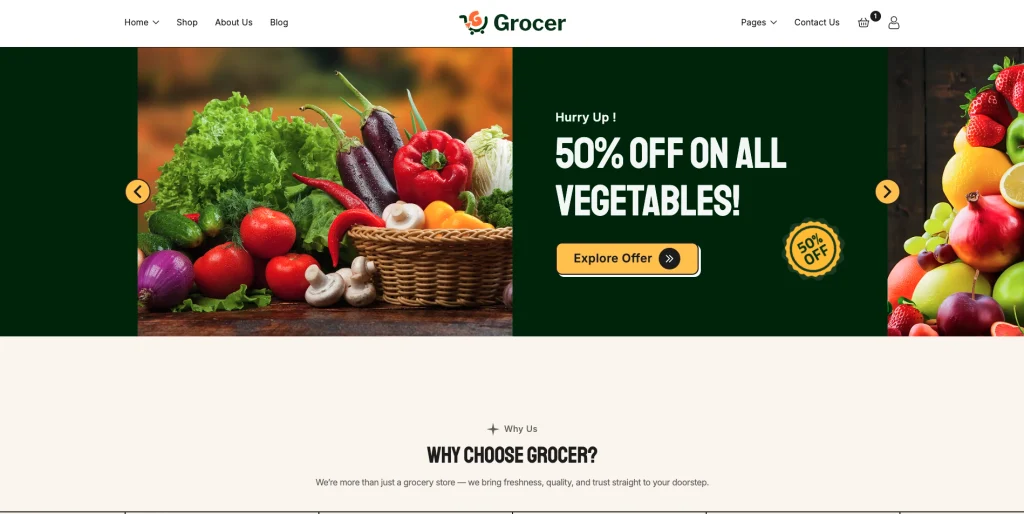
The template combines a strong grocery-focused homepage with promotional offers, product showcases, category sections, customer testimonials, blog content, FAQs, and newsletter subscription areas. Its structure gives visitors a clear path from discovering products to browsing the shop, viewing individual products, adding items to the cart, and proceeding through checkout.
Grocer includes two distinct homepage designs, giving store owners flexibility in how they present promotions, products, categories, and brand messaging. The second homepage places additional emphasis on promotional offer cards for vegetables, fruits, meat, cooking items, beverages, and beauty products.
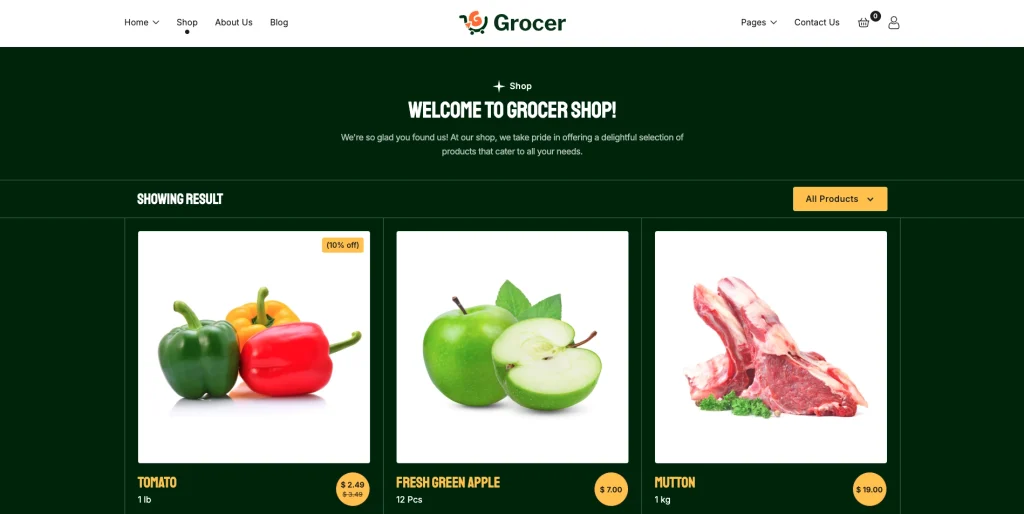
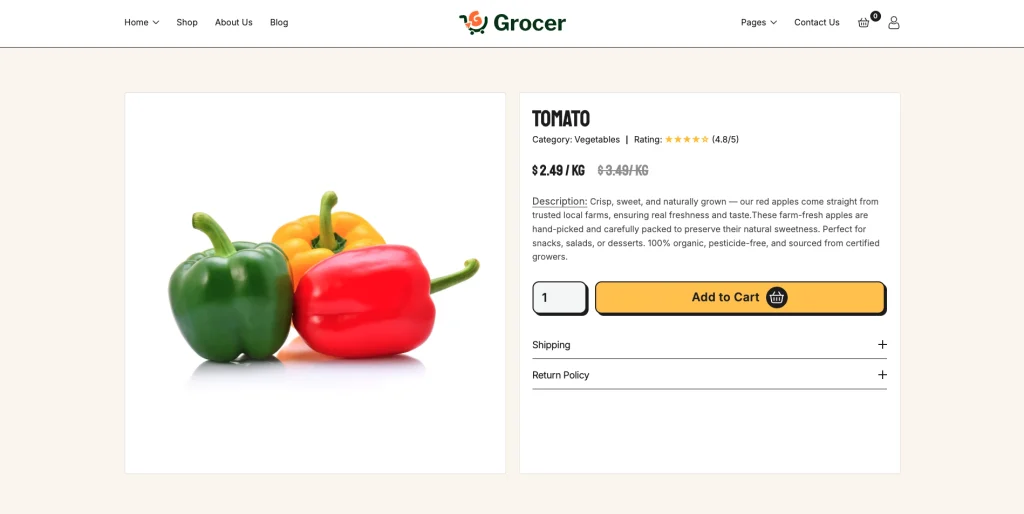
The Shop page provides a product catalog with product images, pricing, sale pricing, quantity controls, Add to Cart, and Buy Now actions. Individual product pages provide product information, category, rating, pricing, quantity selection, purchase actions, shipping information, and return policy content.
Beyond the Ecommerce experience, Grocer includes About Us, Blog, Blog Post, FAQ, and Contact pages, along with customer login, account creation, and password recovery pages. Utility pages such as 404, Style Guide, License, Change-Log, Privacy Policy, Terms & Conditions, and Return & Refund Policy are also included.
Grocer is especially suited to grocery stores, organic food businesses, fresh produce shops, local food retailers, supermarkets, and e-commerce businesses selling a broad range of everyday products.
Explore the live preview now.
Grocer at a Glance
| Formats | Webflow, Figma and HTML |
| Webflow builds | CMS and Ecommerce |
| Best for | Grocery stores, organic food shops, fresh produce businesses, supermarkets, local food retailers, and everyday essentials stores |
| Homepage | 2 layouts |
| Pages | 25+ page designs, including e-commerce, account, blog, and utility pages |
| Products | Product listing and individual product detail layouts |
| Layout | Multi-page, modern, clean, and e-commerce focused |
| Responsive | Yes, on desktop, tablet and mobile |
| Support | Included, direct from the TNCFlow team |
The target clearly exposes two homepage layouts, e-commerce product functionality, customer account pages, checkout, and the main/utility page structure through its live navigation.
Who Should Choose Grocer?
Grocer is built for businesses that need to present and sell groceries, fresh food, and everyday products through a professional e-commerce website.
It fits:
- Grocery stores
- Organic food stores
- Fresh produce businesses
- Supermarkets
- Local food retailers
- Online grocery shops
- Fresh meat and produce stores
- Businesses selling beverages and cooking products
- Stores selling beauty and personal-care products
- E-commerce businesses offering everyday essentials
The template is also suitable for businesses that want to combine product sales with educational blog content, customer information, FAQs, and a dedicated brand story.
Key Features of Grocer
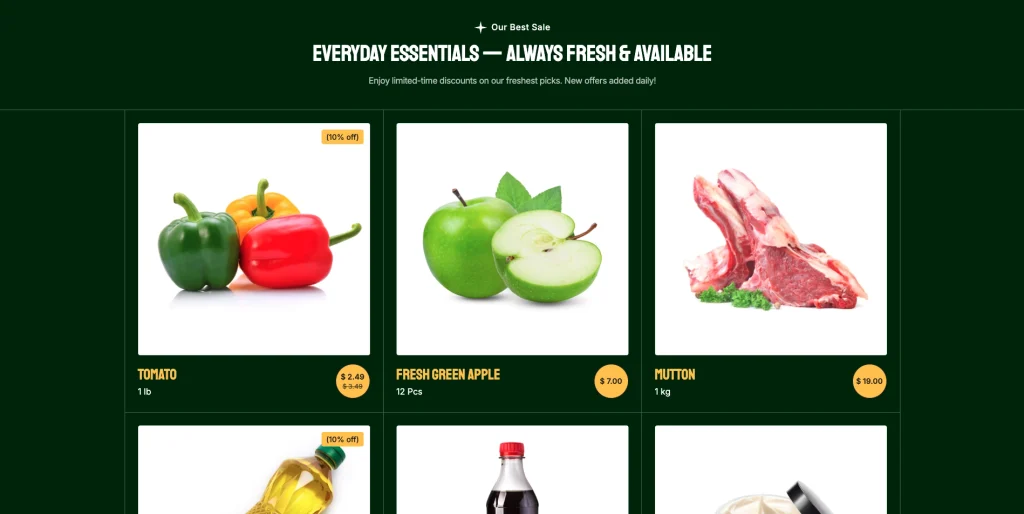
Ecommerce Product Catalog: Grocer includes a dedicated Shop page displaying products with product imagery, pricing, sale pricing, quantity controls, Add to Cart, and Buy Now actions. The catalog includes grocery products such as vegetables, fruits, meat, beverages, and other everyday items.
Product Detail Page: Individual product pages provide a dedicated shopping experience with product imagery, category information, ratings, pricing, quantity selection, Add to Cart, Buy Now, shipping information, and return policy content.
Add to Cart & Buy Now: Product cards and product detail pages include both Add to Cart and Buy Now actions, giving shoppers direct purchase controls throughout the e-commerce experience.
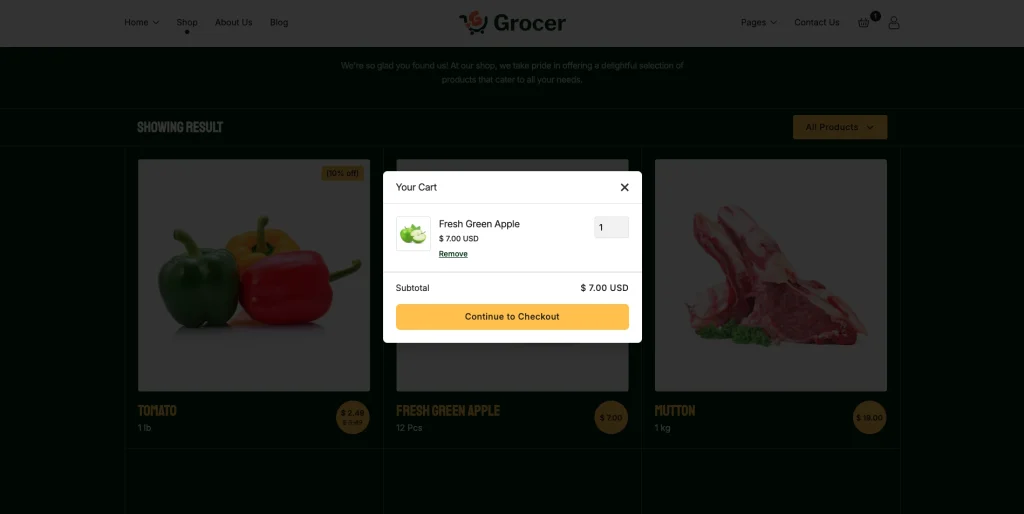
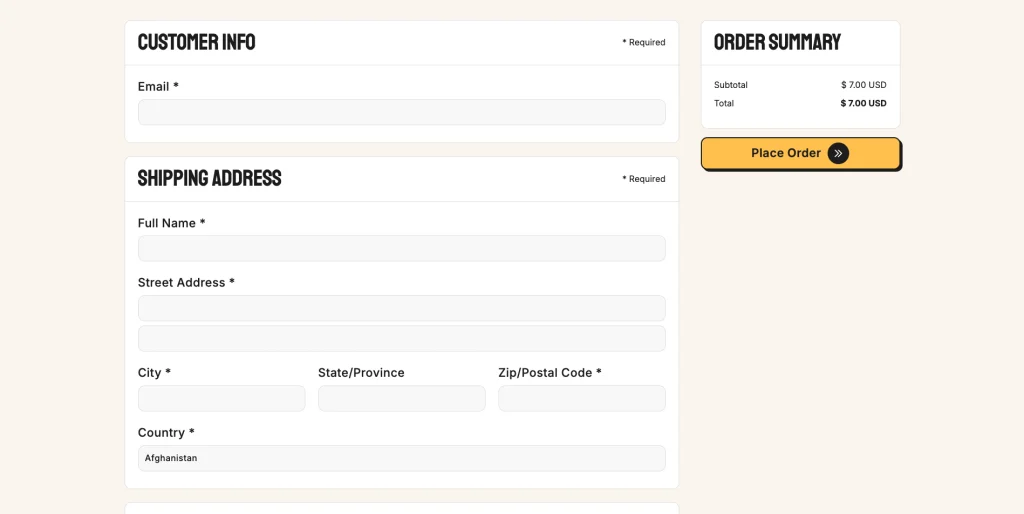
Shopping Cart & Checkout: Grocer includes a shopping cart interface and dedicated checkout page with customer information, shipping address, shipping method, payment information, billing address, order items, order summary, and Place Order action.
Promotional Offer Sections: The Home 02 layout features dedicated promotional cards for vegetables, fruits, meat, cooking items, beverages, and beauty products, each with a promotional message and Explore Offer action.
Grocery Category Showcase: Grocer uses dedicated category sections to showcase product groups including vegetables, fruits, meat, cooking items, beverages, and beauty products.
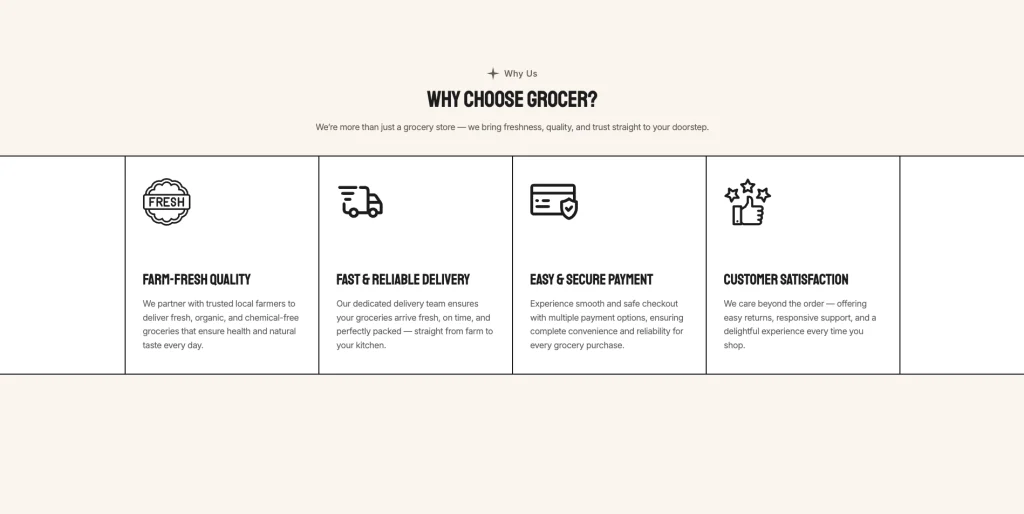
Why Choose Grocer Section: The template includes a dedicated “Why Choose Grocer?” section presenting four selling points: Farm-Fresh Quality, Fast & Reliable Delivery, Easy & Secure Payment, and Customer Satisfaction.
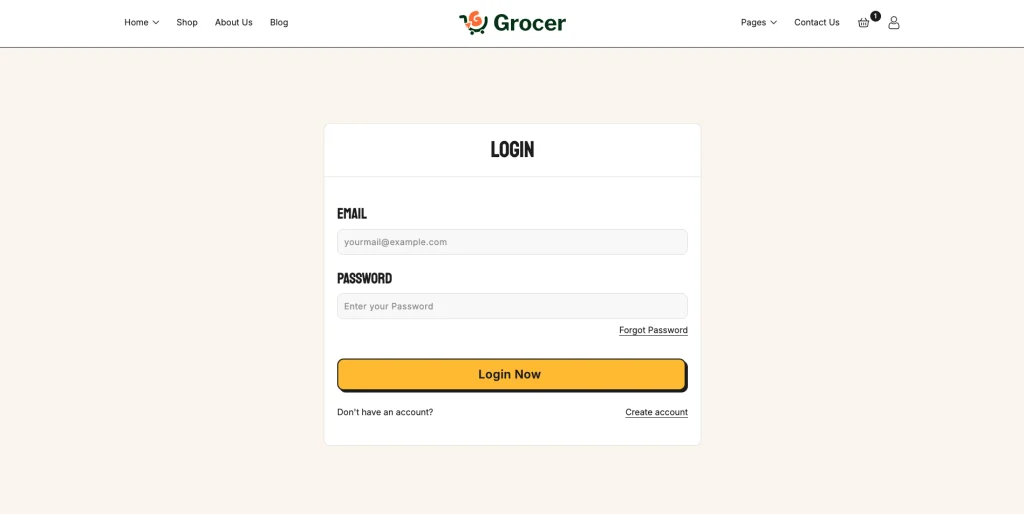
Customer Account Pages: Grocer includes dedicated Login, Create Account, and Forgot Password pages as part of its customer account experience.
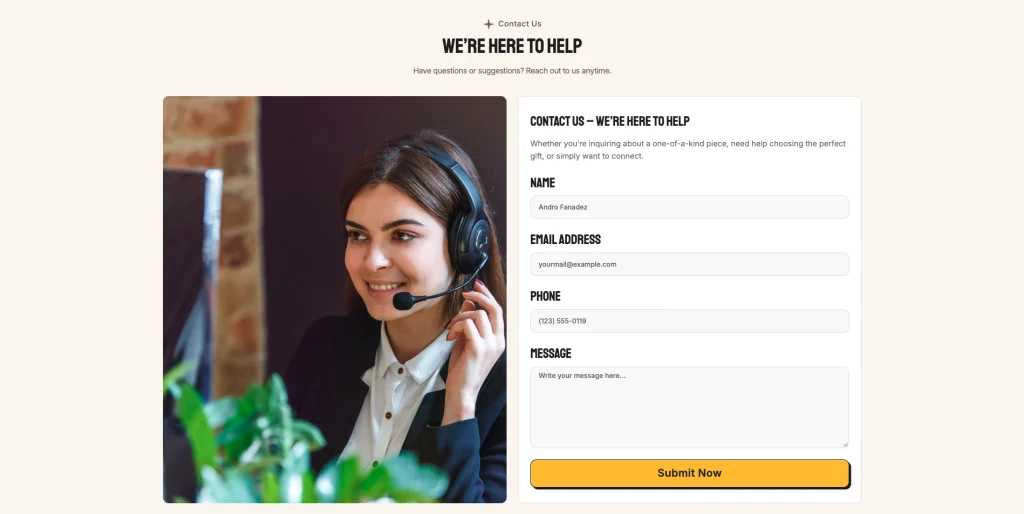
Contact Form: The Contact Us page includes a contact form with Name, Email Address, Phone, and Message fields, alongside contact information and an FAQ section.
Pages Included
- Home 01
- Home 02
- Shop
- Product Detail
- About Us
- Blog
- Blog Post
- FAQ
- Contact Us
- Checkout
- Login
- Create Account
- Forgot Password
- 404
- Privacy Policy
- Terms & Conditions
- Return & Refund Policy
- Style Guide
- Change-Log
- License
The main navigation, utility navigation, e-commerce product pages, blog articles, account pages, and checkout confirm this page structure.
How to Use Grocer
Setup is straightforward.
- Purchase and duplicate the Grocer template into your Webflow workspace.
- Replace the logo, brand colors, typography, and visual assets with your own branding.
- Choose the homepage layout that best fits your grocery or e-commerce business.
- Update the homepage hero, promotional offers, category content, and product messaging.
- Replace the existing e-commerce products with your own products, pricing, images, and descriptions.
- Customize product detail content, including product information, shipping details, and return policy content.
- Update the Shop and category sections to match your product catalog.
- Replace the About Us content with your business story, mission, vision, and expertise.
- Add or replace blog articles with your own grocery, food, shopping, or lifestyle content.
- Customize the FAQ and Contact Us pages with your business information.
- Update the Login, Create Account, and Forgot Password pages if your store uses customer accounts.
- Review the checkout, cart, and e-commerce flows and replace the placeholder store information.
- Review the responsive layouts across desktop, tablet, and mobile before publishing.
What a Grocery Ecommerce Website Has to Prove
A grocery e-commerce website needs to make products easy to discover while giving visitors confidence throughout the shopping process.
First, the website should immediately communicate what the store sells. Grocer addresses this through its grocery-focused hero, promotional offers, product showcases, and category sections.
Second, shoppers need a simple way to browse products. The Shop page provides a dedicated product catalog with pricing, sale pricing, quantity controls, Add to Cart, and Buy Now actions.
Third, individual products need enough information to support purchasing decisions. Grocer’s product detail layout includes product imagery, category, rating, pricing, quantity selection, purchase actions, shipping information, and return policy information.
Finally, an online grocery store benefits from supporting content beyond product listings. Grocer includes About Us, testimonials, Blog, FAQ, Contact, customer account pages, and newsletter sections to create a broader website experience around the Ecommerce store.
Frequently Asked Questions
What is Grocer?
Grocer is a Webflow Ecommerce website template designed for grocery stores, fresh food businesses, organic markets, and businesses selling everyday essentials. It includes two homepage designs, product layouts, shopping functionality, blog pages, account pages, FAQs, contact pages, and utility pages.
Who is Grocer built for?
Grocer is designed for grocery stores, supermarkets, organic food shops, fresh produce businesses, local food retailers, and e-commerce stores selling everyday products.
Does Grocer include Ecommerce functionality?
Yes. The template includes product listings, individual product pages, Add to Cart and Buy Now actions, a shopping cart, and a dedicated checkout layout.
How many homepage designs are included?
Grocer includes two homepage designs: Home 01 and Home 02.
Does Grocer include product detail pages?
Yes. The template includes individual product pages with product imagery, category, rating, pricing, quantity selection, Add to Cart, Buy Now, shipping, and return-policy information.
Does Grocer include a Shop page?
Yes. The Shop page provides a product catalog with product images, pricing, sale pricing, quantity controls, Add to Cart, and Buy Now actions.
Does Grocer include a checkout page?
Yes. The checkout page includes customer information, shipping address, shipping method, payment information, billing address, order items, order summary, and a Place Order action.
Does Grocer include a blog?
Yes. Grocer includes a dedicated Blog page with multiple articles and individual blog post pages.
Does Grocer include customer account pages?
Yes. The template includes Login, Create Account, and Forgot Password pages.
Does Grocer include an FAQ page?
Yes. There is a dedicated FAQ page covering topics such as payments, accounts, order tracking, order changes, delivery, and product quality.
Does Grocer include a contact form?
Yes. The Contact Us page includes fields for name, email address, phone, and message.
Does Grocer include utility pages?
Yes. The template includes a 404 page, Privacy Policy, Terms & Conditions, Return & Refund Policy, Style Guide, Changelog, and License pages.
Is Grocer responsive?
Yes. Grocer is structured as a responsive Webflow website for desktop, tablet, and mobile layouts.
Is the Figma file included with the template?
No. The Figma file is a separate product, and you buy it from the purchase widget on this page. The Webflow and HTML builds are also sold on their own.
When you choose this template, you get support direct from the TNCFlow team. So if a section will not behave, just ask us. You also get regular updates.
Check out other Webflow templates by TNCFlow.


Select template
Choose one or more options for your build
