
PRO

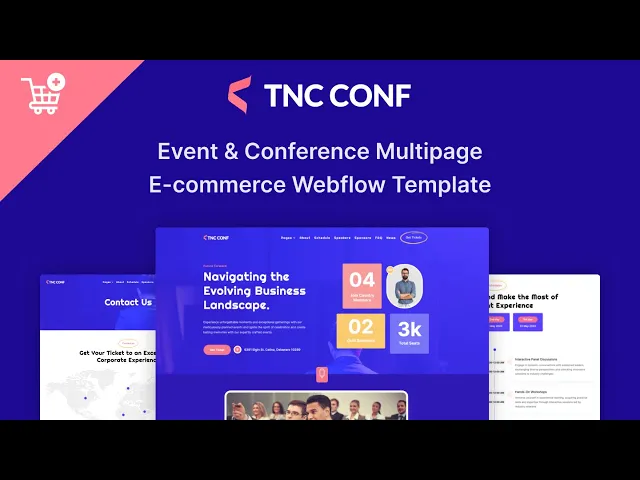


TNC Conf is an event website template for conferences, summits, meetups and festivals. It ships for Webflow, Figma and HTML.
An event site has a deadline. It has to convince somebody to block out a day and pay for it, and it has to do that before the date passes.
So TNC Conf front loads the persuasion. Speakers, schedule and sponsors establish that the day is worth it, then pricing and ticketing take the money. Because it ships in a CMS version and an ecommerce version, you can sell directly when you need to.
Each section has one job. The hero states the event and the date. The speakers make the case. The pricing removes the hesitation. Finally checkout takes the booking.
Explore the live preview now!
TNC Conf at a Glance
| Formats | Webflow, Figma, HTML |
| Best for | Conferences, summits, meetups, festivals, corporate events |
| Versions | CMS version and ecommerce version, same design |
| Modes | Dark homepage and light homepage both included |
| CMS | Speakers, blog posts, products and product categories |
| Pages | 18 designed pages plus Webflow ecommerce pages and CMS templates |
| Key sections | Speakers, schedule, sponsors, pricing, event gallery, FAQ |
| Support | Included with every TNCFlow purchase |
Key Features of TNC Conf
Dark and Light Modes. Two homepage versions ship in the same file, one dark and one light. So an evening summit and a daytime conference can use the same build.
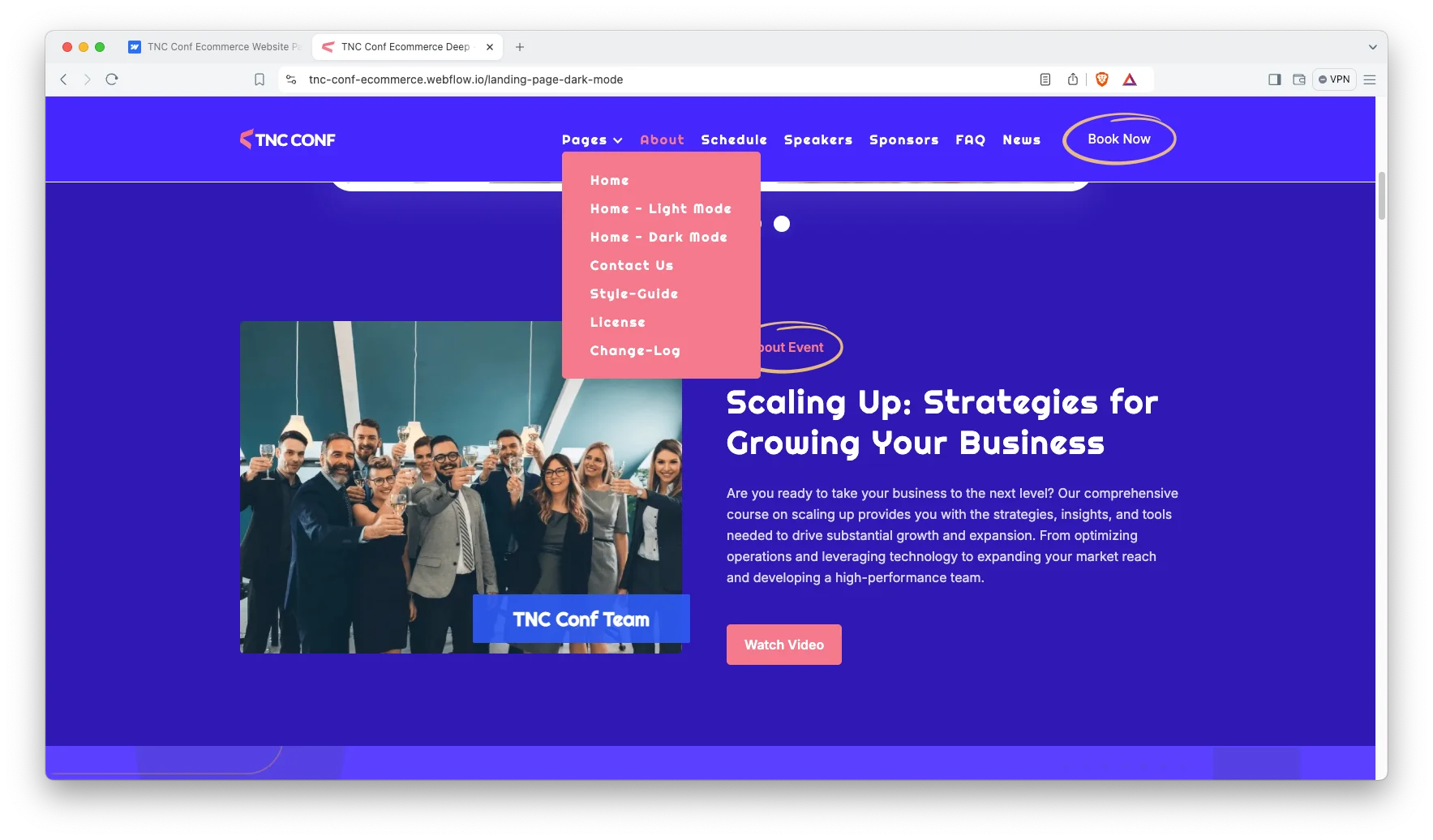
Modern Responsive Design. The layout reads as professional rather than playful. Because delegates are deciding whether to spend a day with you, that tone matters.
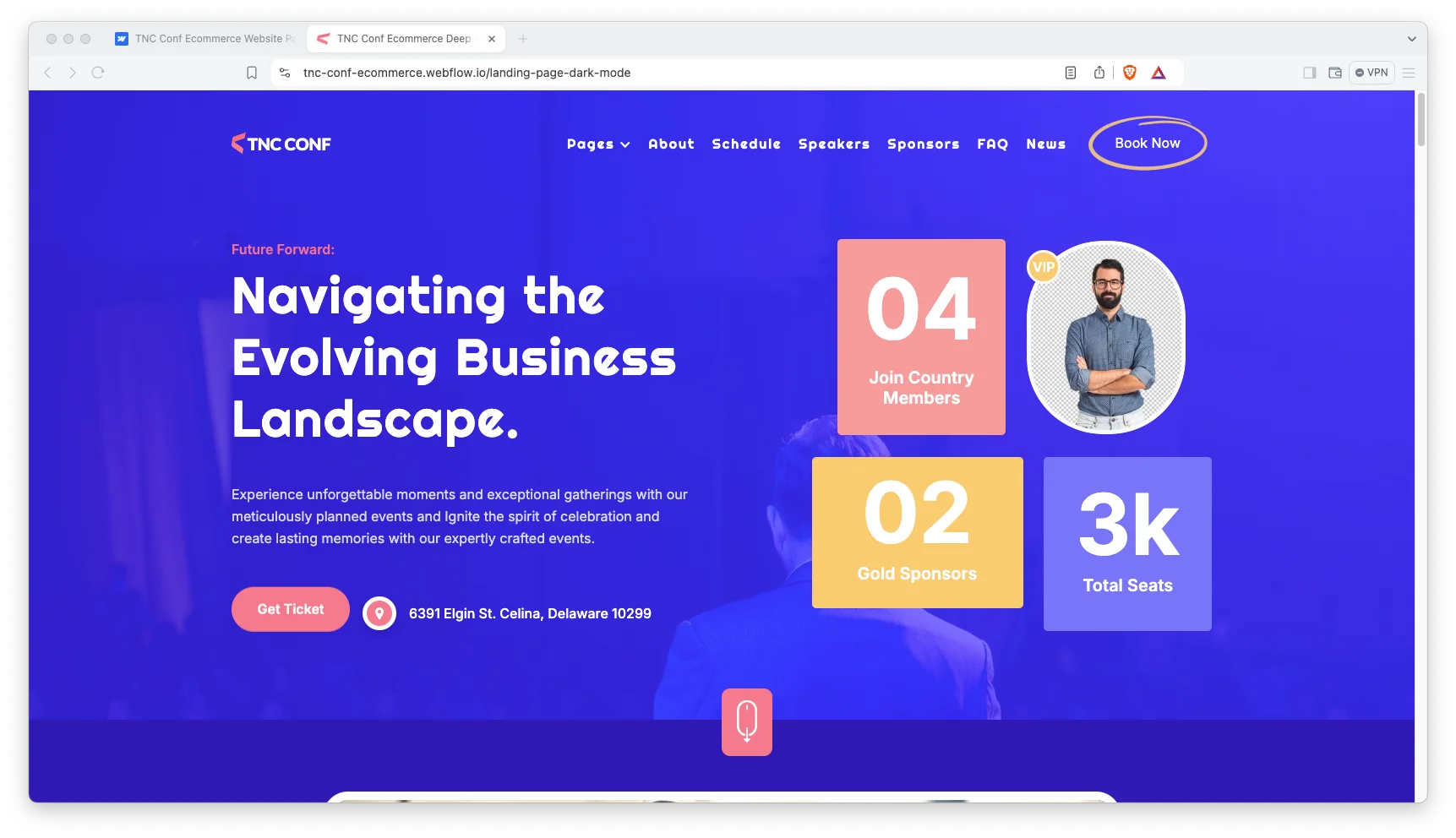
Ecommerce Included. The ecommerce version adds product pages, a cart and Webflow checkout. So tickets and merchandise sell from the same site.

CMS Functionality. Speakers, blog posts and products run on Webflow CMS. Then a late speaker addition takes a minute rather than a redeploy.

Event Specific Sections. Hero, speakers, schedule, pricing, sponsors and ticketing all ship as sections. So the page answers a delegate’s questions in the order they ask them.
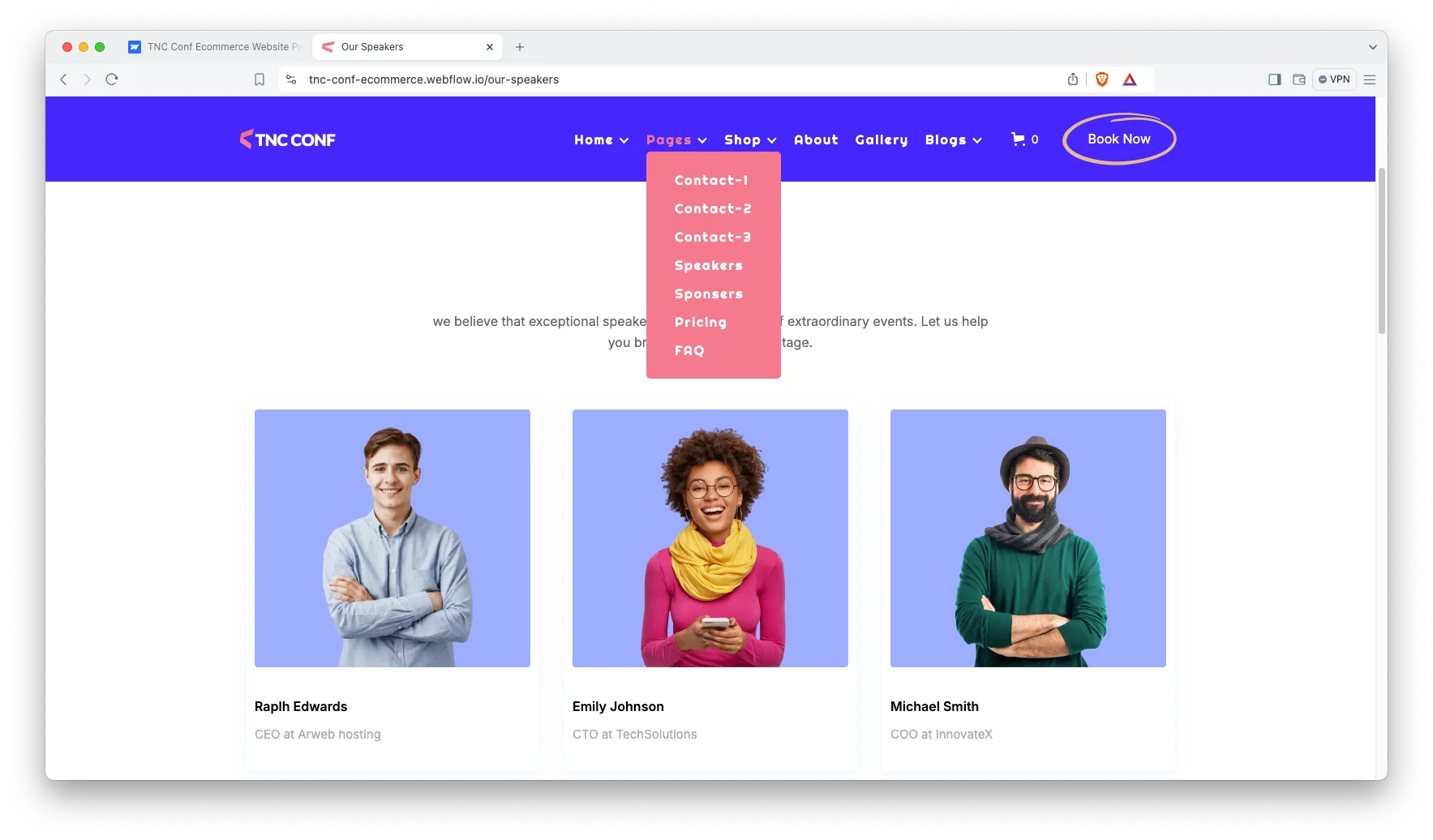
Sliders and Animation. Touch friendly sliders carry images and video. However, the motion stays light so the page still loads quickly.

Clean Layout. The interface stays uncluttered throughout. Since an event site has a lot to say, restraint is what keeps it readable.
FAQ Page. A dedicated FAQ page handles the questions that would otherwise fill your inbox. So the ticket page stays about tickets.

Three Contact Layouts. Three contact page arrangements ship in the same file. So you can pick the one that suits your page and delete the rest.
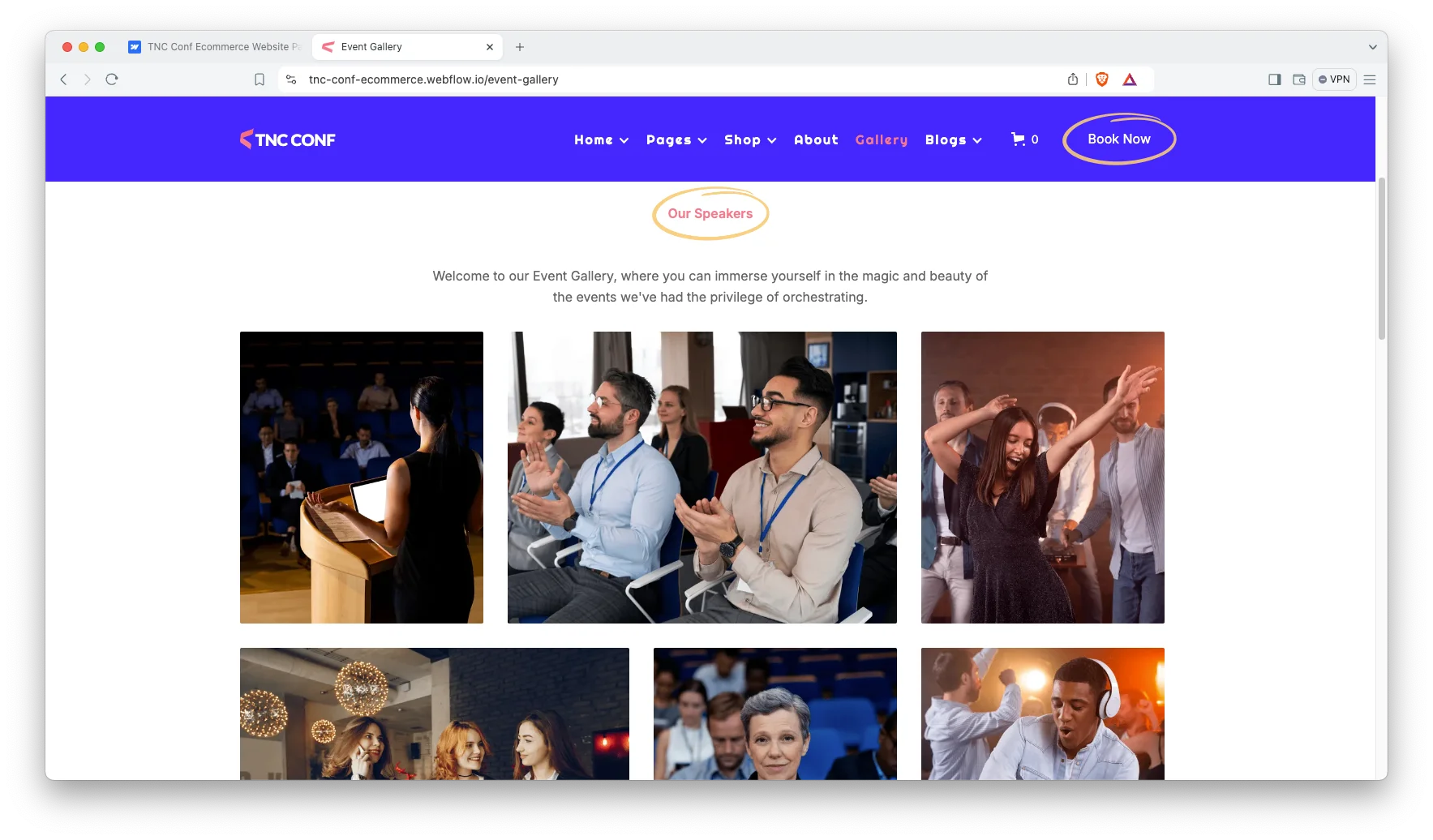
Event Gallery. A gallery page carries photography from previous years. That matters, because a first time delegate is buying on evidence.
Watch on YouTube
You can watch this video if you want to learn everything about this Webflow template quickly. In this video, we have demonstrated the information about this Webflow template.
Pages Included in TNC Conf
TNC Conf ships with eighteen designed pages. They are the dark homepage, a light homepage, a dark landing page, About, Our Speakers, Sponsors, Pricing, Event Gallery, FAQ, two blog layouts, three contact layouts, Style Guide, License and Change Log. A 404 page and a password page ship alongside them. In the ecommerce version you also get product pages, category pages, checkout, PayPal checkout and order confirmation. Further CMS templates render speakers, blog posts, products and product categories.
Why an Event Site Needs a Speakers Page More Than a Hero
Delegates do not buy the event. They buy the room. However, most conference sites spend the whole homepage on a countdown timer and leave the speaker list to a grid of headshots. TNC Conf gives speakers a page of their own, and runs them on the CMS so each name arrives with a title and a talk. So the person deciding whether to take a day off can see exactly who they would be listening to. Then the pricing page is answering a question they have already half decided.
How to Use TNC Conf
- Use the purchase widget on the right side of this page to buy the TNC Conf template
- Pick the CMS version or the ecommerce version depending on whether you will sell tickets
- Duplicate the template into your Webflow workspace
- Choose the dark or light homepage and delete the other
- Load your speakers, schedule and sponsors into the CMS collections
- Check every breakpoint, then publish your event site
TNC Conf Frequently Asked Questions
What formats does TNC Conf ship in?
TNC Conf ships for Webflow, Figma and HTML. Each format is sold separately, so you buy only the one you need.
What is the difference between the CMS and ecommerce versions?
Both share the same design. The ecommerce version adds product pages, a cart and Webflow checkout, so pick it if you plan to sell tickets or merchandise.
Is the Figma file included with the Webflow purchase?
No. The Figma file is a separate product on this page. So add it to your order if you want the design source.
Does TNC Conf come in a dark mode?
Yes. A dark homepage and a light homepage both ship, and you keep whichever suits your event.
Can I list speakers and sponsors?
Yes. A speakers page and a sponsors page ship as standard, and speakers run on Webflow CMS.
How many contact layouts are included?
Three. They are different arrangements of the same form, so you can pick the one that fits your page.
When you choose TNC Conf, you get support from the TNCFlow team. So if a section does not behave, ask us and we will help.
Check out other Webflow templates by TNCFlow.
Featured in our guides: event website templates and dark mode Webflow templates.

Select template
Choose one or more options for your build
