

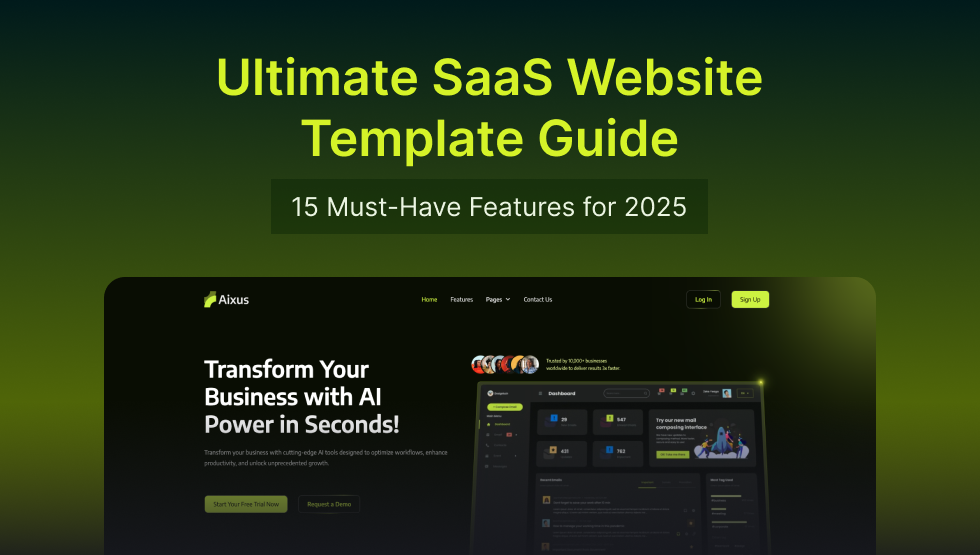
Starting a SaaS website is exciting and slightly overwhelming. When working on SaaS website design, focus on the elements that do the persuading: clear pricing, feature comparison, a signup flow that does not fight the user, and pages that load fast. It needs to look credible and explain the product in the first few seconds, because that is all the attention you get.
SaaS website design has become more standardised, which is good news. The patterns that convert are known, and a well-built SaaS Webflow template gives you them as a starting point. This guide sets out the fifteen features worth insisting on, so you can judge any template you are considering rather than guessing.
What Should a SaaS Website Template Have?
A good SaaS website is simple, clear, and current. Here is the short version of what it needs:
- Clear Messaging: Quickly explain what your product does and who it’s for.
- Easy Navigation: Keep menus simple so visitors find what they need fast.
- Hero Section: A clear headline, a product image or video, and one strong call to action.
- Pricing Tables: Show your plans and prices clearly to help visitors choose.
- Feature Highlights: Display your main benefits in a scannable way.
- Trial Signup Flows: Make it simple to start a free trial or book a demo.
- Trust Signals: Customer logos, testimonials, and security or compliance badges.
- Interactive Demos: Let visitors explore the product without signing up.
- Lead Capture Forms: Grow your list with forms that ask for as little as possible.
- Fast Loading: Pages that open quickly, because slow pages lose people before the pitch.
15 Must-Have Features for Your SaaS Website Template
1. Modern & Responsive Design
Most web traffic comes from mobile, and Google indexes the mobile version of your site rather than the desktop one. A good SaaS template uses responsive grids and appropriately sized imagery that adapt to any screen.
2. CMS Integration
SaaS companies publish constantly. A template with CMS collections means your marketing team can add posts, case studies and changelog entries without a developer, which is the difference between publishing weekly and publishing quarterly.
3. Optimized Layouts
Clean layouts make the product easier to understand. Features, pricing and signup should each be findable without hunting, and nothing decorative should compete with them.
4. Pricing Tables
Pricing tables let visitors compare plans and pick one. A monthly and annual toggle is worth having. So is naming what each tier is for, since most people are choosing a description of themselves rather than a feature count.
5. Feature Comparison Charts
Show your plans side by side. Comparison charts turn dense information into something scannable, which helps a visitor confirm the tier they were already leaning towards.
6. Trial Signup Flows
Your free trial flow needs to be short. Step-by-step forms, social login, and as few required fields as you can tolerate. Every extra field costs you signups.
7. A Clear “How It Works” Section
Break the core functionality into three or four steps. This section does the work of answering “but what would I actually do with it”, which is the question that stalls most SaaS purchases.
8. Mobile-First UI Design
Navigation, buttons and forms all need to work on a small screen with a thumb. Check that tap targets are large enough and that nothing important sits behind a hover state, since hover does not exist on touch.
9. Automated Lead Capture
Newsletter signups, gated content and downloads generate the pipeline. Look for conversion-focused forms that connect cleanly to whatever marketing automation you already use.
10. Dynamic Interactions & Animations
Micro-interactions and smooth scrolling make a product feel considered. Keep it restrained. Motion should draw the eye to a call to action, not compete with it.
11. Personalization Support
Some SaaS companies tailor messaging or product suggestions to visitor behaviour or segment. A template that keeps sections modular makes this easier to add later. Be realistic though: personalisation needs traffic volume to be worth the effort, so it is rarely the first thing to build.
12. Interactive Demo or Product Walkthrough
An embedded demo or walkthrough builds confidence faster than a feature list. It can live on the homepage or a dedicated page, and it removes the need to sign up before understanding the product.
13. Social Proof
Show that real people use the product. Customer logos, quotes with a name and role attached, and short user stories all work. Vague praise with no attribution does not, and readers can tell the difference.
14. Flexible Customization & Figma Kits
Look for colour, font and layout controls that work without touching code. A matching Figma file lets you iterate on the design before building, which saves rework.
15. Robust Support & Documentation
Documentation and responsive support matter more than they sound. You will hit something confusing at some point, and whether that costs an hour or a week depends entirely on this.
Want to see these applied? Aixus, Scalepro and Trackio are built around this checklist, and our roundups cover the wider selection for established businesses and for early-stage startups.
How to Choose the Right SaaS Template for Your Business
Here is a quick checklist to match your company to the right template:
- Your target audience: B2B SaaS usually needs detailed pricing, demos and integration pages. Consumer SaaS leans harder on the hero and social proof.
- Customization level: Solo founder or design team? That decides whether you want something editable in the visual panels or something with a full Figma kit.
- Tech stack: Check the template supports your CMS and connects to your marketing tools without custom work.
- Conversion needs: Prioritise pricing tables, trial signup flows and lead capture over visual flourish.
- Budget: A premium template costs less than a week of design time and usually includes support, which is where the real saving is.
How TNCFlow Templates Fulfill These Features
The TNCFlow SaaS templates are built around the checklist above. Clean layouts that keep the message and the call to action central, responsive across breakpoints, with dedicated sections for testimonials and transparent pricing. They use clean markup and a consistent class structure, so they load quickly and stay editable.
CMS collections mean you can run a blog without a developer, and colours and fonts change from the style panel. Support and updates are included. Each build ships for Webflow, Figma and HTML separately, so you buy only the format you will actually use.
Frequently Asked Questions
Which of these fifteen features matter most?
Clear pricing, a short signup flow, and honest social proof. Those three carry most of the conversion work. The rest support them.
Should I show pricing publicly?
For self-serve and lower-priced products, almost always yes, because hiding it filters out buyers rather than qualifying them. For enterprise deals with genuine per-customer variation, a “contact us” tier alongside published lower tiers is the usual compromise.
Do I need an interactive demo?
It helps for products that are hard to describe in a sentence. If yours is easily understood from a screenshot and a headline, spend the effort on your copy instead.
What formats do these templates ship in?
Webflow, Figma and HTML, each sold separately. Some also ship a Framer version.
Can I add these features to a template that lacks them?
Mostly yes, though a pricing table or comparison chart is far quicker to edit than to build. It is worth choosing a template that already has the sections you know you need.
Is a template enough, or do I need a custom build?
For most early and mid-stage SaaS companies a template is enough, and the money is better spent on the product. We set out where that stops being true in template versus custom website.
Where can I find SaaS website templates?
The TNCFlow SaaS template collection covers B2B, AI and product-led builds, each with a live preview you can test before buying.
Final Thoughts
Choosing a SaaS template is mostly about knowing what to insist on. Fast editing, a signup flow that converts, clear pricing and clean markup are the features that matter. The visual style is the part you will notice first and the part that matters least.
Use the checklist above to judge any template you are considering, whoever built it. If you want a starting point, browse the TNCFlow SaaS templates.