

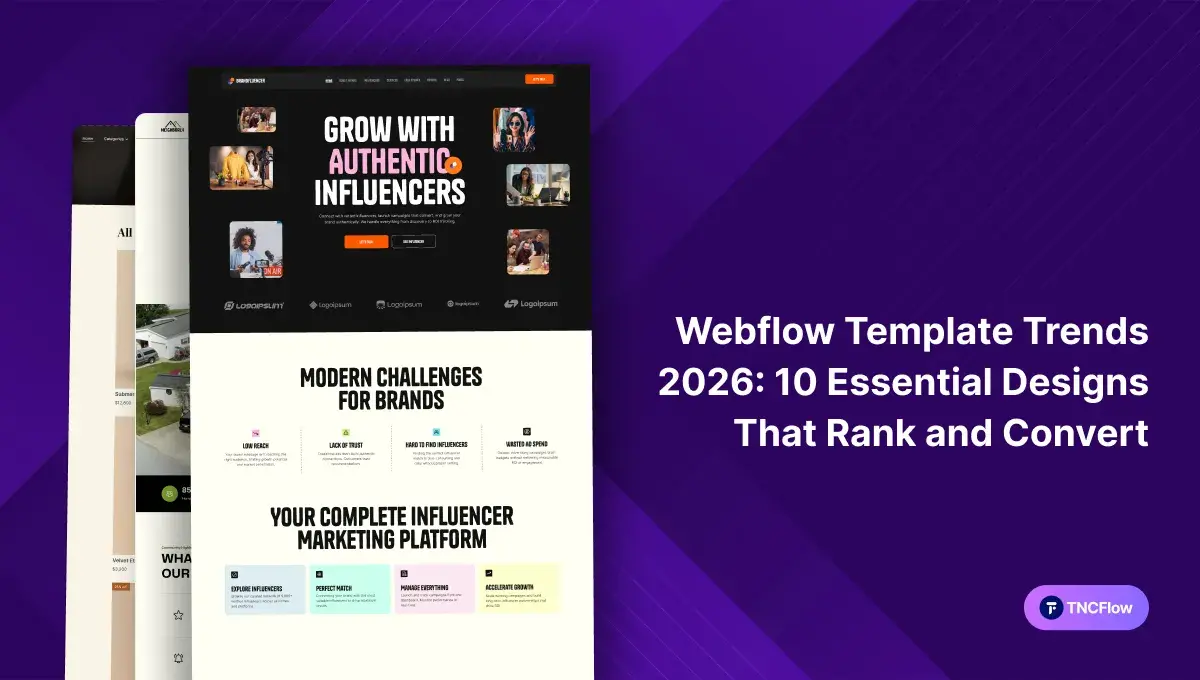
Your site needs to rank well on Google, load quickly, and hold a visitor’s attention in the first thirty seconds. In 2026, with AI search reshaping how results are surfaced and mobile users judging a site in milliseconds, the old “pretty design” approach is not enough on its own. A well-built Webflow template solves most of the technical groundwork for you. The rest comes down to knowing which design direction actually fits your market.
Today, we’ll discuss essential designs for creators, agencies, and businesses like you. We will explore different styles for all kinds of businesses, from viral podcast hubs and language learning empires to high-converting SaaS landings and eCommerce platforms. You’ll see exactly what works, why it converts, and how to launch your own site properly.
This guide has two halves. First, ten template directions by industry, each linking to a deeper roundup for that niche. Then the five underlying design techniques that power them, with instructions for building each one in Webflow.
SaaS – Inspired Designs
SaaS inspired designs lead Webflow trends in 2026. Smart templates borrow proven patterns from top SaaS brands. Feature grids showcase value fast. Video heroes capture attention with an instant waitlist call to action. Pricing switchers let a visitor compare monthly against annual without leaving the page. Testimonial walls stack founder quotes and results for credibility.
The detail is where these designs earn their keep. Product screens respond on hover for an immersive preview. CMS driven changelog feeds build trust through update transparency. Scroll animations reveal before and after metrics as a visitor moves down the page. Mobile menus expand into full navigation rather than a cramped dropdown. The aim is a site that reads as established software rather than a first attempt.
Let’s explore some of the latest designs: Aixus | Scalepro | Trackio | SoftCom TNC
Going deeper: the best Webflow SaaS website templates for business.
Travel – Inspired Designs
Travel designs are leading Webflow trends. Modern templates use proven layouts to turn browsers into travelers fast. You get large video heroes and strong photography that grab attention immediately. Search bars and date pickers make booking straightforward. Price toggles show trip costs on the spot, while testimonial walls build trust with real traveler reviews.
The supporting detail matters just as much. Imagery responds on hover for an immersive feel. CMS driven guides show exactly what to expect on the trip. Filters help users narrow to the right destination in seconds. Scroll animations bring each location to life. Mobile menus open into full interactive maps. The result reads like an established travel brand rather than a brochure.
Let’s explore some of the latest designs: Travelo TNC | TripFreak
Agency – Inspired Designs
Agency inspired designs are setting the stage for Webflow trends in 2026. Agency templates use high impact layouts to showcase creative work. Dynamic portfolio grids and large typography grab attention immediately. Quick contact bars and project inquiry forms turn leads into partners. Client walls stack recognisable logos and results for credibility.
Project tiles respond on hover for a closer look at your best work. CMS driven case studies build trust through process transparency. Filters let a visitor browse projects by industry or service. Scroll animations reveal outcomes and before and after metrics. Mobile menus expand into clean full screen navigation.
Let’s explore some of the latest designs: Dossier | Pawdopt | Brandfluencer
Going deeper: the best Webflow templates for agency websites, and Webflow portfolio templates for designers and freelancers.
Animation – Inspired Designs
Animation inspired designs push what a Webflow build can do. High motion templates use cinematic movement to tell a brand story that sticks. Animated hero sections and fluid transitions capture attention instantly. Hover states and micro interactions make every click feel considered. Animated counters display growth and results without a wall of text.
The deeper detail is what separates these from novelty. Illustrations react to scroll depth for a living page feel. Scroll triggered storytelling reveals product layers as a visitor moves down. Mobile menus slide out smoothly rather than snapping. One caution. Motion works as emphasis, not decoration, so a page where everything moves ends up saying nothing.
Let’s explore some of the latest designs: PodTalk | Hugecon | Nomadlife | Animatory
Going deeper: the 10 best Webflow animation templates of 2026, and how top brands use Webflow animation.
Fashion – Inspired Designs
Fashion inspired designs are shaping Webflow aesthetics. Editorial layouts turn a collection into a digital experience. Large lookbook heroes and confident typography establish brand authority instantly. Quick shop overlays and buy the look buttons capture sales with minimal friction. Size and style switchers update availability on the spot, while social galleries stack real world photos for credibility.
Product zooms respond on hover for a tactile preview. CMS driven trend feeds keep seasonal content current alongside style guides. Filtering sorts by colour, fit, and material. Scroll animations reveal runway shots and detail rich close ups. Mobile menus expand into full screen style boards. The aim is a site that carries the authority of an established house.
Let’s explore some of the latest designs: Ornox | ModestWear | Trendy TNC
Real Estate – Inspired Designs
Real estate inspired designs dominate Webflow property trends in 2026. Templates borrow proven layouts from property tech brands. Property grids showcase listings fast. Virtual tours and aerial video heroes capture attention with an instant schedule a viewing call to action. Mortgage switchers calculate monthly payments on the spot. Testimonial walls stack buyer stories and neighbourhood detail for credibility.
Floor plans respond on hover for an interior preview. CMS driven neighbourhood feeds build trust through local market transparency. Filtering compares amenities and square footage. Scroll animations reveal renovation before and afters. Mobile menus expand into interactive area maps, which is where most property searches actually happen.
Let’s explore some of the latest designs: MNC | Builder TNC | TNC Homeland
Going deeper: Webflow templates for real estate agents and property companies, and Webflow real estate and construction templates.
Ecommerce – Inspired Designs
Ecommerce inspired designs are reshaping Webflow storefronts in 2026. High conversion templates borrow proven patterns from leading retail brands. Product grids showcase bestsellers fast. Interactive product views and video heroes capture attention with an instant add to cart. Currency switchers handle shipping and tax expectations up front. Review walls stack customer photos for credibility.
Product detail screens respond on hover for a high resolution preview. CMS driven inventory feeds build trust through stock transparency. Filtering compares specs, sizes, and colours. Scroll animations reveal unboxing sequences and feature highlights. The point of all of it is removing reasons to hesitate before checkout.
Let’s explore some of the latest designs: Ecommerce TNC | NewBorn | Ampul
Going deeper: the 10 best Webflow ecommerce templates of 2026, and how to launch an online store quickly.
Restaurant – Inspired Designs
Restaurant inspired designs lead food and hospitality trends in 2026. Templates use proven layouts from established dining brands to turn a craving into a reservation. Menu grids showcase signature dishes fast. Food preparation video and atmospheric hero sections capture attention with an instant order now call to action. Social walls stack diner photos and reviews for credibility.
Plate photography responds on hover for a closer look. CMS driven daily specials keep the menu current and let you be transparent about sourcing. Filtering sorts by dietary needs, spice level, or price, which is what a diner with an allergy actually needs. Scroll animations carry the story from kitchen to table.
Let’s explore some of the latest designs: Restaurant TNC | Cafeteria TNC | Burgers TNC
Going deeper: the top Webflow restaurant and food website templates of 2026.
Fintech – Inspired Designs
Fintech inspired designs lead Webflow’s financial technology trends in 2026. Templates borrow proven patterns from neo banks and trading apps. Feature grids showcase financial benefits fast. Data dashboards and layered glass heroes capture attention with an instant open account call to action. Interest switchers show savings growth on the spot. Trust sections stack certifications and growth figures for credibility.
Card mockups respond on hover for a premium preview. CMS driven market feeds keep rates and pricing current. Filtering compares account tiers and fees. Worth saying plainly: in this sector the design carries the first impression, but the compliance and disclosure requirements sit with you, not with the template.
Let’s explore some of the latest designs: FintechX TNC | Cardland | AutoLoan TNC | TNC Crypto
Going deeper: the top trending finance Webflow website templates.
Consultancy – Inspired Designs
Consultancy inspired designs lead Webflow’s professional services trends in 2026. High authority templates borrow proven patterns from global consulting firms. Service grids showcase expertise fast. Strategy led heroes and video insight capture attention with an instant book a discovery call. Authority sections stack endorsements and real world impact for credibility.
Case study screens respond on hover for a deeper look at successful projects. CMS driven thought leadership feeds build trust through published insight, which is how most consultancies actually win work. Filtering compares service packages and industry solutions. Scroll animations reveal outcome metrics and growth charts.
Let’s explore some of the latest designs: Consultor | Structon
Going deeper: the best Webflow consulting website templates of 2026.
The Five Design Techniques Behind These Trends
The ten directions above are organised by industry. Underneath them sit five techniques that recur across all of them. These took hold through 2025 and have since settled into standard practice rather than fading, which is the useful test of whether a trend was real. Here is what each one is, how to build it in Webflow, and which templates already use it.
1. Micro-Interactions and Thoughtful Motion
Micro-interactions are small animations triggered by user actions, such as a button changing colour on hover or a field highlighting as you type. These small effects give instant feedback, which makes a site easier to use. They help users know what is clickable, confirm that an action worked, and guide navigation.
- Buttons that gently shift or change colour on hover.
- Forms that highlight the active field to guide typing.
- Animations that confirm completion, such as a checkmark or a brief flourish.
- Error states that draw the eye to the field that needs fixing.
Templates using it: Forceps | CARFIX TNC | Yachtlux
2. Depth Effects and Parallax Scrolling
Three dimensional graphics and parallax scrolling make pages feel physical rather than flat. In parallax, the background moves slower than the foreground as you scroll, creating an illusion of layers. Three dimensional elements let a visitor spin or zoom a product and see it from angles a photograph cannot show.
Worth knowing before you commit to it. Parallax is one of the effects most likely to cause motion discomfort, and browsers expose a reduced motion setting for exactly that reason. Honour it, and keep the effect away from anything a visitor has to read carefully.
Templates using it: Animatory | SoftCom TNC | TNC Crypto
3. Organic Shapes and Nature-Inspired Design
Instead of grids and sharp edges, this approach uses smooth curves, flowing lines and irregular shapes. It helps a site feel approachable rather than corporate, which suits wellness, nonprofit and community brands particularly well.
How to build it in Webflow. Use SVG shapes, curved section dividers and custom backgrounds. Combine earthy palettes with soft gradients. Rounded content blocks, wavy edges and deliberately uneven layouts all reinforce the effect, and subtle animation on those shapes adds life without clutter.
Templates using it: Nutrofit | TheNGO | Neighborly
4. Dynamic Cursors
A dynamic cursor replaces the browser’s default pointer with a custom visual that reacts to movement, hovers and clicks. It might be a dot that trails the mouse, a shape that expands over interactive items, a magnetic effect that appears to pull nearby elements, or a cursor that reveals part of an image as it passes.
How to build it in Webflow. Create a div for the cursor that sits above other content. In CSS, hide the browser’s default cursor so only your design shows, set its shape, size and colour, then apply pointer-events: none so clicks still register on the elements beneath it. In Interactions, set a page trigger for mouse move in viewport and use move actions to follow the mouse X and Y position. Add mouse hover interactions on buttons and links to scale the cursor, change its opacity, or swap its appearance. More unusual effects may need a small custom code embed.
Use this one carefully. A custom cursor replaces a control every visitor already knows, and it does nothing at all on a touch screen, so it should never be the only signal that something is clickable.
Templates using it: Aixus | Somers | ModestWear
5. Bold Typography, Text Animation and Minimalism
Oversized headlines, custom font pairings and scroll-triggered text reveals let a brand carry its message with type alone. Minimalism sits alongside it, keeping page weight down and removing distraction. Together they are the cheapest way to look considered, because they need no imagery to work.
How to build it in Webflow. Use the style manager to set a consistent type scale and spacing rhythm rather than styling headings individually. That single decision does more for a page than any effect on this list.
Templates using it: Hosteve | HomeSalon TNC | GYMFreak TNC
Bonus Techniques Worth Watching
- Bold colour palettes and gradients: Vivid colour and smooth gradients capture attention without imagery.
- Glassmorphism and translucent layers: Semi-transparent frosted panels add depth, and suit data-heavy interfaces.
- AI-generated visuals: Useful for speed, though a site built entirely from them tends to look like everyone else’s.
- Horizontal scrolling: Adds creativity, but confuses first-time visitors if it replaces vertical scroll entirely.
- Full-page headers and hero sections: Good for carrying a brand story and pointing users at one next step.
One Trend That Cuts Across All Ten: Dark Mode
Dark interfaces are no longer a niche in a single category. They now appear across SaaS, fintech, agency and animation work, and they suit any brand whose imagery or data visualisation benefits from higher contrast. They are not automatically the better choice though, and they are not automatically more accessible either. Contrast ratios need checking in either direction, and the honest answer depends on your content rather than on fashion.
If you are weighing it up, see Webflow dark mode template designs in 2026 and the comparison of dark mode against light mode for conversion.
Frequently Asked Questions
Which of these template trends should I pick?
Pick by what your visitor needs to decide, not by what looks current. A SaaS visitor needs pricing clarity, a restaurant visitor needs the menu, a property visitor needs the map. Start with the decision and the design direction follows.
Do I need to use all five design techniques?
No, and you should not. Stacking every technique onto one site produces noise. Pick the one or two that suit what you are selling and apply them properly.
Does a trendy template design help my Google rankings?
Indirectly. A template gives you clean markup, fast pages and a sensible heading structure, which is the technical groundwork. Rankings still come from your content, your links and how well the page answers the query.
Do these effects slow a website down?
Well-built interactions are lightweight. Heavy uncompressed imagery and video are the usual cause of a slow page, so check your assets before blaming the motion.
Which of these work on mobile?
Micro-interactions, organic shapes and bold typography all translate well. Hover effects and dynamic cursors do not exist on touch screens, so anything important behind them needs a second route.
Do I need to write code for any of this?
Mostly no. Webflow’s interactions panel covers micro-interactions, scroll effects and text reveals visually. Dynamic cursors and the more unusual effects sometimes need a small custom code embed.
Will these designs still look current next year?
The structural patterns here, such as clear pricing, filtered browsing and CMS driven content, tend to outlast the visual fashion. Specific effects date faster, which is why they are worth using sparingly.
What formats do these templates ship in?
Webflow, Figma and HTML, each sold separately, so you buy only the format you will build in. Some also ship a Framer version.
Can I mix elements from two different template directions?
Yes, within reason. Sections are editable in Webflow, so borrowing a pricing pattern into a service site is straightforward. Mixing two whole visual systems usually reads as indecision rather than range.
Should I use a template or build custom?
It depends on budget and how unusual your requirements are. We set out the arithmetic in template versus custom website.
Where can I see all of these templates together?
Every template named on this page sits in the TNCFlow template catalogue, alongside the rest of the range.
Final Words
We have covered ten template directions by industry and the five techniques underneath them, from travel sites to clean online stores. Every business is different, but they all want the same thing, which is to be found and then to be believed.
Using a premium template saves you time, money, and stress. It gives you a strong starting point with a design that already works. There is a direction here for most niches, whether you run an agency, a shop, an AI product, or a construction firm. Pick a design you like, add your own material, and get it live. Ready to choose? Browse the full template catalogue.