

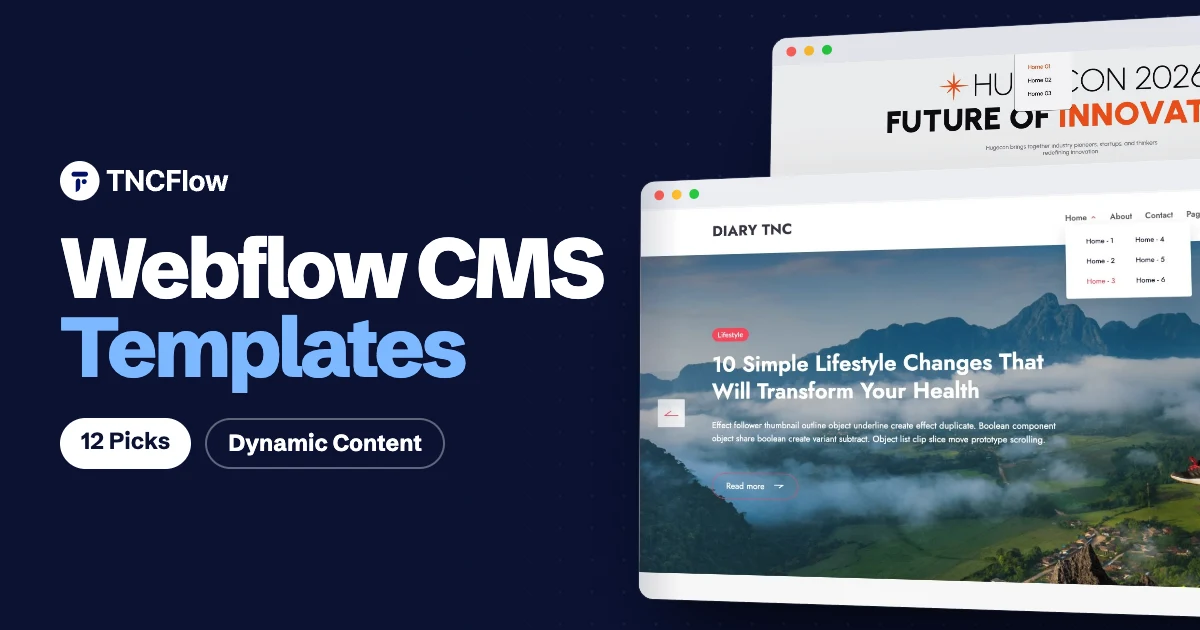
The best Webflow CMS templates save you from the slowest part of a Webflow build: planning collections, wiring up dynamic pages and designing every list and detail layout from scratch. You get a working content structure on day one and spend your time on the content itself.
A Webflow CMS template is different from a static one. The CMS adds collections, which are structured sets of content such as blog posts, properties, jobs or episodes. Each collection has its own fields, and Webflow generates a dynamic page for every item from one shared design. Add a new item and it appears in every list, grid and category page that pulls from that collection, with no design work.
One thing to know before you buy: a site that uses the CMS needs a Webflow site plan that includes CMS features. A basic static plan will not publish collection content, so check the current Webflow plans and budget for that alongside the template. Below are 12 picks across different niches, with the CMS price for each TNCFlow template. You can browse the full range on our Webflow templates page.
Quick picks
| Template | Best for | Price |
|---|---|---|
| Diary TNC | Personal blogs and online magazines | $49 |
| TNC Resida | Real estate listings | $79 |
| JobX TNC | Recruitment and job listings | $79 |
| KnowledgeBase | Documentation and help centres | $49 |
| Hugecon | Conferences and summits | $99 |
| PodTalk | Podcasts and audio networks | $59 |
| Axure | Portfolios and case studies | $59 |
| TheNGO | Nonprofits and charities | $49 |
| TripFreak | Travel agencies and tours | $59 |
| Write | Simple CMS blogs | Check current pricing |
| Papers | Blogs, magazines and portfolios | Check current pricing |
| Thesis | Magazine style sites | Check current pricing |
The best Webflow CMS templates
1. Diary TNC

Diary TNC is a blog template for personal bloggers, writers and online magazines. A blog is the most common reason people look for a webflow cms template, and this one is built around that job, with a full Webflow CMS setup for posts, authors, categories and tags.
It comes with 15 pages and six home page layouts, so you can pick a front page that suits a single author journal or a busier magazine style without redesigning anything. Because authors, categories and tags are their own collections, a new post is filed correctly as soon as you publish it.
The Webflow CMS version costs $49. Diary TNC is also available for Astro at $49, Figma at $25 and HTML at $18.
Diary TNC is available now.
2. TNC Resida

TNC Resida is a real estate template for property agencies, independent agents and developers. Listings are a natural fit for the CMS: every property shares the same fields, and each one needs its own detail page.
The template includes property search, CMS listings, three home pages and three contact pages. You add a property once and it shows up in the listing pages automatically, which matters when stock changes every week.
The Webflow CMS version costs $79. There is also a Webflow Ecommerce version at $129, plus Figma at $35 and HTML at $28.
TNC Resida is available now.
3. JobX TNC
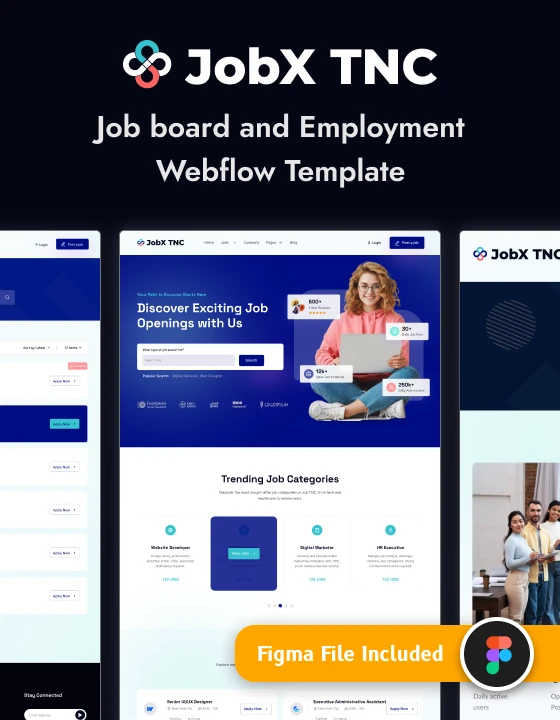
JobX TNC is a recruitment template for staffing firms, job boards and in-house hiring teams. It contains 23 pages, including job listings, company profiles, pricing, an FAQ and a blog.
It is a good choice when your site has more than one kind of repeating content. Jobs, companies and articles each need their own list and detail layouts, and those are already designed here, so you are filling in content instead of building page structures.
The Webflow CMS version costs $79. JobX TNC is also sold for Figma at $35 and HTML at $28.
JobX TNC is available now.
4. KnowledgeBase

KnowledgeBase is a template for documentation sites, help centres and product support teams. It has CMS driven product and category documentation, a search results page and 11 designed pages.
Documentation grows constantly, which is where a CMS earns its keep. Your support team can add or edit an article in the Webflow Editor and the category pages update on their own, without anyone opening the Designer.
The Webflow CMS version costs $49. It is also available for Figma at $25 and HTML at $18.
KnowledgeBase is available now.
5. Hugecon

Hugecon is a conference template for event organizers, summit hosts and workshop teams. It ships with 18 static pages, three homepage layouts and three Webflow CMS collections.
Event sites change right up to the day itself, so keeping the repeating content in collections means late changes are a quick edit to an item, not a layout fix. The three homepage layouts give you room to match the tone of a formal summit or a more relaxed workshop series.
The Webflow CMS version costs $99. Hugecon is also available for Framer at $99, Figma at $30 and HTML at $35.
Hugecon is available now.
6. PodTalk
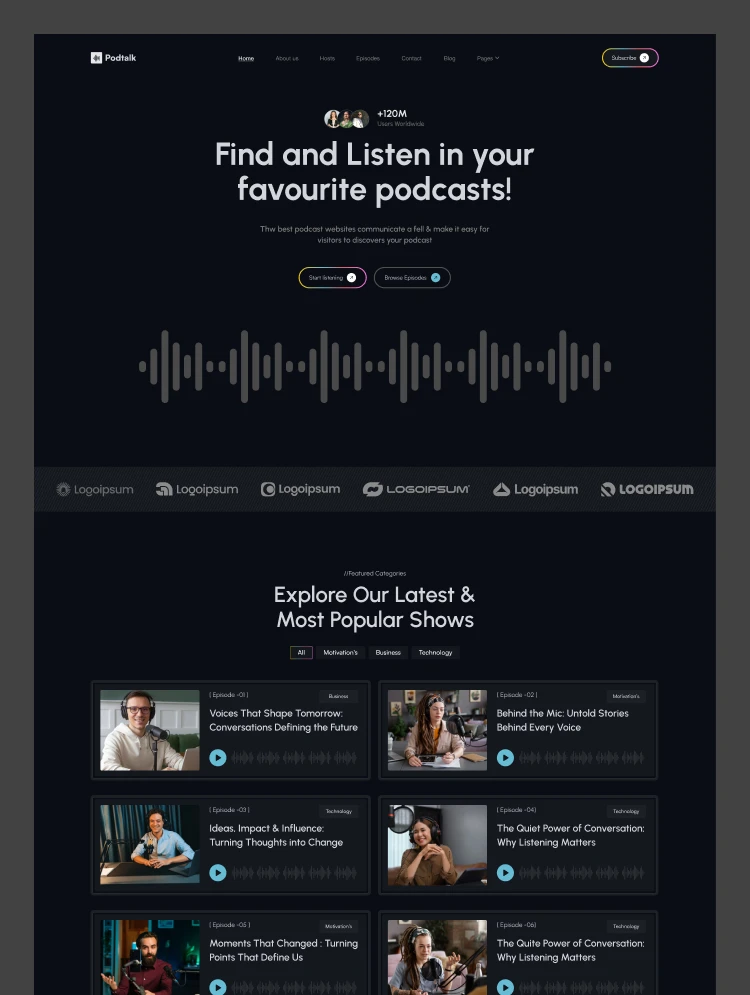
PodTalk is a podcast template for podcast hosts, radio stations and audio networks. It uses the Webflow CMS for episodes, hosts and blog posts.
A podcast site is a publishing schedule with a design on top. With episodes in a collection, releasing a new one is a matter of adding an item, and the episode list and its own page are created for you. Hosts as a separate collection helps shows with several presenters.
The Webflow CMS version costs $59. PodTalk is also available for Framer at $59, Figma at $30 and HTML at $21.
PodTalk is available now.
7. Axure

Axure is a portfolio template for creative agencies, design studios and freelance designers. It has a filterable work grid, a CMS blog and case study pages.
Portfolios are easy to launch and hard to keep current. With case studies as content items, adding a new project does not mean duplicating and restyling a page, and the work grid picks it up for visitors to filter.
The Webflow CMS version costs $59. Axure is also available for Framer at $59, Figma at $30 and HTML at $21.
Axure is available now.
8. TheNGO

TheNGO is a nonprofit template for NGOs, charities and community organizations. It includes 18 ready-made pages and Webflow CMS collections for causes, volunteers and blog posts.
Small teams often rely on volunteers to keep the website updated. Collections for causes and volunteers mean someone without design skills can add a new campaign or team member through a simple form style editor.
The Webflow CMS version costs $49. TheNGO is also available for Framer at $49, Figma at $25 and HTML at $18.
TheNGO is available now.
9. TripFreak

TripFreak is a travel template for travel agencies, tour operators and online booking platforms. It has CMS driven tours, service categories, a booking page and 12 designed pages.
Tours work like products without a cart: each one has the same set of details and its own page. Managing them as a collection lets you add seasonal trips and retire old ones without touching the layout.
The Webflow CMS version costs $59. TripFreak is also available for Framer at $59, Figma at $25 and HTML at $21.
TripFreak is available now.
10. Write
Write, by Max Templates, is described on its listing as a CMS blog template for writing articles and blog posts. It is pitched at personal blogs, multi-author publications and magazines, and includes forms for building a subscriber list. Check current pricing and license terms on the listing before you start.
Write is available from the Webflow marketplace.
11. Papers
Papers, by Metrik, is aimed at blogs, magazines and portfolios. Its listing mentions 33 responsive pages, more than 60 reusable components and CMS content for articles, categories, authors and social links. It suits you if you want a large page set to pick from. Check current pricing on the listing.
Papers is available from the Webflow marketplace.
12. Thesis
Thesis, by Pablo Ramos, is a magazine style Webflow CMS template suggested for tech, finance, travel or personal publications. The listing notes search, plus author, category and tag organization. Check current pricing on the listing.
Thesis is available from the Webflow marketplace.
How to choose a Webflow CMS template
Start with your content, not the home page design. The collections a template ships with decide how much rebuilding you will do later.
- List your repeating content first: posts, team members, listings, events, products. Pick a template whose collections already match most of that list.
- Open a detail page in the preview, such as a single post or a single property. That layout is the one your visitors will see most often.
- Check how items are grouped. Categories, tags and authors are far easier to use when they are built in than when you add them afterwards.
- Think about who will update the site. If non-designers will add content, simpler collections with fewer fields are easier to hand over.
- Confirm your Webflow plan. A CMS template needs a site plan with CMS features, and each plan has limits on the number of items, so compare those limits with the size of your content.
- Not ready to pay for a template yet? Start with our list of free Webflow templates and cloneables and move up when you need more structure.
Every TNCFlow purchase covers one website, so buy one copy per site you plan to launch.
Want it built for you?
If you would like the result without the setup, the TNCFlow team can customise any of these templates for you: your branding, your content loaded into the collections, and the finished site launched on your Webflow account. Book a free call to talk it through.
Frequently asked questions
What is a Webflow CMS template?
It is a Webflow template that comes with CMS collections and dynamic pages already set up. Content such as blog posts or listings is stored as items, and one shared design generates a page for each item.
Do I need a paid Webflow plan to use a CMS template?
To publish a site that uses collections on your own domain, you need a Webflow site plan that includes CMS features. Plans and limits change, so check the current options on the Webflow pricing page.
What is the difference between a static and a CMS Webflow template?
A static template has fixed pages that you edit one by one. A CMS template stores repeating content in collections, so adding a new item creates its page and updates every list that shows that collection.
Can I add my own collections to a CMS template?
Yes. You can add fields to the existing collections or create new collections in Webflow, then connect them to new or existing page designs. Your site plan sets the limits on how many collections and items you can have.
How much do the TNCFlow Webflow CMS templates cost?
The templates in this list range from $49 to $99 for the Webflow CMS version. Each purchase covers one website.
Can TNCFlow set up the template for me?
Yes. We can customise the design, load your content into the collections and launch the site. Book a free call at tncflow.com/meet to discuss it.