

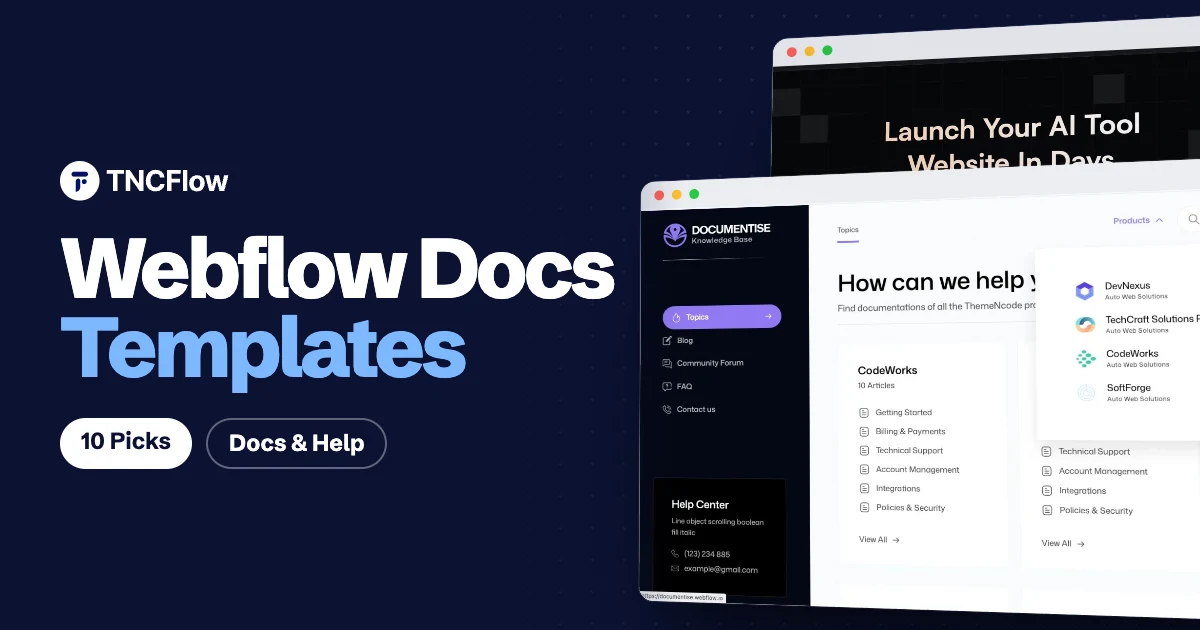
A good Webflow documentation template saves you from designing article layouts, category pages and search results from a blank canvas. You get a structure that already works for docs, and your team only has to fill the CMS with articles.
This list covers 10 templates for docs sites, help centers, knowledge bases and internal wikis on Webflow. Four come from TNCFlow, where we can speak to the details first hand. Six are picks from other designers on the official Webflow marketplace, because TNCFlow only has a handful of templates built for this job and you deserve the full picture.
Further down you will also find TNCFlow marketing site templates that pair well with a docs site, plus a short guide to choosing between a Webflow knowledge base template and a help center template.
Quick picks
| Template | Best for | Price |
|---|---|---|
| KnowledgeBase | Product docs with categories and search | $49 |
| Documentise | Help centers and product docs | $49 |
| Toolify | Software site with a documentation page | $59 |
| Resolvo | Customer support SaaS marketing site | $59 |
| KnowledgeHub X | Large help centers | $129 |
| Devdocs X | Developer documentation | $79 |
| Dyno | Docs driven fully by the CMS | $49 |
| Flowitall | Support centers and e-learning | $79 |
| iDoc 128 | Simple documentation sites | $49 |
| Helpdesk | Customer support and helpdesk sites | $49 |
TNCFlow prices are for the Webflow version. Prices for the other six were taken from the Webflow marketplace at the time of writing, so check current pricing before you buy.
The best Webflow documentation and knowledge base templates
1. KnowledgeBase

KnowledgeBase is a knowledge base website template for documentation sites, help centres and product support teams. If you need a Webflow knowledge base template that already has the docs structure in place, start here.
The documentation is CMS driven, organised by product and by category, so a company with more than one product can keep each set of docs separate. It includes a search results page and 11 designed pages in total. Adding a new article means adding a CMS item, not building a new page.
The Webflow version costs $49. KnowledgeBase is also available as a Figma file for $25 and as an HTML template for $18, which helps if your developers want to host the docs themselves.
KnowledgeBase is available now.
2. Documentise
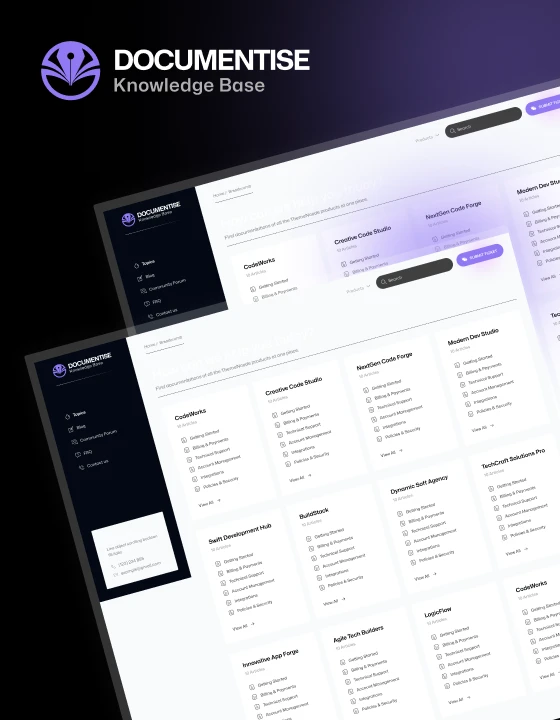
Documentise is a Webflow documentation website template made for help centres, knowledge bases and product docs. It is the second purpose built docs template in the TNCFlow catalog, so compare its live preview with KnowledgeBase and pick the layout that fits your content better.
It suits software teams that want a clean, dedicated home for guides and support articles, separate from the marketing site. Use it for a public help center, or keep it behind a password as an internal wiki.
The Webflow version costs $49. Documentise also comes as a Figma file for $25 and an HTML template for $18.
Documentise is available now.
3. Toolify
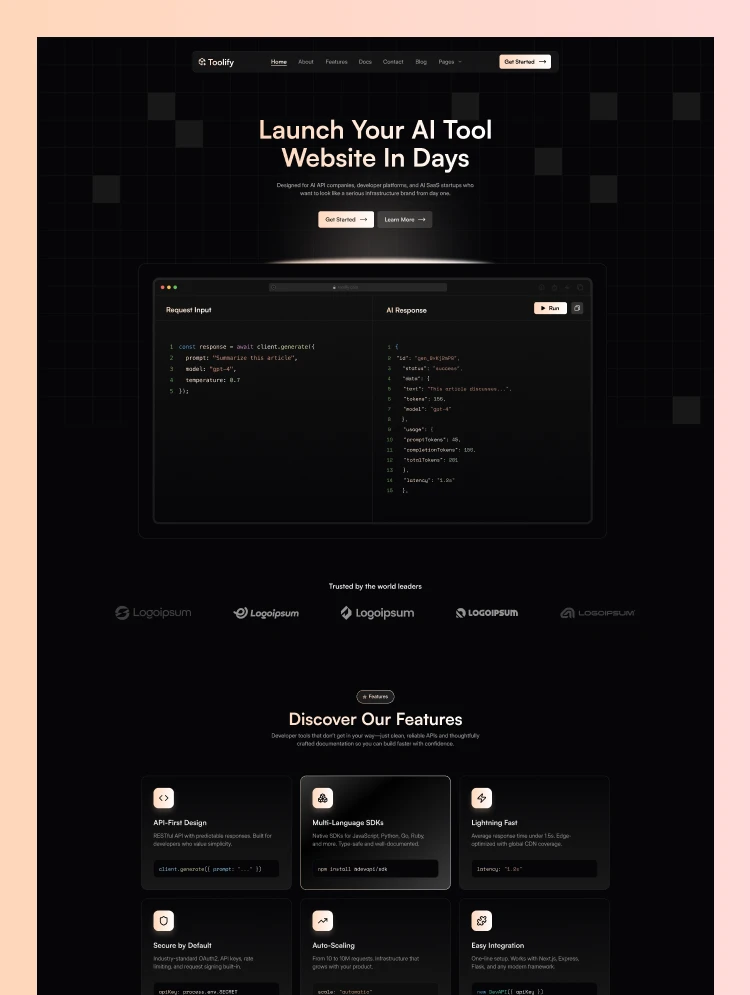
Toolify is a software website template for SaaS platforms, AI tools and developer utilities. It is not a pure docs template. It is a full product site that includes a documentation page, which makes it a good choice when you want marketing pages and docs under one design.
The template contains 16 pages, including a home page, features, pricing, documentation, a blog, contact and a full set of utility pages. Everything sits on a dark, dashboard style theme that suits developer focused products.
The Webflow version costs $59. Toolify is also available for Framer at $59, as a Figma file for $30 and as an HTML template for $21.
Toolify is available now.
4. Resolvo
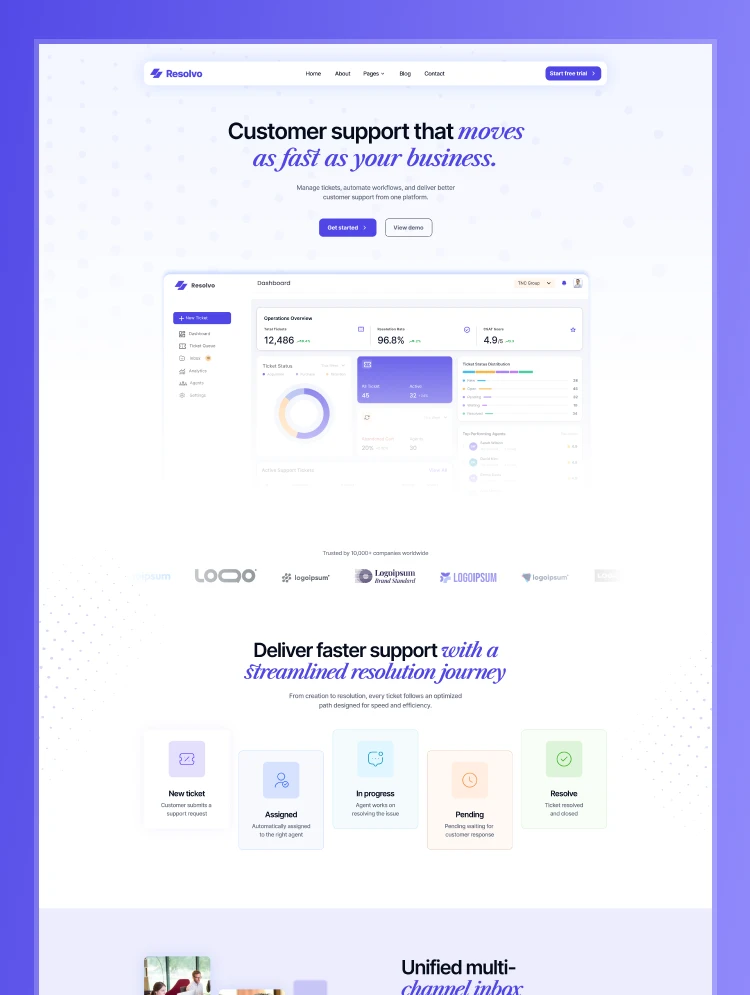
Resolvo is a Webflow customer support SaaS website template. It is aimed at companies that sell support software, such as helpdesk, ticketing or live chat tools, so the subject matter is already close to a help center.
Treat it as the marketing site that sits in front of your support product, and pair it with KnowledgeBase or Documentise for the article library itself. Check the live preview to see which pages are included before you buy.
The Webflow version costs $59. Resolvo is also available as a Figma file for $30 and as an HTML template for $20.
Resolvo is available now.
5. KnowledgeHub X
KnowledgeHub X by BRIX Templates is a premium help center template with 37 pages and a Figma file included. It is the largest option on this list and fits teams with a lot of support content to organise. It was listed at $129 at the time of writing.
KnowledgeHub X is available from the Webflow marketplace.
6. Devdocs X
Devdocs X, also by BRIX Templates, is a documentation template with a clean, minimal design and more than 19 pages, aimed at technical products and developer audiences. It was listed at $79 at the time of writing.
Devdocs X is available from the Webflow marketplace.
7. Dyno
Dyno by Robin Granqvist is a fully CMS driven documentation template with 12 pages. Its menu links are generated from the CMS, so the sidebar updates as you add articles. It was listed at $49 at the time of writing.
Dyno is available from the Webflow marketplace.
8. Flowitall
Flowitall by Kevin Haag is a CMS support center template with 25 responsive pages. It is pitched at help centers and e-learning platforms, so it works when your docs mix articles with lessons. It was listed at $79 at the time of writing.
Flowitall is available from the Webflow marketplace.
9. iDoc 128
iDoc 128 by 128 Digital is a documentation template with 15 customizable pages and CMS content. It is a sensible middle option for a small product with a modest set of guides. It was listed at $49 at the time of writing.
iDoc 128 is available from the Webflow marketplace.
10. Helpdesk
Helpdesk by Rowan Hartsuiker is laid out for customer support and helpdesk websites, with an organised article structure. It was listed at $49 at the time of writing.
Helpdesk is available from the Webflow marketplace.
TNCFlow templates for the marketing site beside your docs
Most docs sites do not live alone. They sit next to a product site on the same domain or a subdomain, and visitors move between the two. If you are building both, these TNCFlow SaaS and tech templates cover the marketing side. You can browse the full range on the Webflow templates page.
- Scalepro: an AI SaaS template for automation platforms and lead generation tools, with features, integrations, pricing and blog pages. $59 for Webflow, also on Framer, Figma and HTML.
- Nocomation: a SaaS template for automation platforms, no code studios and software companies. $59 for Webflow, also on Framer, Figma and HTML.
- ShieldOS: a dark mode template for cybersecurity SaaS and IT security teams. $59 for Webflow.
- SoftCom TNC: a software company template with 17 designed pages and 6 CMS templates, including services, products, a blog and an FAQ. $49 for Webflow.
- CollabFlow TNC: a startup template for collaboration and task management apps, with pricing, integrations, an FAQ and a CMS blog. From $29 for Webflow.
A TNCFlow purchase covers one website. If the marketing site and the docs site are two separate Webflow projects, plan for one template each.
How to choose a Webflow documentation template
Start with how much content you have and who reads it. A product with 20 guides needs something very different from a platform with hundreds of articles across several products.
- Content structure. Look for CMS collections for articles and categories. If you document more than one product, check that the template separates docs by product, as KnowledgeBase does.
- Search. Readers of docs search before they browse. Confirm the template has a styled search results page, and check that your Webflow site plan includes site search.
- Navigation. A sidebar or category menu that is built from the CMS saves manual work every time you publish.
- Docs only or full site. A dedicated Webflow help center template keeps things focused. A product template with a docs page, such as Toolify, keeps everything in one project.
- CMS limits. Every article is a CMS item. Compare your expected article count with the item limit on your Webflow plan before you commit.
- Handoff. If developers may move the docs to their own stack later, a template that also ships as HTML or Figma gives you a head start.
Want it built for you?
If you would rather not set up collections, import articles and restyle pages yourself, the TNCFlow team can customise the template to your brand, load your content and launch the site for you. Book a free call to talk it through.
Frequently asked questions
Can Webflow be used for a documentation site?
Yes. Webflow CMS collections work well for articles and categories, and a documentation template gives you the article, category and search layouts ready to use. Very large docs libraries should check the CMS item limits of their Webflow plan first.
What is the difference between a knowledge base template and a help center template?
In practice very little. Both organise support articles into categories with search. Help center templates often add contact or ticket pages, while documentation templates lean toward long technical guides with sidebar navigation.
Do Webflow documentation templates include search?
Many include a designed search results page, including KnowledgeBase from TNCFlow. The search itself is a Webflow feature that depends on your site plan, so confirm it is included in the plan you choose.
How much does a Webflow knowledge base template cost?
The templates on this list range from $49 to $129 as a one time purchase. TNCFlow docs templates cost $49 for the Webflow version. Webflow hosting is billed separately by Webflow.
Can I use one template for my marketing site and my docs?
You can if the template covers both, as Toolify does with its documentation page. A TNCFlow purchase covers one website, so two separate sites need a template each.