

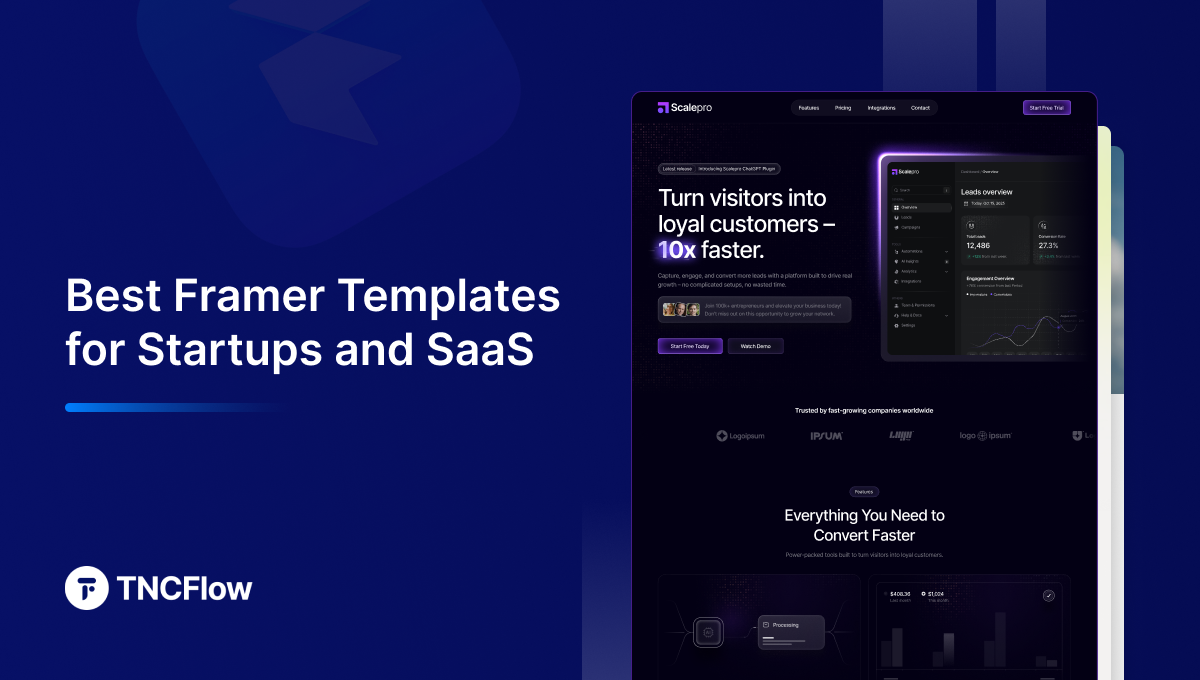
These Framer startup templates and Framer SaaS templates are the ones we would start from for a product launch, compared below by what each is best for and what it costs.
A SaaS website has one job: explain the product quickly and move the visitor toward an action. Value, features, pricing and the call to action all need to be obvious, and they need to be obvious before the visitor decides you are not worth the effort. A well-built Framer SaaS template handles that structure for you, which is why so many founders start from one.
Instead of spending weeks on design, you get a clean, modern site live in days. This guide covers why Framer suits startups, the Framer templates in the TNCFlow catalog built for SaaS and startup businesses, what separates a good SaaS template from a generic one, how to choose, and the mistakes that undo an otherwise good template.
Quick Picks
| Template | Best for | Framer price | Link |
|---|---|---|---|
| Toolify | Software tools and apps | $59 | View template |
| Scalepro | AI SaaS products | $59 | View template |
| Nocomation | Automation platforms | $59 | View template |
| LeadGen TNC | Launch and lead capture pages | $29 | View template |
| Insurize | Insurtech and fintech | $49 | View template |
| Healers | Healthtech | $49 | View template |
| Agentor | Proptech | $49 | View template |
| SecurityForce | Security products | $49 | View template |
| Multilingo | Edtech | $59 | View template |
| Powder | AI and SaaS startup landing pages | Free | Framer Marketplace |
| Nubo | Single-product launches | $129 | Framer Marketplace |
| Fluxy | SaaS sites needing several layouts | $49 | Framer Marketplace |
Why Choose Framer Templates for Startups and SaaS?
Startups need speed, low cost and credible design at the same time, and normally have to trade one against the others. Framer templates are unusually good at not forcing that trade.
- Fast launch. A founder can go from nothing to a live site in an afternoon rather than waiting weeks on an agency.
- Animation comes built in. Framer’s interaction model is its core strength, so hover states, scroll effects and transitions ship with the template instead of being development work.
- Anyone on the team can edit. Copy, images and colors are editable without a developer, which matters when messaging changes weekly at an early stage.
- Lower cost. A template costs a fraction of a custom build, leaving budget for the things that actually acquire customers.
- Immediate credibility. A polished site makes a two-person team look like a company, which matters in both sales and fundraising conversations.
- Independence. Because Framer is genuinely approachable, your marketing hire or co-founder can ship a landing page without a ticket in someone else’s backlog.
If you are still deciding between Framer and other platforms, Webflow vs Framer vs WordPress compares them on architecture rather than marketing claims.
Best Framer Templates for SaaS Startups
These four are the Framer templates built most directly for SaaS and software products. Each preview below links to the Framer build, which is the version the buy link supplies.
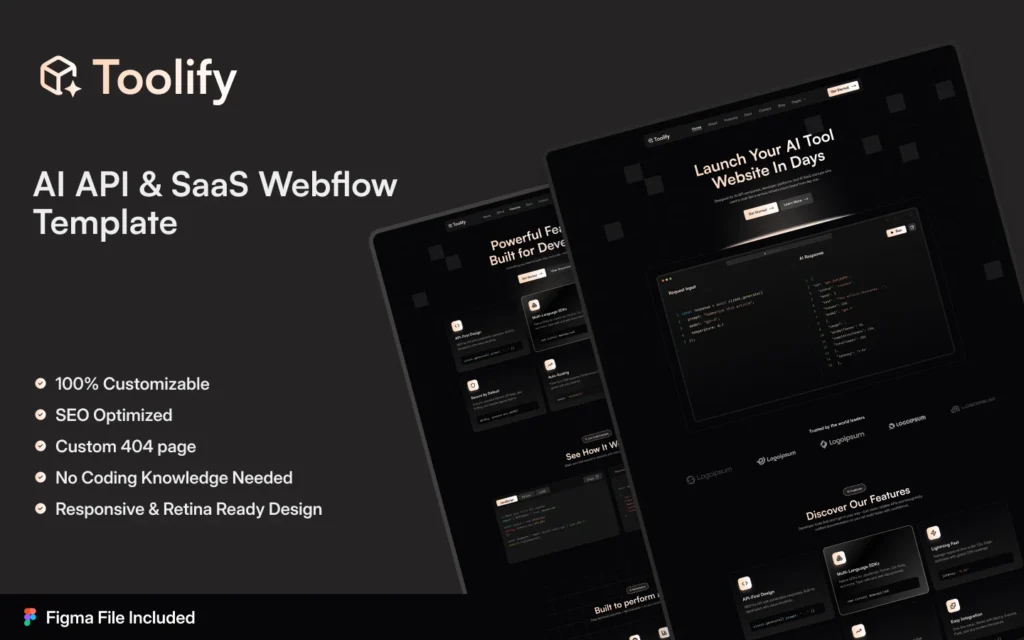
Toolify
Toolify is a premium Framer AI SaaS and developer-tool template with a sleek dark interface, modern layouts and considered interactions. Every section is designed to present the product, surface key features and reinforce the brand, producing a polished, high-performance site that builds trust and converts.
Suitable for: AI startups, SaaS products, developer tools, APIs, automation platforms, browser extensions and software companies.
Explore Live Preview | Watch on YouTube | Buy Now
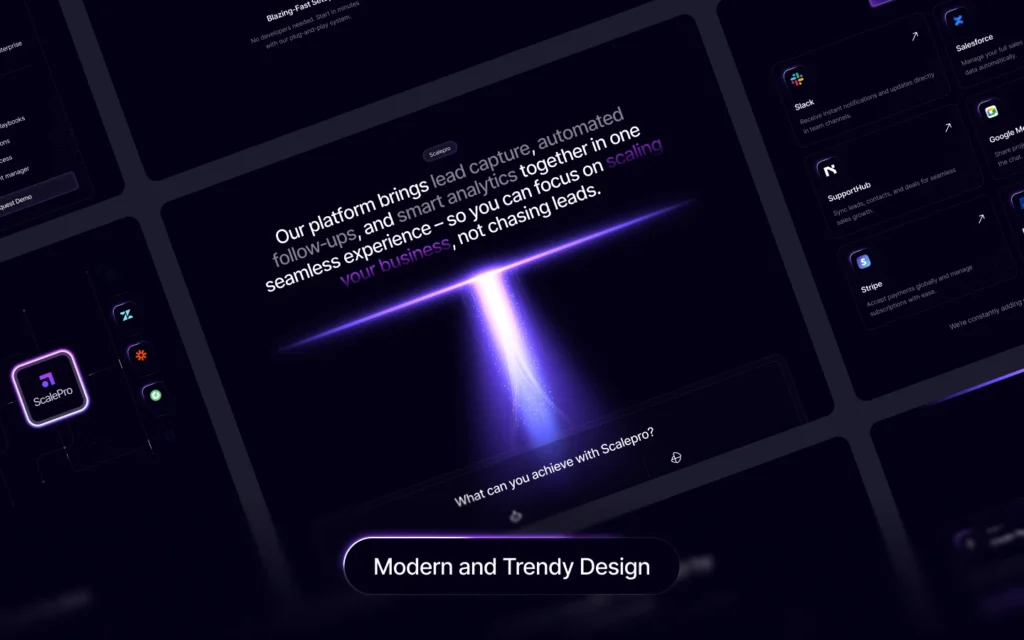
Scalepro
Scalepro is a modern Framer SaaS and technology template with bold layouts, smooth animation and a conversion-focused structure. Each page is built to hold attention, communicate the value clearly and present a professional front without needing a designer to intervene.
Suitable for: AI startups, SaaS platforms, technology companies, automation software, growth agencies and digital service businesses.
Explore Live Preview | Watch on YouTube | Buy Now
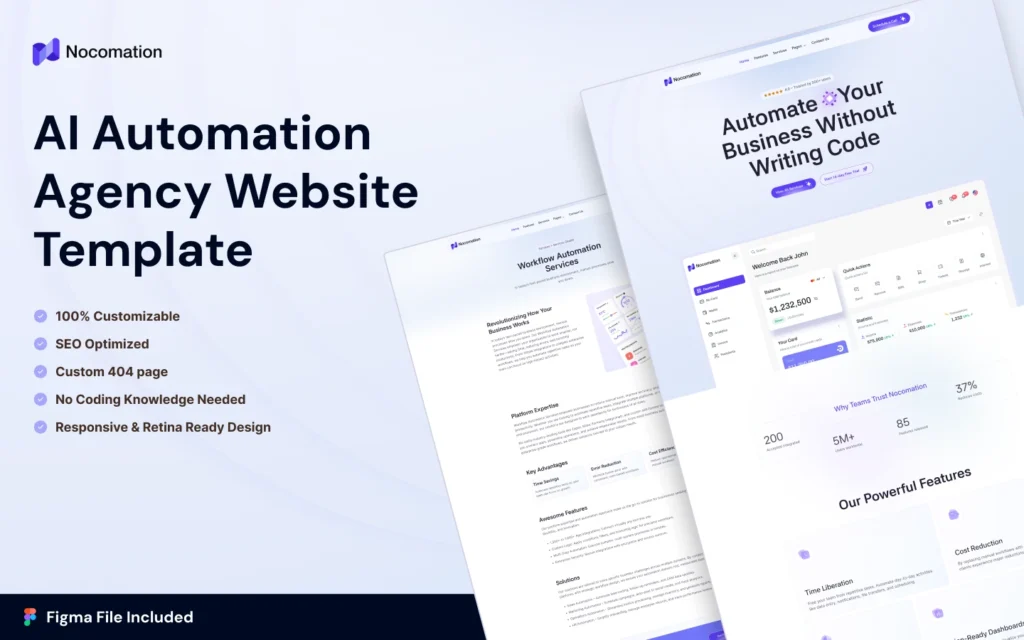
Nocomation
Nocomation pairs a modern design with a user-focused structure so the product’s value lands quickly. Smooth interactions and conversion-oriented layouts build trust and encourage inquiries, which suits products sold through a demo rather than self-serve signup.
Suitable for: SaaS businesses, technology companies, no-code and automation agencies, software startups, digital agencies and AI-powered platforms.
Explore Live Preview | Watch on YouTube | Buy Now
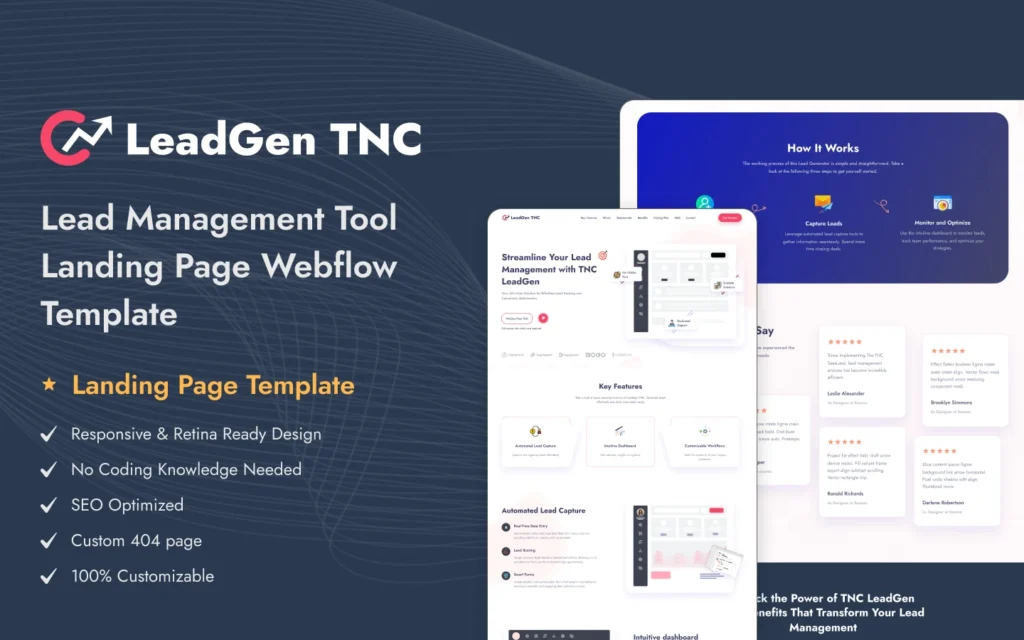
LeadGen TNC
LeadGen TNC is built for a high-converting SaaS landing page: clean layout, direct messaging and engaging interactions. As a one-page structure it is the fastest of these to launch, and the right choice when you are validating a single offer rather than presenting a full product.
Suitable for: SaaS products, software startups, AI platforms, technology companies, digital agencies, marketing tools and lead-generation businesses.
Explore Live Preview | Watch on YouTube | Buy Now
Framer Templates for Vertical SaaS and Adjacent Startups
Plenty of software businesses are not generic SaaS. If you are selling into a specific industry, a template that already speaks that industry’s language will convert better than a generic product page. All of these are available as Framer builds.
Fintech, Insurtech and Financial Products
- MNC a corporate banking and investment structure for financial platforms that need to read as institutional.
- Insurize built for insurance products and brokers, which maps well onto insurtech propositions.
Healthtech and Wellness Platforms
- Healers a health and wellness structure suited to care platforms and practitioner marketplaces.
- OPTHA a clinical layout for specialist medical software and practice tools.
- Ampul healthcare and retail crossover, for products selling into pharmacy and medical supply.
Proptech, Marketplaces and Directories
- Agentor real estate and property management, which fits proptech products with listings at their center.
- Citypedia a directory structure, useful for marketplace and listing platforms where browsing is the core interaction.
Security, Edtech and Other Verticals
- SecurityForce for cybersecurity and risk products, where credentials and coverage need prominence.
- Multilingo classes and courses, which maps directly onto edtech and training platforms.
- Khelna sports and commerce, for fitness, sports-tech and community platforms.
Agency, Studio and Founder-Led Brands
- TNC Infinity a one-page corporate and startup structure, good for a company site rather than a product page.
- Somers agency and marketing, with case-study collections for teams that sell on demonstrated outcomes.
- DigiMark marketing and martech, structured around services and results.
- Brandfluencer influencer and personal-brand led, for founder-fronted products.
- Animatory a creative and motion-led portfolio structure for design-heavy studios.
That is a selection rather than the full range. The complete Framer templates collection covers considerably more industries, and every template ships with the matching Figma file.
What Makes a Great SaaS Framer Template?
A SaaS template has to work harder than one built for a restaurant or a portfolio. What to look for:
- Navigation that surfaces pricing. Pricing, features and contact should be reachable immediately. If pricing is buried, expect people to leave rather than hunt.
- SaaS-specific sections. Testimonial blocks, feature comparison tables, integration logos and clear calls to action, built in rather than improvised.
- Genuine responsiveness. A large share of first visits happen on a phone, often from a social or ad click, so the mobile layout is the real layout.
- Fast loading. Clean structure and light images help conversion and remove a technical obstacle to ranking.
- Straightforward customization. Colors, fonts and imagery should be changeable without technical knowledge.
- Room to grow. The layout should absorb longer content, such as detailed feature pages or a documentation section, without breaking.
The last point is the one founders underestimate. Early-stage sites are short, and a template that looks good with three sections can fall apart once you have a real feature set to explain.
How to Choose the Right Framer Template for SaaS
- Match the brand’s register. A playful project-management tool and a cybersecurity platform need visibly different treatments, and the wrong register undermines trust before anyone reads a word.
- Check the sections you actually need. Pricing table, FAQ, and space for a free trial or demo call to action. Adding these later is more work than choosing a template that has them.
- Test the demo on your own phone. Not a resized browser window. Load the live preview on a real device and see how it behaves.
- Check it loads quickly. A slow demo usually means a slow site, and speed is particularly punishing on paid traffic.
- Think about the pages you do not have yet. A blog, help center, changelog or customer stories section. Confirm the template can carry them without a redesign.
If your requirements do not map onto any of these, that is worth taking seriously. Framer template vs custom Framer website covers when a bespoke build is justified, and how to choose a template covers the assessment process in more depth.
Framer Templates vs Custom Framer Website
Founders reasonably ask whether to buy a template or commission a custom build. Both are valid; the answer depends on your stage.
| Factor | Framer Template | Custom Framer Website |
| Speed | Live in a few days | Typically several weeks |
| Cost | A one-off licence | A substantial project investment |
| Control | Deep customization within a structure | Full control over every detail |
| Coding needed | None | Usually needs a developer |
| Best for | Early-stage startups needing speed | Scale-ups with defined requirements |
| Design uniqueness | Shared base, heavily customizable | Unique from scratch |
The practical argument for starting with a template at seed stage is not really cost, it is learning. A site built around assumptions you have not tested yet will need rebuilding once real traffic tells you what visitors actually care about. Launching fast means the eventual custom Framer build is designed around evidence rather than guesswork.
Common Mistakes to Avoid
- Leaving placeholder content. Sample text, demo images and fake logos left in place are the fastest way to look unfinished.
- Skipping mobile testing. Checking only on a laptop hides problems most of your visitors will hit.
- Overloading the homepage. Explaining every feature on one page buries the ones that matter. Pick the two or three that sell.
- No single clear call to action. Every page needs one obvious next step, whether that is a trial, a demo or a waitlist.
- Ignoring search basics. Page titles, headings and metadata are quick to set and expensive to retrofit.
- Heavy image files. Large uncompressed images undo the speed advantage the template gave you.
- Never revisiting it. A SaaS product changes constantly; a site describing last year’s product actively misleads people.
What Framer Templates Cost
Template pricing across the market varies widely, and price alone tells you little. What matters is how many finished pages and components you get, and therefore how much build time you avoid.
- Framer template, $59, including the matching Figma file.
- Figma design only, $30, if your team will build it themselves.
- All-Access Pass, $299 a year, covering the full catalog. Worth costing out if you launch more than a handful of sites a year, which applies to agencies and serial founders.
Current details are on the pricing page, and there are free templates if you want to try the workflow before committing.
Framer Startup Templates From Other Creators
These are not ours. They are popular options on the Framer Marketplace, included so you can compare before you decide. Prices are as listed at the time of writing.
Powder
Powder is free. A free landing page template for AI and SaaS startups.
Powder on the Framer Marketplace.
Nubo
Nubo costs $129. A premium template built around launching one product.
Nubo on the Framer Marketplace.
Fluxy
Fluxy costs $49. A multi-layout SaaS template.
Fluxy on the Framer Marketplace.
Related Reading
More template guides: Framer agency templates, Figma landing page templates, Figma portfolio templates and animated website templates.
Frequently Asked Questions
Why should startups use Framer templates?
They compress the design phase from weeks to hours, cost a fraction of a custom build, and ship with the animation and interaction work already done. For an early-stage company, the time saved usually matters more than the money saved.
Are Framer templates suitable for SaaS businesses?
Yes, and several in this collection are built specifically for software products, with sections for features, pricing, integrations, testimonials, FAQs and calls to action already structured. That is the difference between a SaaS template and a general-purpose one.
Can I customize a Framer template?
Yes. Colors, fonts, layouts, images, animation and content are all editable without rebuilding the site. Templates with a defined style system let you change the palette once and have it apply everywhere, which is what makes rebranding quick.
Do I get the Framer version or the Webflow version?
Several TNCFlow templates exist as both. The buy links on this page select the Framer build specifically, and every live preview linked here is the Framer version, so what you preview is what you receive. If you would rather have the Webflow build, the same template pages offer it as a separate option.
How do I choose the best Framer template for my startup?
Match it to your industry and your brand’s register first, then check it includes the pages and sections you need, then confirm it is genuinely responsive and quick. Style is the easiest thing to change later; structure is the hardest, so weight structure most heavily.
Are Framer templates SEO-friendly?
They give you the technical foundations: clean structure, fast loading, responsive layout and editable titles and meta descriptions. That removes the obstacles, but rankings still depend on content, relevance and links, so treat the template as groundwork rather than a strategy.
What is the difference between a Framer template and a custom Framer website?
A template is a finished design you customize; a custom site is built from scratch around your specific requirements. The template is faster and cheaper and fits the great majority of early-stage cases. Custom earns its cost once you know precisely what the site has to do.
Can I get help setting it up?
Yes. Setup, deeper customization and full custom builds are available through the Framer development and customization service, and you can request a quote with a defined scope.
Conclusion
The website is one of the first things people use to judge whether a SaaS product is credible, and at an early stage it often carries more weight than the product demo. A good Framer template lets you launch quickly, keep costs down and still look established, which is a genuinely useful combination when you are trying to get to first customers.
Choose on structure rather than looks, preview on a real phone before buying, and confirm you are previewing the same build you are purchasing. Browse the full Framer templates collection to compare, or look at the design and development services if your product needs something built around it rather than adapted to it.